In this article, you will learn how to connect your own bexio account for your fiduciary company to the Cockpit and what benefits this feature offers.
Content
Why has this feature been implemented?
This feature was implemented so that data from your bexio account is also available in the Cockpit. For example, you need the contact details from your bexio account to create non-bexio clients in the Cockpit. The advantage here is that the data no longer needs to be entered twice.
How do I set up the bexio account in the Cockpit?
To create non-bexio clients, you need to connect to a bexio account belonging to the fiduciary office. There are various scenarios for connecting to the bexio account via the bexio Cockpit. The following section explains the options and requirements for doing so.
There are two ways to start the connection process. In the Cockpit, go to the client overview under the "Clients" tab. There, click on "Add client" and then select "Non-bexio account".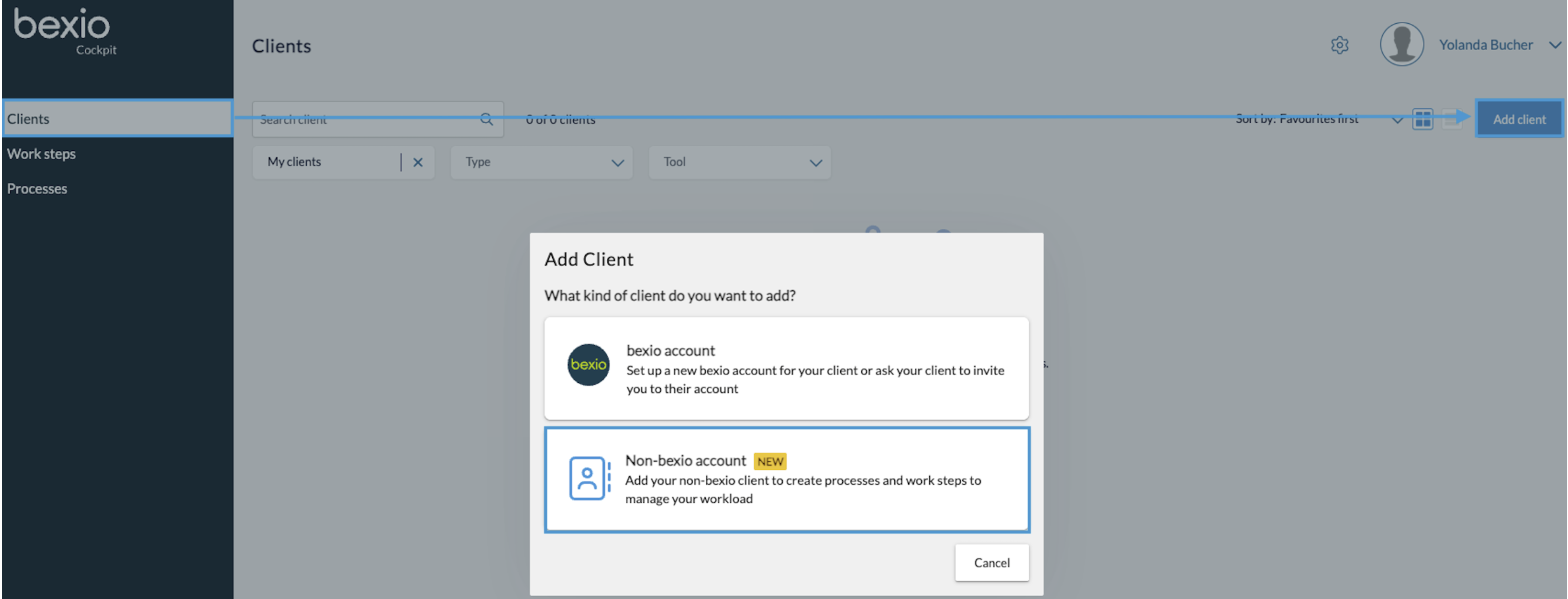
The other option is to go to "Settings" (gear icon), then select "Company" and then click on "Connect bexio account" on the right side.
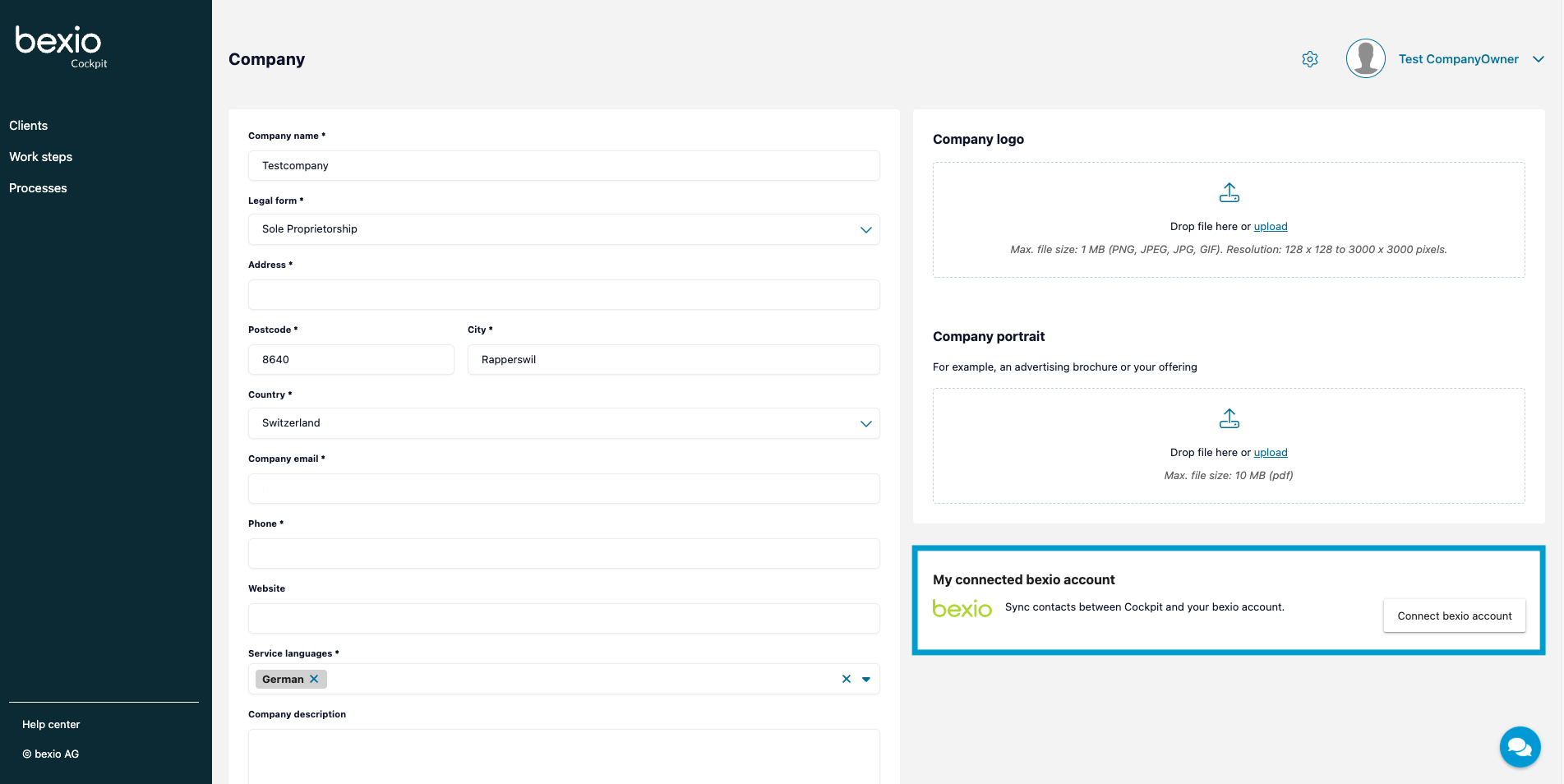
Once the connection has been established, you can start adding the non-bexio clients.
Scenario 1 - You are not an admin in the Cockpit:
If you are not registered as an admin in the Cockpit, please contact a user who is. The bexio account connection can only be created by an admin.
The instructions on how to edit the role of a team member you will find in the following article: Cockpit user profile.
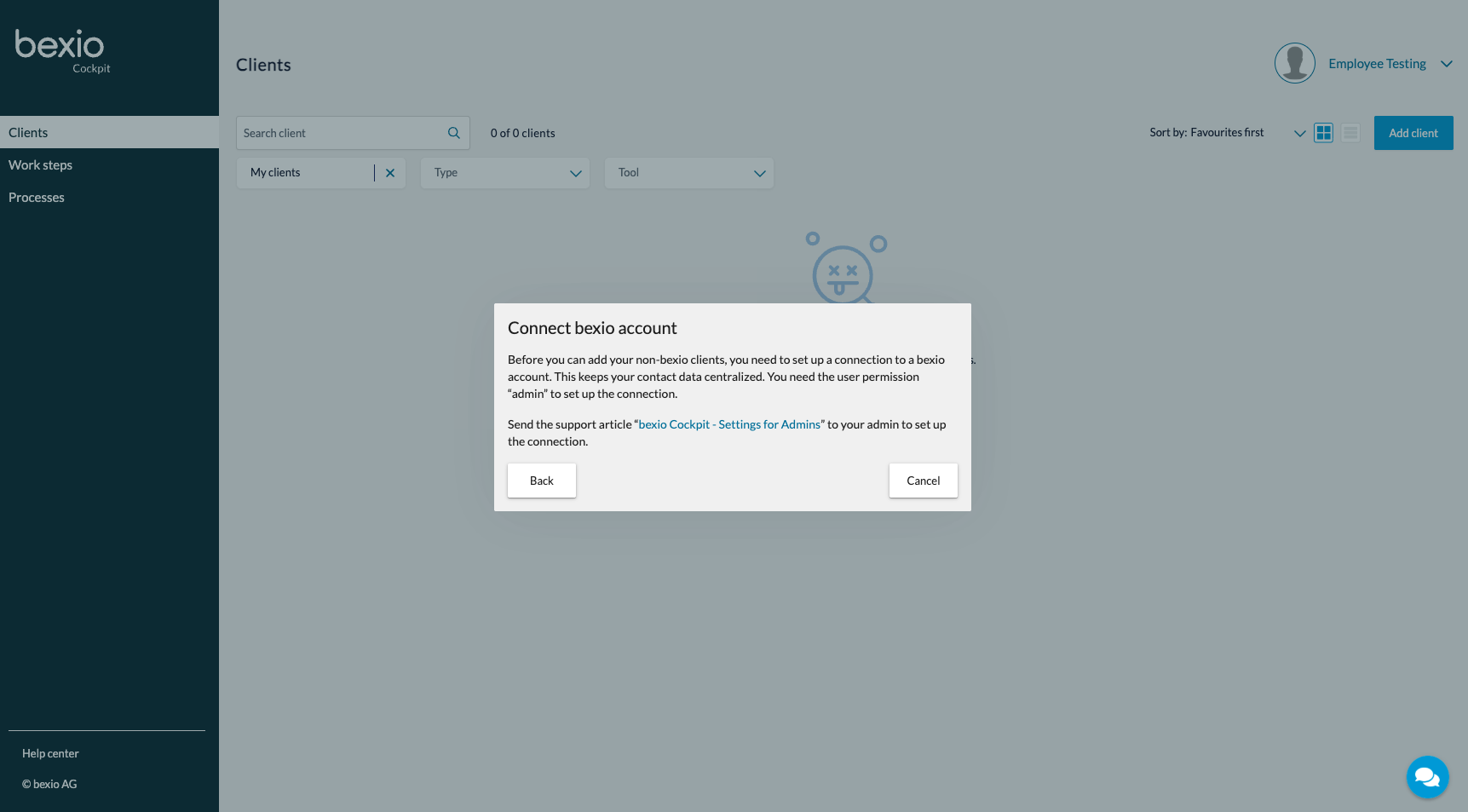
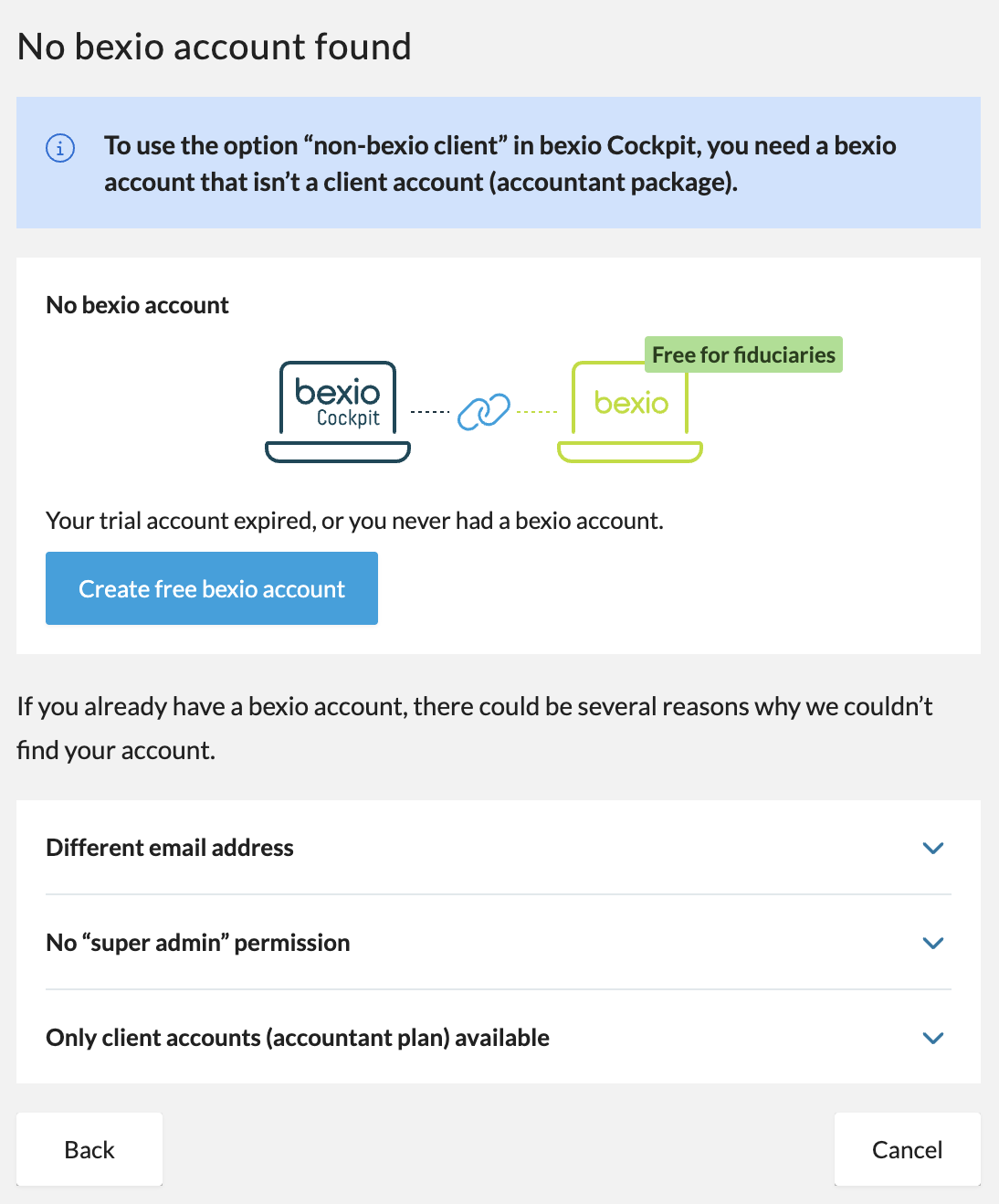
Scenario 2 - You are an admin in the Cockpit, but no available bexio account could be found:
If you are registered as an administrator in the Cockpit but no available bexio account could be found, this may be due to the following reasons:
- You do not have a valid bexio account (trial phase expired or no account created)
- You do not have the super admin permission
- You only have an accountant plan package
- You are using a different e-mail address
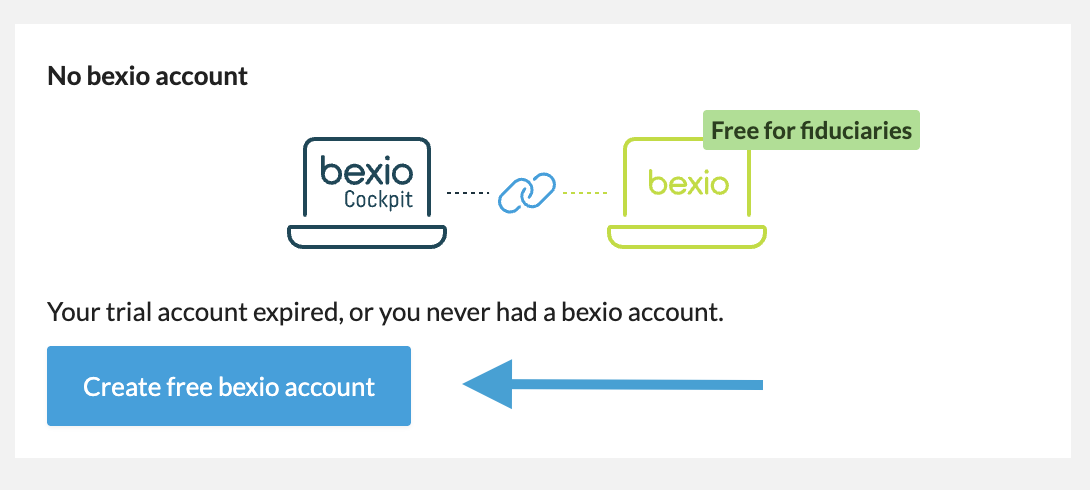
If you do not have a valid bexio account or only have an accountan plan package with limited functions (e.g. no contact module), you can click on the button to create a bexio account. This will allow you to create a bexio account so that the connection can be established. Once the account has been successfully created, you will receive a confirmation e-mail. The connection will be established automatically and you can start adding new clients right away.
If you do not have the super admin permission, please contact an existing super admin, so that he can grant you the right. Can you learn more on the user permissions in the following helpcenter article: Define user rights.
If you use different e-mail addresses for the Cockpit and the bexio Office, it will not be able to establish a connection. Please make sure that the same e-mail address is used in both places.
Scenario 3 - You are an admin in the Cockpit and several available bexio accounts have been found:
If several bexio accounts are displayed during the connection process, you can select one of them and confirm it accordingly. If the correct bexio account is not listed, this may be due to the reasons mentioned in scenario 2.
Scenario 4 - You are an admin in the Cockpit and 1 bexio account has been found:
If you are an admin in the Cockpit and only one matching bexio account has been found, check whether this is the correct account or not. If the correct account is not listed, check the possible reasons according to scenario 2.
If the correct account has been found, confirm this. The screen for adding a non-bexio client will then appear.
Scenario 5 - You do not yet have your own bexio account for your fiduciary company:
If you do not yet have your own bexio account for your trust office, you can create an account so that you can then create the non-bexio clients.
Important: In order to create the account, you also need the admin role in the Cockpit.
If no bexio account connection was found, klick on the "Create bexio account" button. Then confirm again that you want to create an account. Once the account has been created, you will receive a confirmation message as well as an e-mail confirming that the account has been successfully created and connected. You can then start to create the non-bexio clients.
How can I create the non-bexio clients in the Cockpit?
The prerequisite for adding a non-bexio client in the Cockpit is an existing link between the bexio account and the Cockpit (see section above). To create a non-bexio client, go to the client overview and click "Add client". There you can select "Non-bexio account" and set it up accordingly. Detailed instructions on how to create non-bexio clients can be found in the following article: Non-bexio clients in Cockpit.