Have you already set up your bank account in bexio and would now like to create a connection to e-banking? Once the link is established, you will be able to automatically import your banking transactions into bexio and transmit outgoing payments to your e-banking.
Related articles:
❯ Bank Application "Raiffeisen"
| Supported login method: | M-TAN (SMS) & Photo-TAN (QR) |
| File format for payments: | pain.001 |
| File format for statements: | camt.053 |
| File format for QR credit notes: | camt.054 |
1. Setting up a bank account
To create a connection, the account must have already been set up in “Banking”. If this is not yet the case, start by following the steps in this post: Add a bank account. You can then follow the further steps in this section.
2. Set up data transfer
The new Raiffeisen platform "KMU eServices" is not compatible with the direct interface to bexio. There you have the possibility to generate the transaction reports in the format camt.053, to download them manually and to import them into bexio.
If you prefer the direct interface to bexio, with the simple retrieval of the transactions via the interface, you must switch to a regular e-banking account. Our colleagues at the Raiffeisen Corporate Client Service Center (0848 847 222, firmenkunde@raiffeisen.ch) will be happy to assist you with this.
In order to establish the connection to e-banking and consequently import transactions into bexio and export outgoing payments, it is necessary to set up the data transfer. With this, you activate the generation of the electronic bank statement in the "Camt.053 (XML)" file format in e-banking. This format is used so that all transactions can be imported in bexio.
How is the data transfer activated?
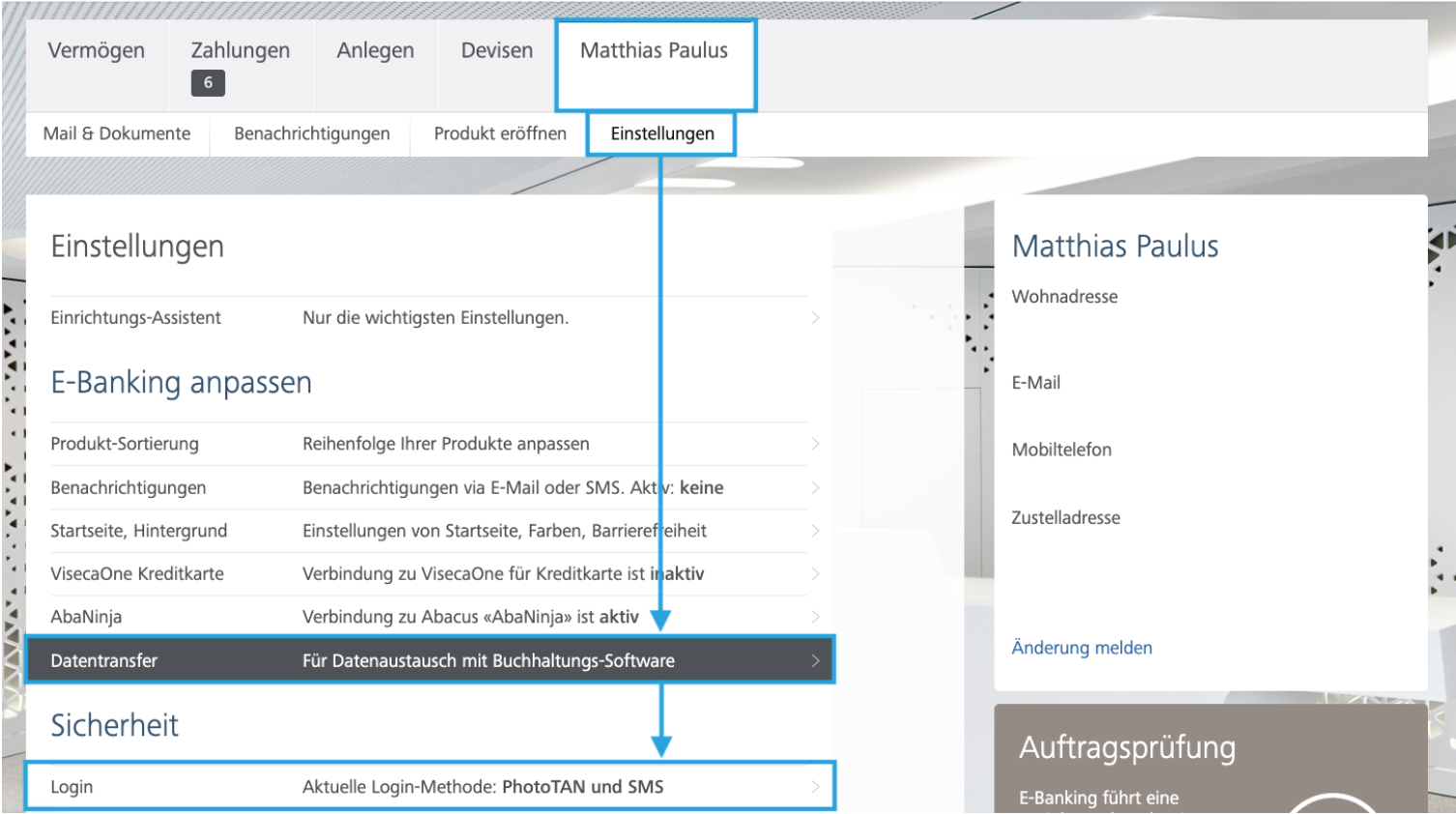
1. Click on your profile name in Raiffeisen e-banking
2. Under "Settings", select "Data transfer"
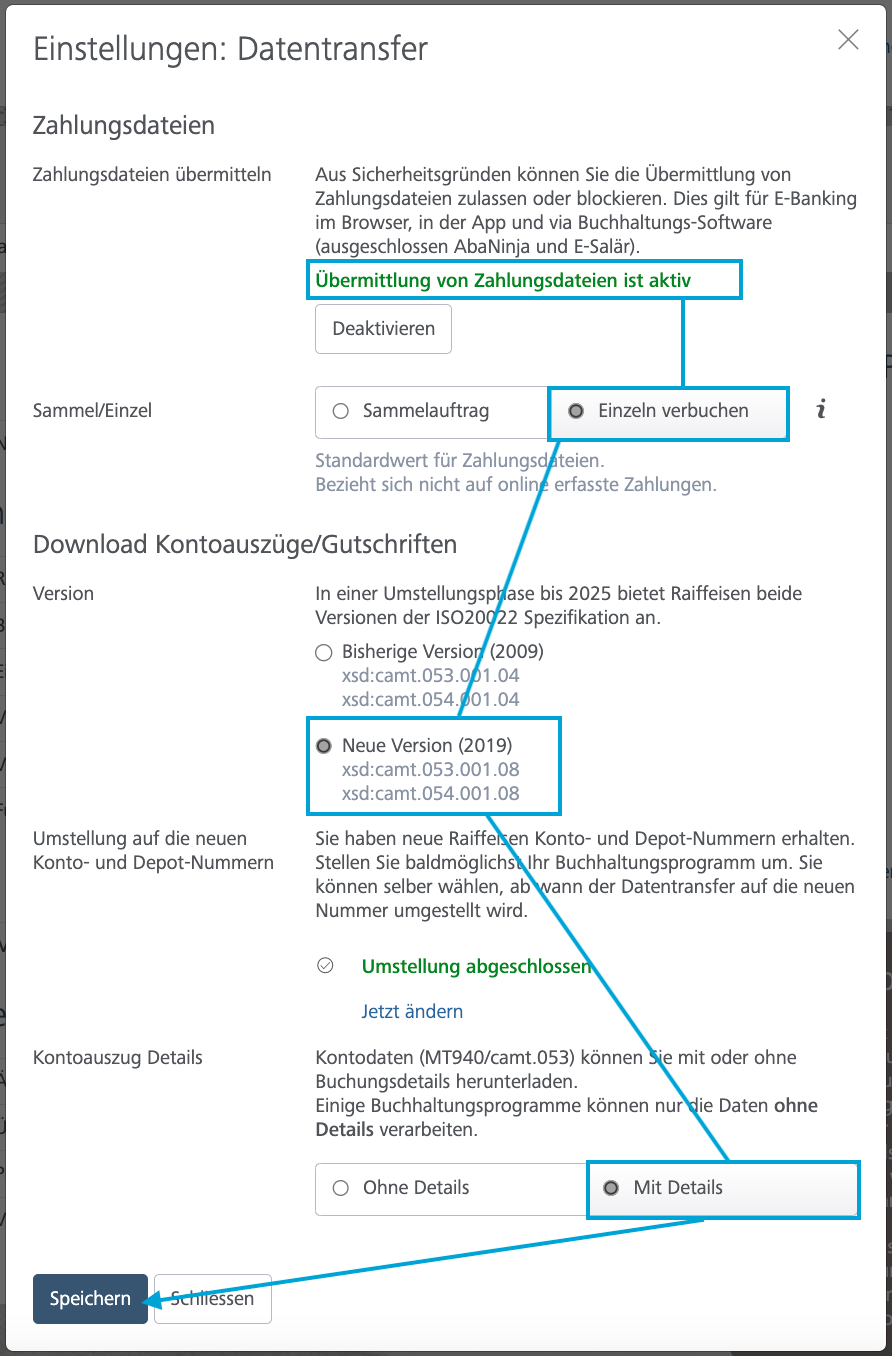
3. Activate the data transfer "With details" & "Post individually"
4. Save the setting
3. Activate login method
Make sure that you have the login method "SMS-Login" as well as the "QR-Login" is supported and one of the two must be activated under the item "Login". bexio supports both login methods for the bank Raiffeisen.
4. Create connection in bexio
Checklist before connecting
-
The bank account has been created in bexio in the banking module "
-
Data transfer has been set up in e-banking "
-
You have activated the login method supported by bexio "
After setting up the data transfer, the connection cannot be established directly. Only when a credit or debit is executed on your account after activation, the bank creates an electronic account statement, which is the prerequisite for establishing the connection. As soon as there is at least one transaction from the previous day, you can start the connection.
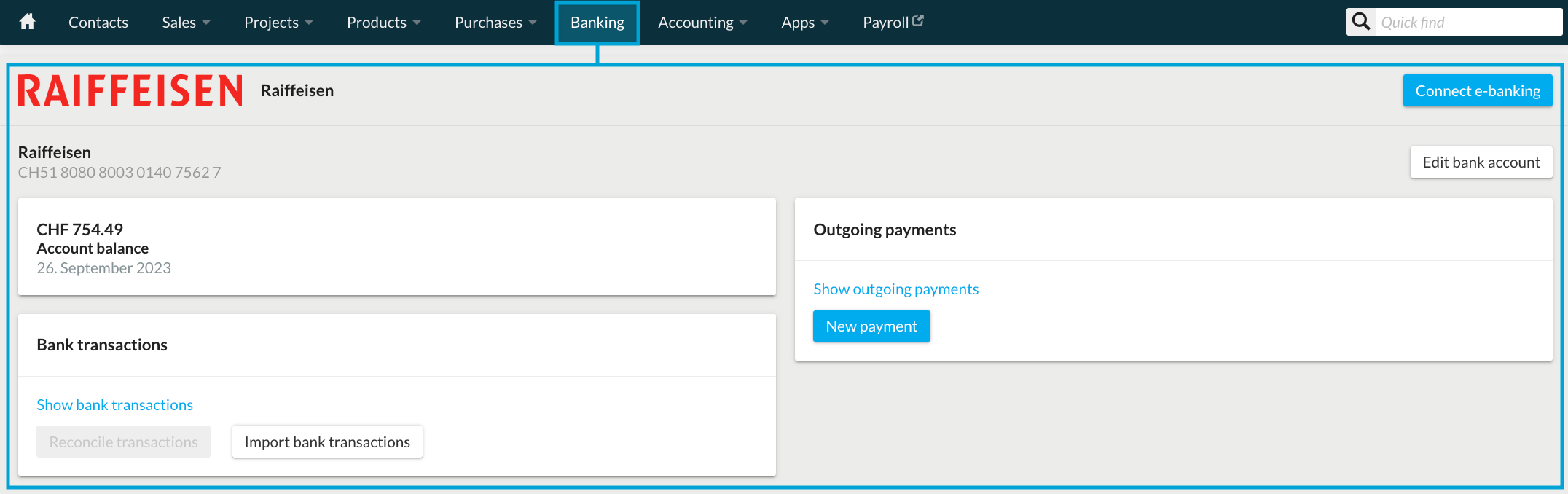
Open banking module in bexio and navigate to Raiffeisen account
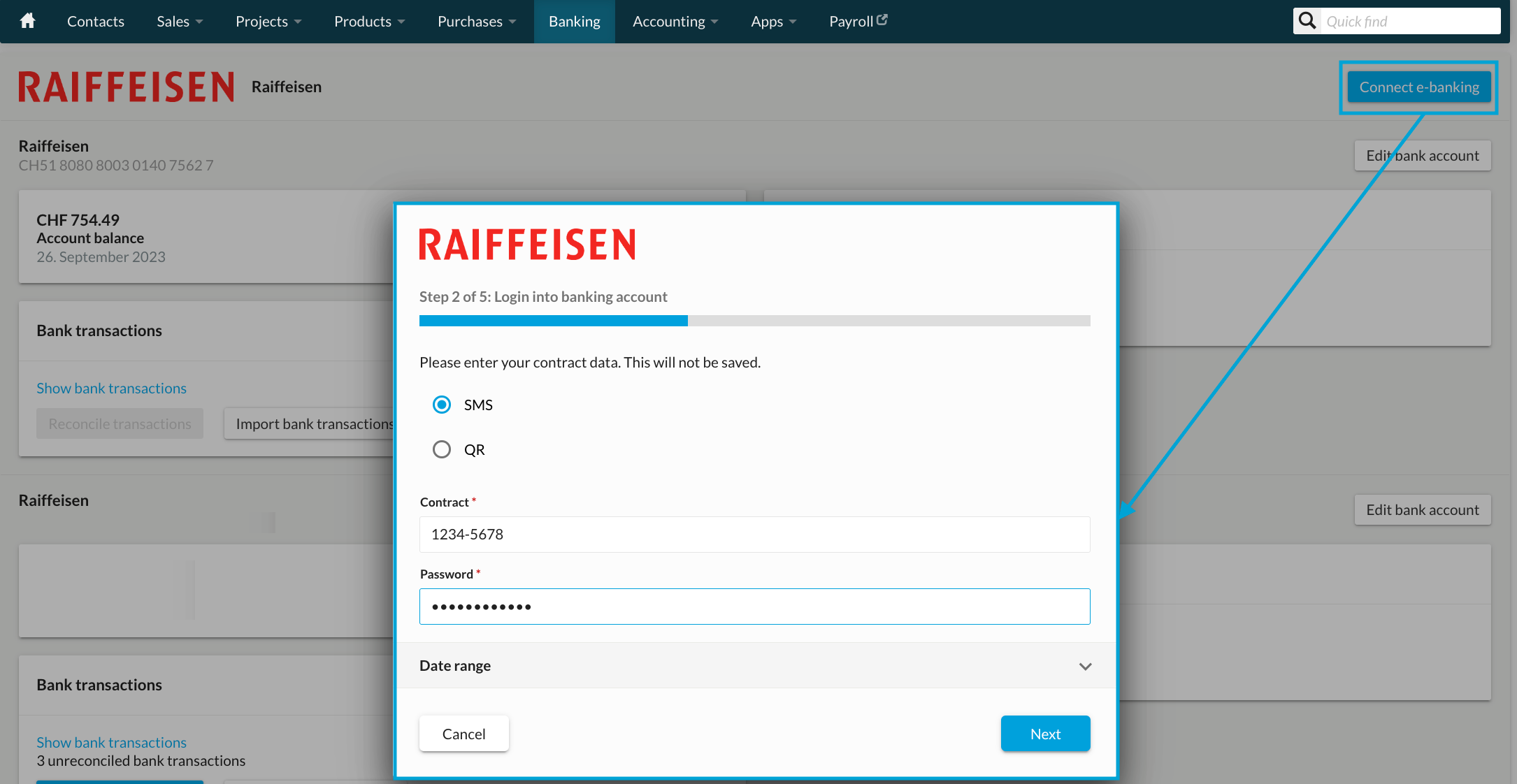
Select Connect e-banking and enter contract data. Log in with the e-banking user data including verification's method (M-TAN).
Linking your bank accounts
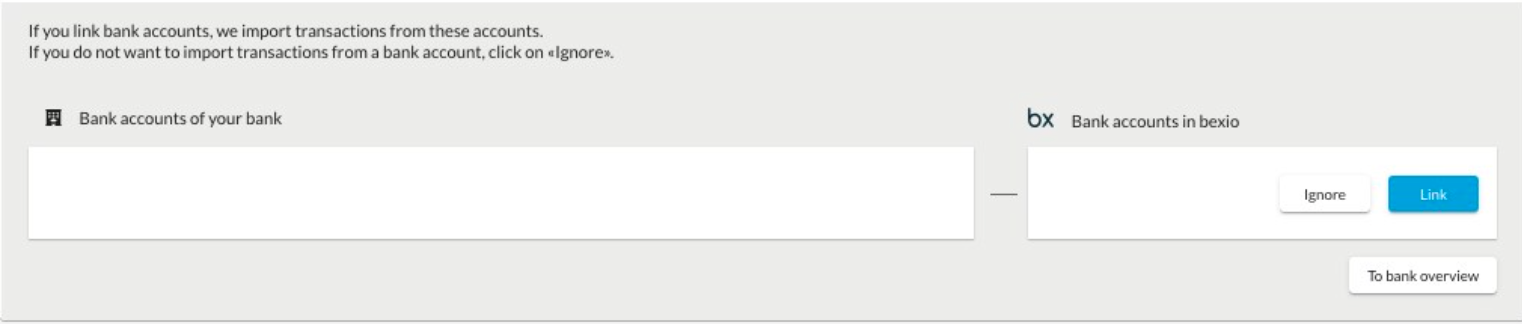
Link the bank account with the bank account created in bexio. If one of the accounts to be linked has not yet been created, you can directly create a new account for it, or if you do not want to use a bank account in bexio you can "ignore" it.
Bank specific information
Supported login methods
bexio supports the login method via SMS login (M-TAN) for Raiffeisen. Please note that we currently do not support any other login method.
How can I connect multiple accounts of the same bank with bexio?
If you want to add more Raiffeisen accounts and connect them to e-banking, these accounts must all be under the same bank contract number.
How can I link my bank accounts to different bexio accounts?
If you have various bank accounts under the same bank contract number, these can be split between two (or more) bexio accounts. (The same account can also be managed on several bexio accounts.) Important: When picking up transactions, Raiffeisen always picks up all files of all accounts of the same contract number. If you set up a bank account of the same contract number on another bexio account, you must apply the date range for pickup in each case. With "Pick up transactions" we cannot guarantee that all transactions on every bexio account will be imported.
How many accounts from the same bank can be linked?
As long as the accounts are under the same contract number, there is no limit to how many bank accounts can be linked to a bexio account.
Safety information
Bexio does not store any login data ("credentials" such as contract number and passwords). bexio does not ask you for your e-banking access data, neither in writing nor by phone. Please never share this confidential data with third parties.