Have you already set up your bank account in bexio and would you like to create a link to your e-banking now? Once the link is created, you'll be able to automatically retrieve your bank transactions in bexio and send outgoing payments to your e-banking.
The bank will only create an electronic statement, the prerequisite for creating a link, once a credit or debit has been made to your account. Once there is at least one transaction from the previous day, you will be able to start the linking process.
Quick info
In this article, you will learn just how easy it is to synchronise your Banque Cantonale Vaudoise (BCV) account with bexio as well as how to sync transactions and transfer payments.
| Configure data transfer: | Subscribe to data transfer (we recommend daily delivery of CAMT.053) |
| File format for payments: | PAIN.001 (ISO ready) |
| File format for account statements: | CAMT.053 version 2019 - version 8 (ISO ready) |
1. Create a bank account
To create a link, the account must already have been set up under "Banking". If this is not yet the case, start by following the steps in this post: Add a bank account. You will then be able to follow the next steps under this paragraph.

2. Order an electronic bank statement
To be able to use the bexio-to-BCV interface correctly, you must have activated delivery of electronic account statements in ISO format in your BCV e-banking.
Go to the "Settings" in your e-banking (BCV-net). In the "CAMT - ISO" tab > "download manually" and activate the "CAMT53 version 2019 - version 8" format for daily delivery.
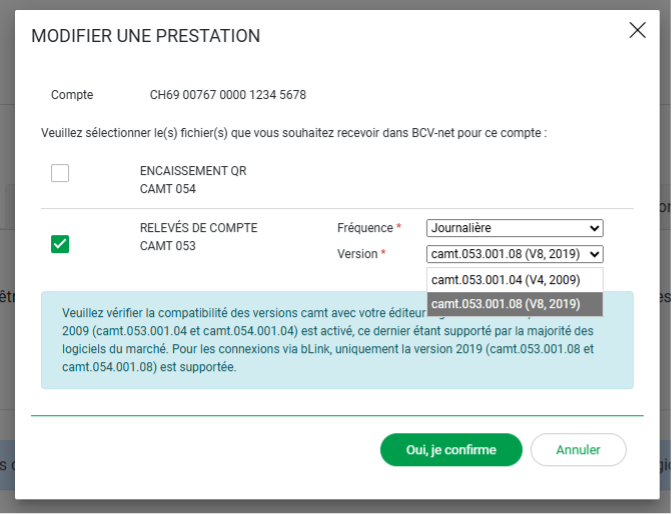
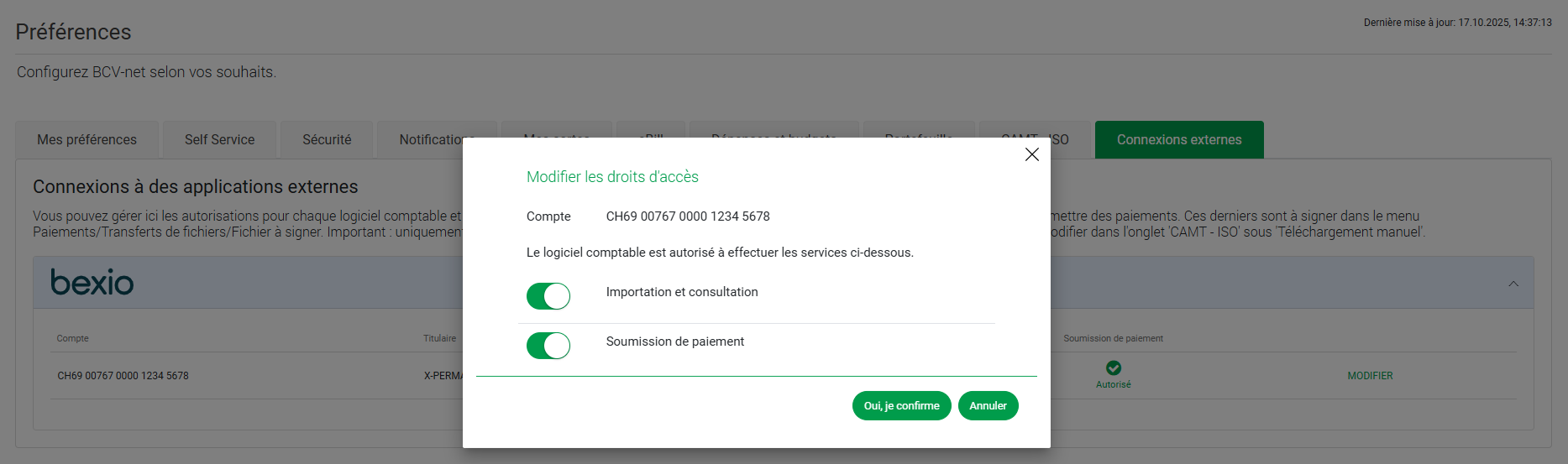
This new update allows BCV-net and your accounting software to handle PAIN.001 & CAMT.053 files automatically and simplify data exchange. Please allow the accounting software to access the BCV data. To do this, go to the "Settings" tab – "External connections" and click on "Edit".
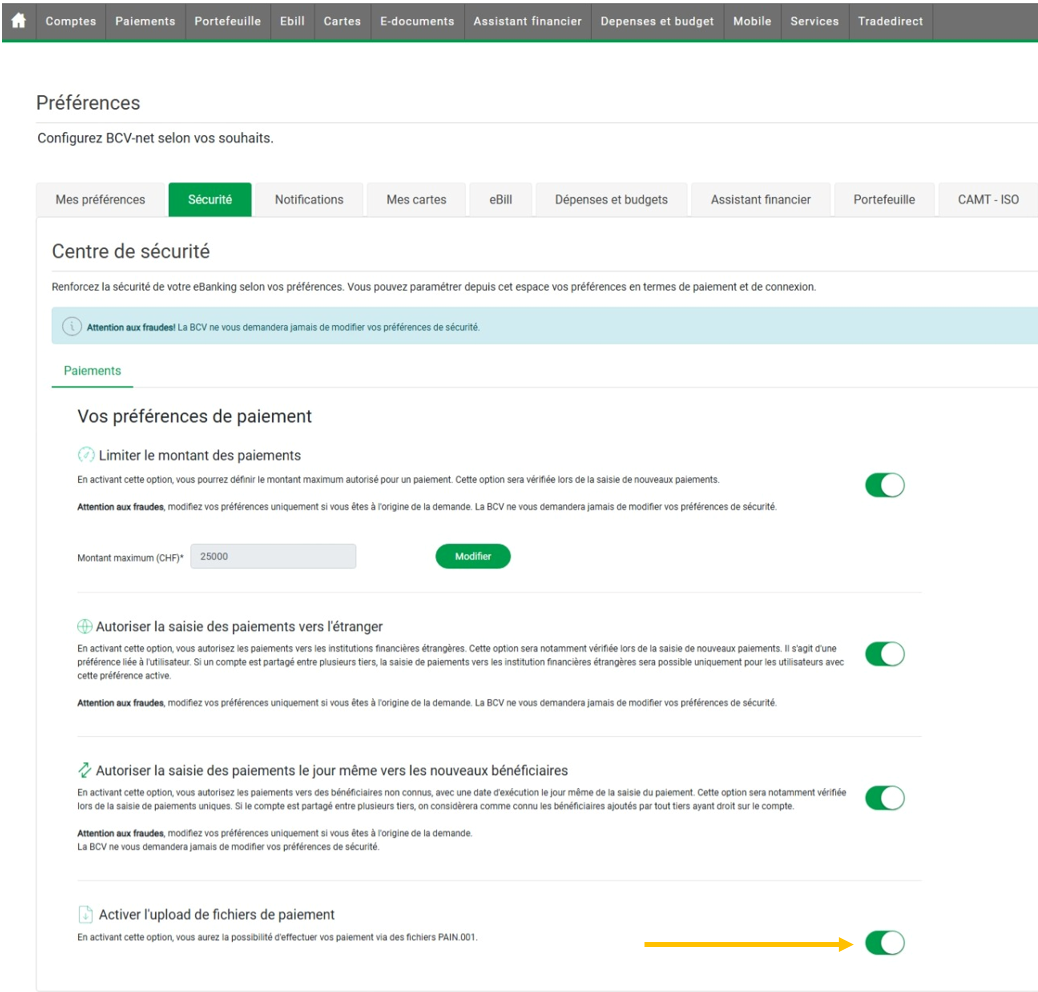
When transferring payment files (PAIN.001), please ensure you have enabled the following option in the payment data transfer "Security" tab.
To use the new "Automatic file transfer" functions,
you must first log out of your bank account from bexio, if you have not already done this.
- Log in to your bexio account
- Log out of your BCV account (Banking / Change bank account / Log out of e-banking)

Then link your bexio account to your e-banking again by clicking on link " Connect e-banking".

3. Create a link between bexio and BCV
Checklist before linking:
✓ The bank account has been set up in bexio in the Banking module »
✓ Data transfer has been set up in your e-banking »
✓ Electronic account statement has been activated correctly »
4. Open the Banking module in bexio and navigate to your BCV account
5. Link e-banking
Log in with your e-banking user data, including your preferred 2-factor authentication method (2FA).
You will receive a dialogue with a note telling you that you will now be redirected to BCV-net's e-banking. Click "Go to BCV / Vers BCV" to continue.

You will be automatically redirected to the BCV-net e-banking website. Enter your user number here.

In the following step, you must scan the QR code, enter your SMS or specify your preferred 2FA method in order to proceed to the next step. Please note that you will have three minutes before the process is cancelled for security reasons.

After authentication, a new window will appear in which you can select the accounts for which you wish to authorise data import and viewing, as well as authorise the submission of payments between bexio and BCV.
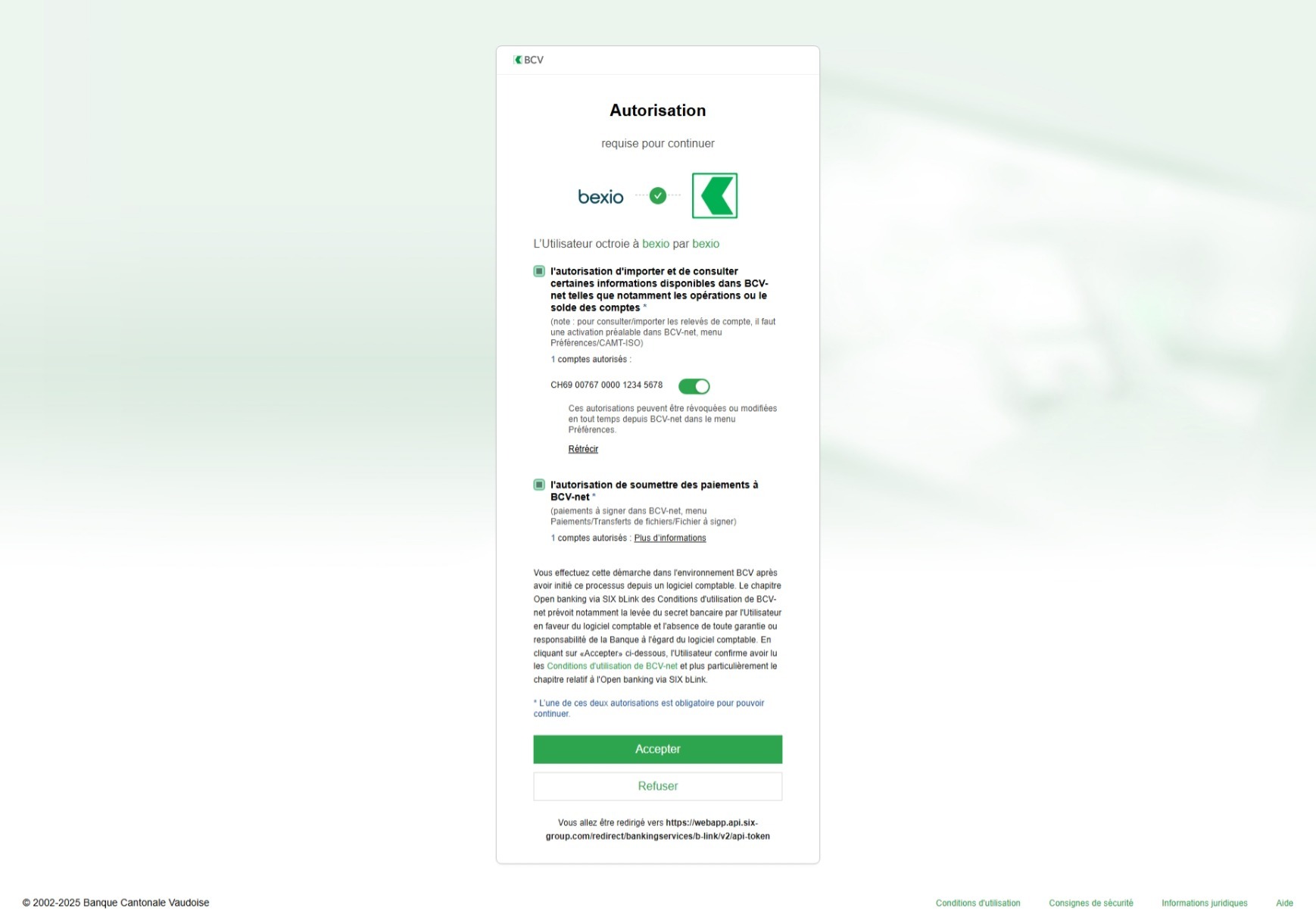
Link your bank account to the bank account set up in bexio. If one of the accounts to be linked has not yet been set up, you can create a new account for this directly, or, if you do not wish to use a bank account in bexio, you can "ignore" this.

After this, all available transactions from the past 10 days will be transferred from your e-banking to bexio. A dialogue will show you how many transactions were retrieved.
Following successful linking with at least one bank account, the "Retrieve transactions" button will then be displayed instead of the "Link e-banking" which was visible previously.

6. Retrieve bank transactions via the date range
When importing using the date range, you can go back a maximum of 60 days. This means that account statements that have already been marked as “retrieved” in your e-banking will be checked again and imported. The interface offers a duplicate filter, which prevents existing transactions from being imported again using the same file format.

7. Record and transmit outgoing payments
Record outgoing payments
Outgoing payments are recorded in the optimal manner via the supplier invoice, or alternatively directly under "Banking" → "New outgoing payments". Instructions containing more detailed information can be found here »

Send outgoing payments to e-banking
As soon as the payment has been recorded, it will appear in the bexio banking area under “Show outgoing payments”. To send the payments to your e-banking for execution, select the pending payments in question and then click on "Transfer payments". For this function to be activated, you must have created a link to your e-banking »


Approval
Once the outgoing payments have been transmitted, they will be in your bank's e-banking. These payments must also be approved in your e-banking; only then will they be executed on the requested date.
Import "CAMT.053" file manually
In this article, we will show you where to find and download bank statements in your BCV e-banking. To upload bank statements or credit and debit notes into bexio manually, you must download the electronic account statement in the following format in your e-banking:
Method for importing manually
- Log into your BCV e-banking account.
- Go to the "E-Documents" tab
- Then select "CAMT".
- Using the ⬇️ icon (down arrow) will allow you to download the file.

- Click "Import bank transactions"
- Select the downloaded "CAMT.053" file and import it.

- All transactions will then be imported and you can then sync them.