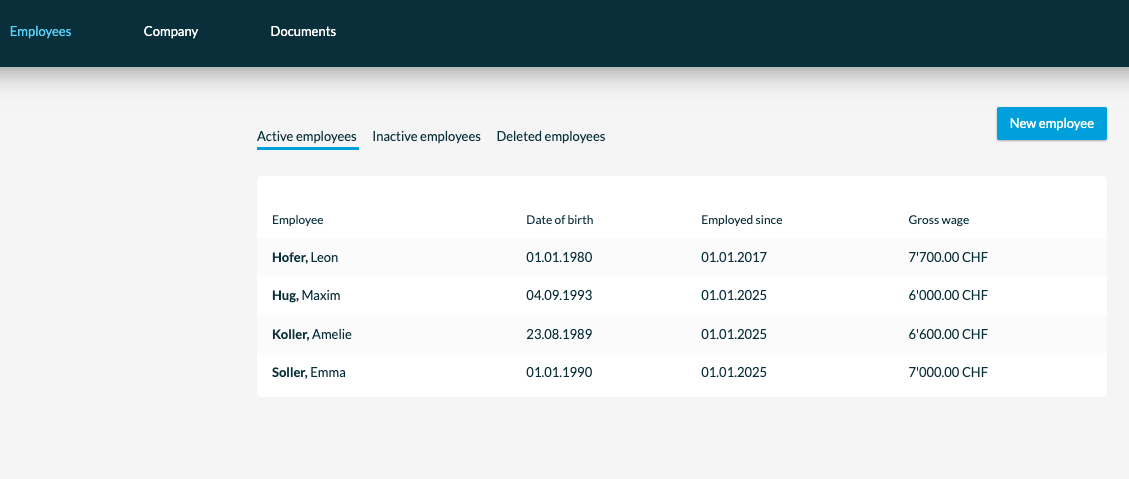
To create a new employee, open the "Employees" tab in the main navigation bar and click "New employee".
Please note that payroll accounting can be ordered with different numbers of employees. When your option's quota is used up, you may first need to customize the package or option in bexio. You can find out more about this here: Activation of the payroll module
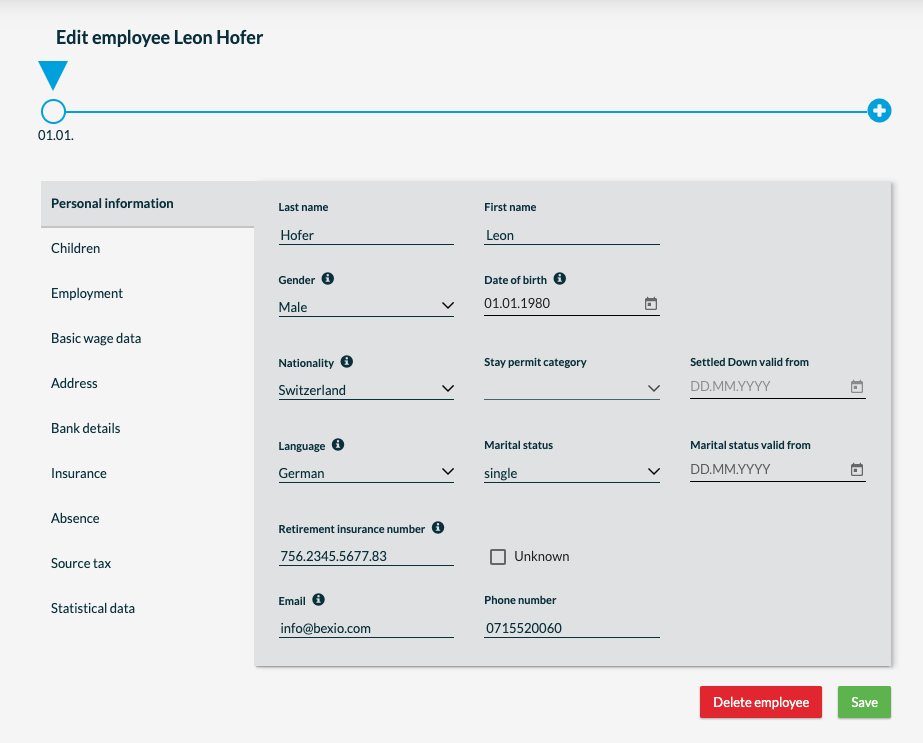
Personal Information
Enter the employee's personal data. If you do not have the OASI number at hand, you can also mark it as "Unknown" so that you can enter it later.
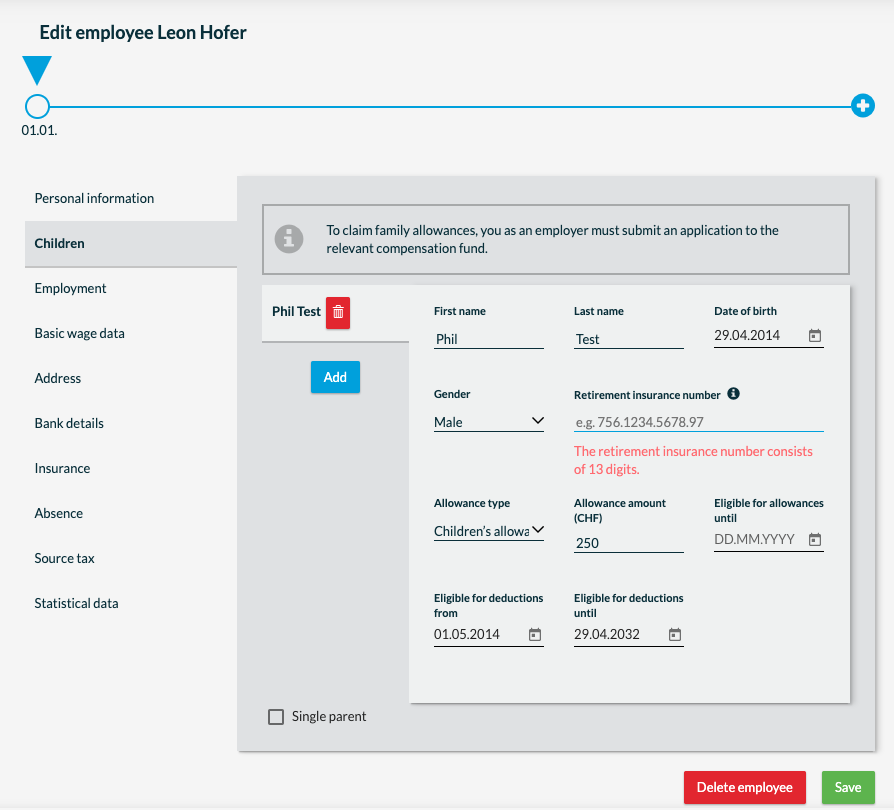
Children
If your employee has children, enter them in the "Children" tab. You can also select whether the employee is a single parent here.
By clicking on "Add" you can enter several children.
Employment
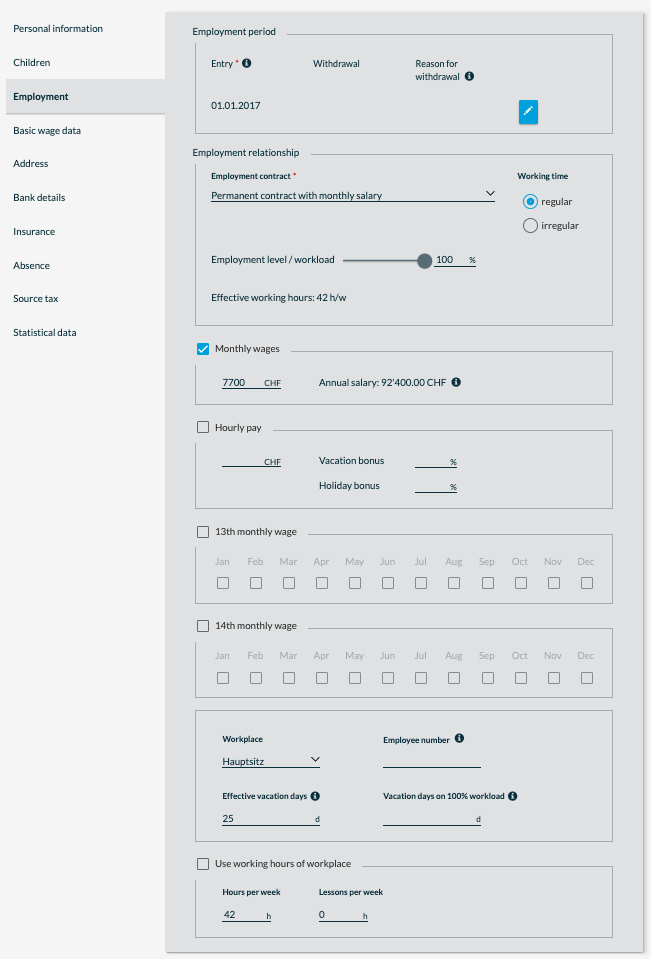
You can enter the most important information to calculate the wage here. For one thing, the date of entry into the company and whether your employee has a fixed-term or permanent employment contract. For a fixed-term employment contract, enter the end date of the employment contract.
Specify whether your employee is employed on a monthly or hourly basis and with which workload.
It is also defined here whether your employee will receive a 13th monthly wage and in which months it will be paid out. Please note that if your employee is employed on an hourly basis, the 13th salary will be paid pro rata.
Under vacations, enter the number of vacation days available to the employee. Please enter the effective vacation days here. For example, with a workload of 100% = 25 vacation days, with a workload of 80% = 20 days.
The same applies to the number of hours the employee works for you per week. These are determined and specified on the basis of workload.
Basic wage data
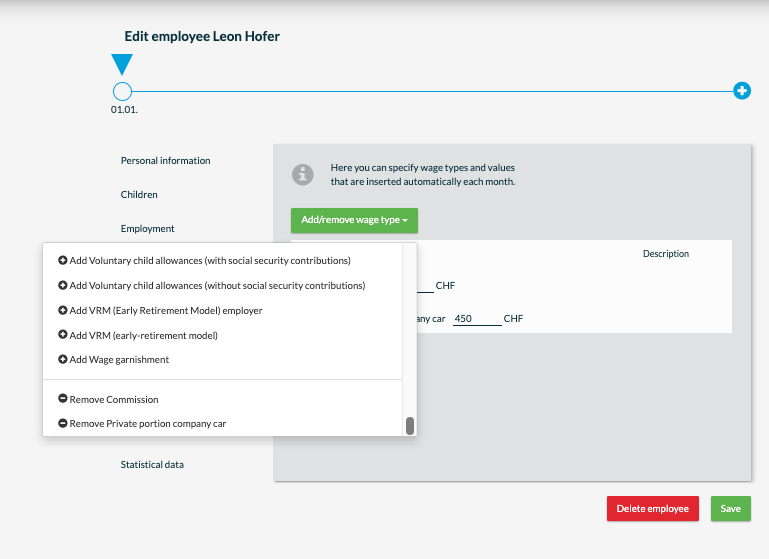
Here you can specify wage types and values that are inserted automatically into each month. This includes, in particular, the wage types that are repeated again and again.
You can adjust the wage types by clicking on "Add / remove wage type".
Address
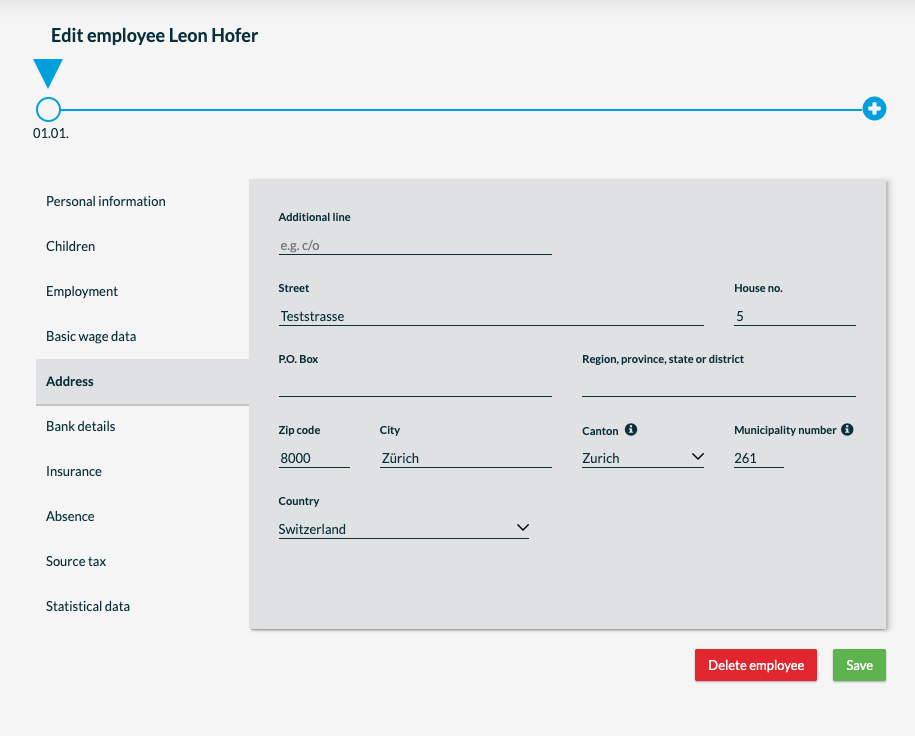
You can enter your employee's residential address here.
Bank details
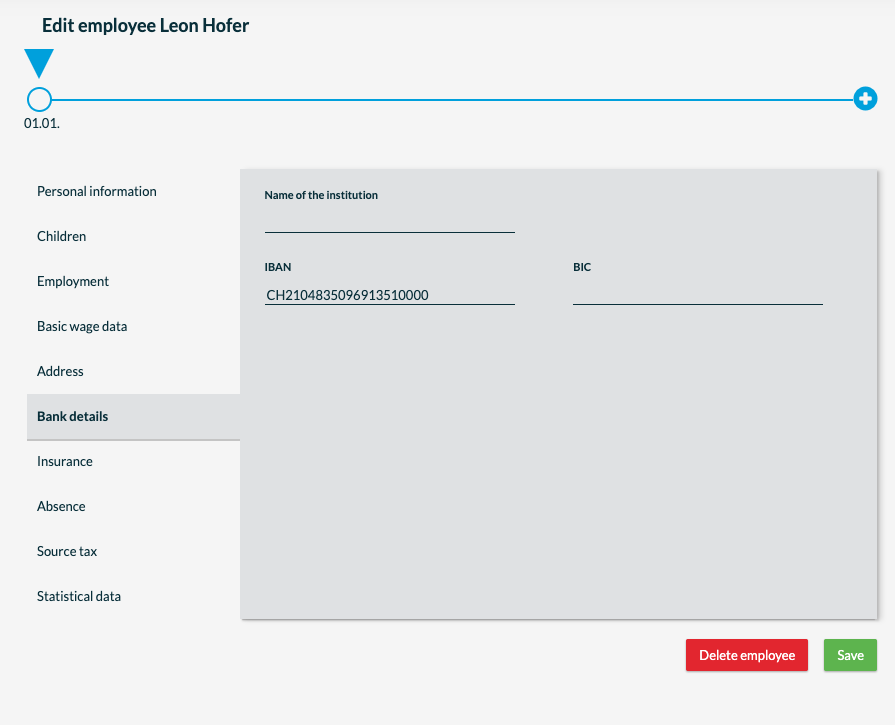
Your employee's bank details are necessary for wage payment. This means that the wage is transferred to the bank account entered here. We recommend saving the IBAN and BIC. The IBAN number is necessary for bexio to create the DTA file.
Insurance
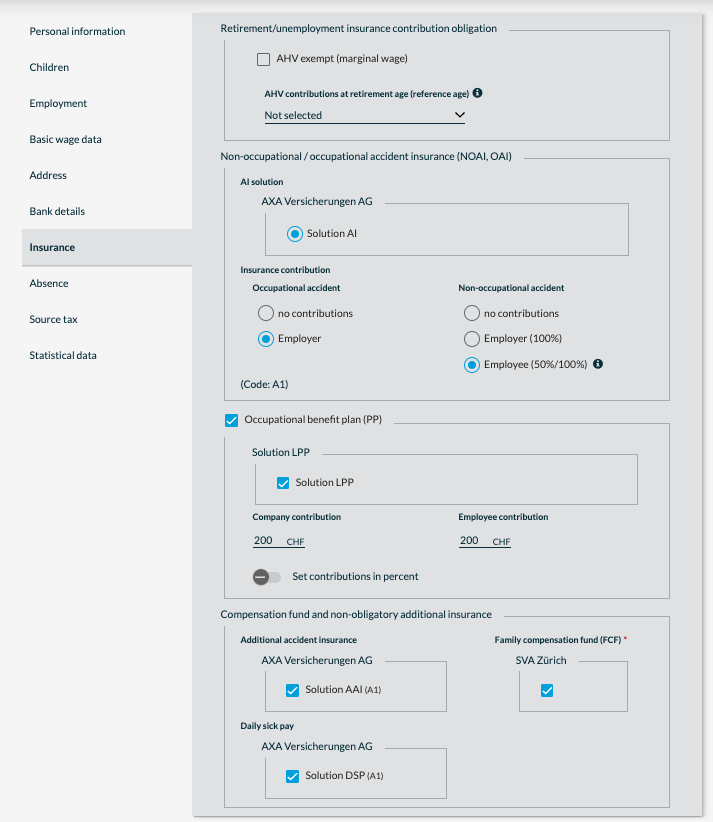
This section deals with employee specific insurance information that can be added to the employee. As well as the withholding tax you can define here.
We recommend that you enter these details together with your trustee so that the payroll can be prepared correctly.
Illness & accidents
If an employee is/was sick or has/had an accident, enter the days in which they were incapable of working here. These are particularly important for continued pay.
Source tax
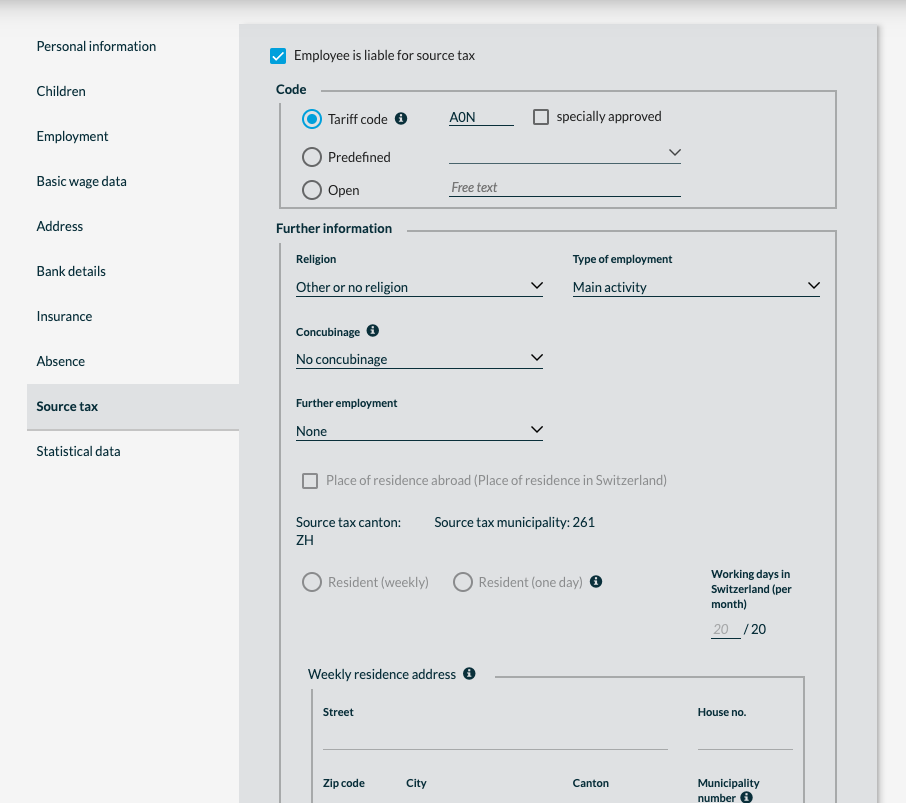
Here you enter all relevant data for your employees subject to withholding tax, such as tariff code, religion, type of employment, etc.
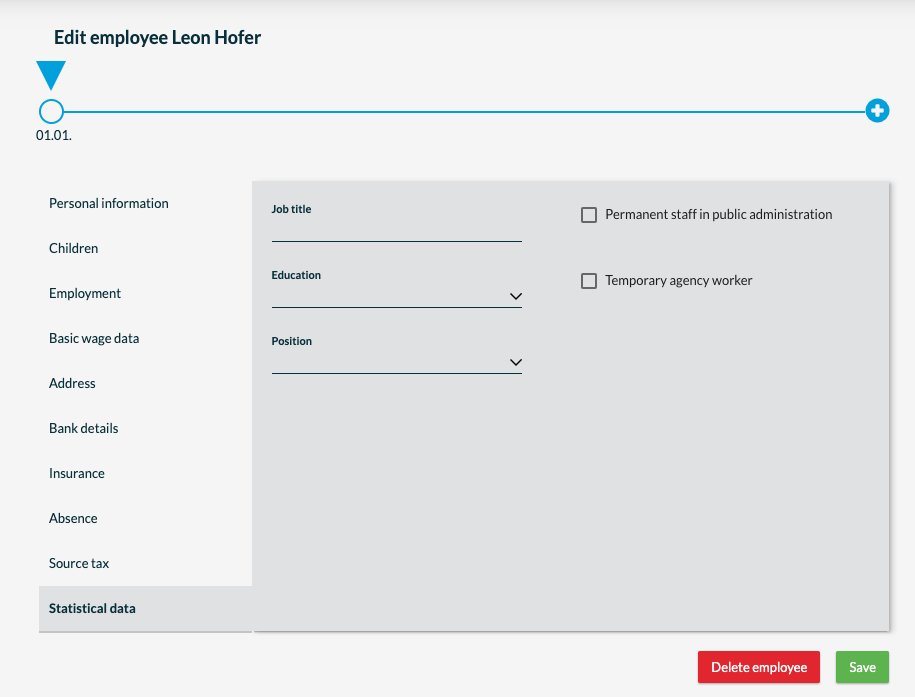
Data statistics
This is about which information must be included in the statistics, and which employment contract, job title, etc. must be entered.