Memos are your virtual post-it notes integrated directly into your documents. They allow you to display essential reminders regarding the specific details of a customer, bills, or project.
Whether it is a granted discount, special payment terms, or a specific note, memos ensure you never overlook a key detail again.
Memos offer several advantages:
- Flexibility: note down everything you want to remember for a later time
- Simplicity: benefit from a clear visual reminder integrated directly into your workflow
- Efficiency: easily link a memo to multiple contacts using categories
Memos are not displayed in the Purchase or Projects modules.
Summary:
How to create memos
Assigning memos to your contacts
How memos work on documents
How to create memos
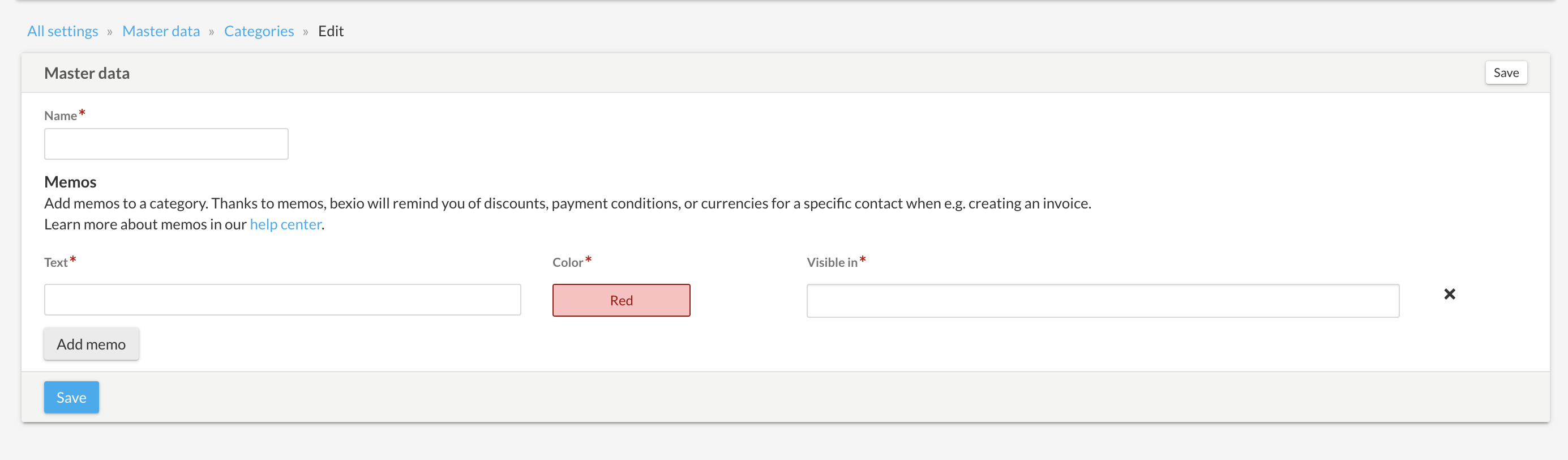
Memos are saved within contact categories. You can add multiple memos per category.
- Go to Settings > All settings
- Under Master Data, click on Categories
- Open an existing category or create a new one
- Click on Add memo
| Field | Description |
|---|
| Text | Enter the content of the reminder (e.g., "Apply 10% discount") |
| Color | Choose the display color for the memo |
| Visible in | Select the relevant documents (quotes, orders, invoices, projects, etc.) |
Assigning memos to your contacts
- Open the contact file you wish to edit
- Click on the pencil icon (edit)
- In the Categories section (on the right), add the category containing your memo
- Save your changes
How memos work on documents
When creating an invoice, a quote, a sales order, or a credit note, a pop-up window will automatically appear with the information entered in the memos.
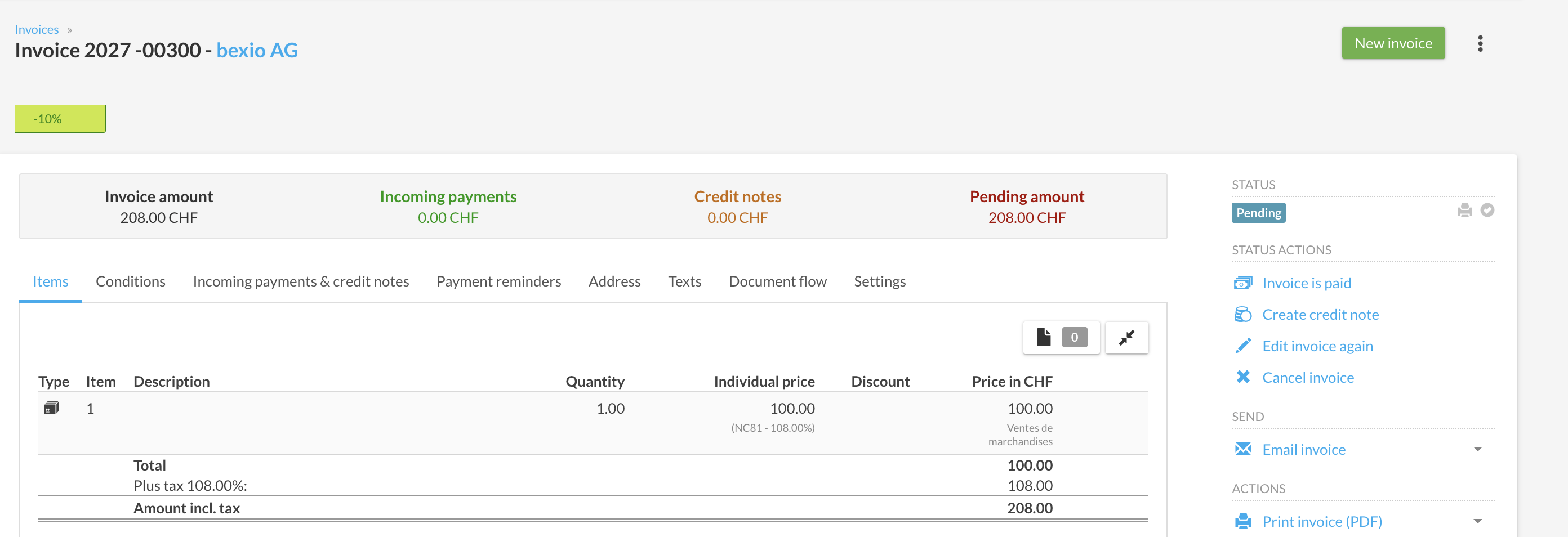
Memos are strictly visual reminder tools:
- They do not trigger any automatic actions
- They do not automatically apply discounts
- They do not calculate due dates
Their purpose is to quickly display the specific details of a contact so you can take them into account while creating your documents.