In this article, you will learn how the logic in expenses works once they have been reconciled with a transaction.
Content
Expense booking date
There is a discrepancy between the visual date in the user interface and the actual posting date in the system. This means you record an expense with the desired «paid on» date and a charge account. You then reconcile the bank transaction with the expense. The information in the transaction differs from the recorded expense.
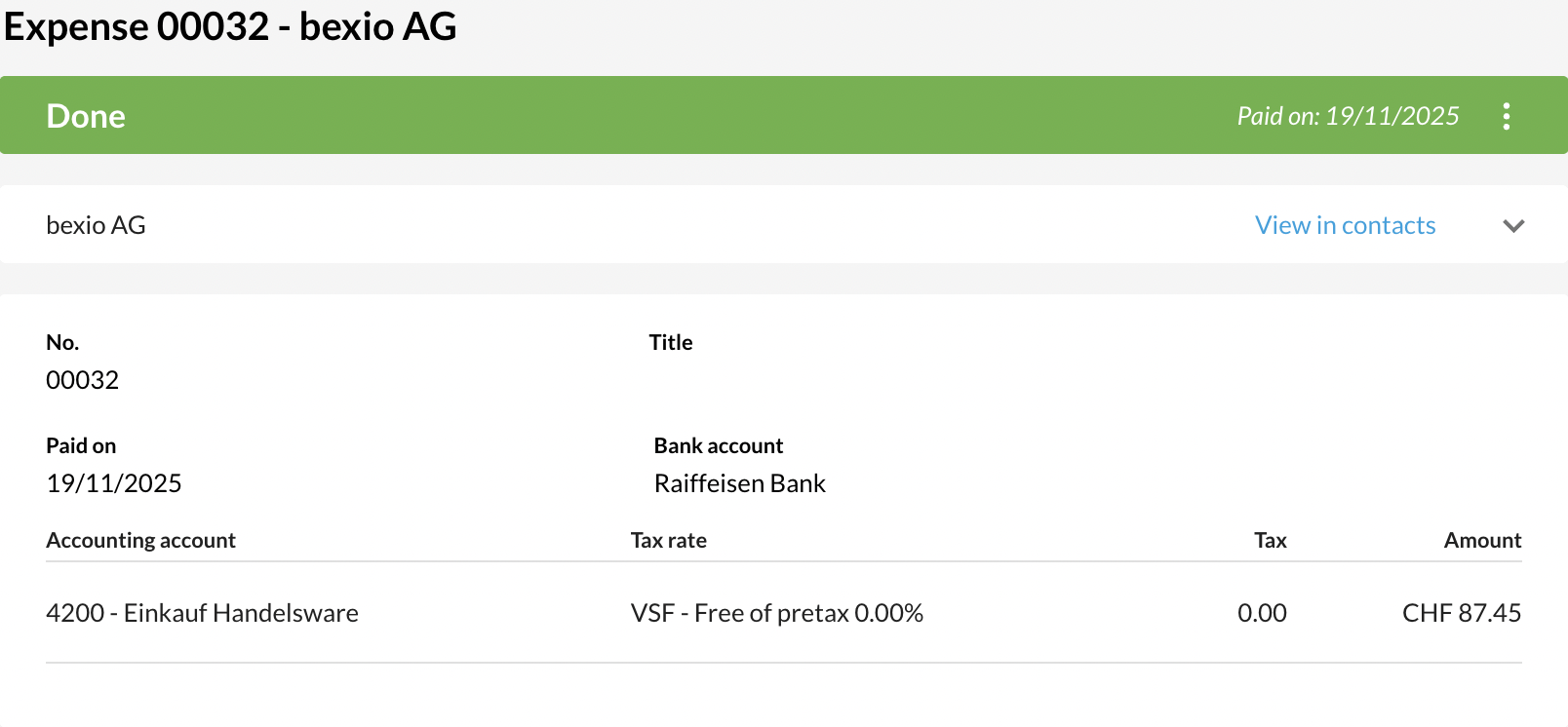
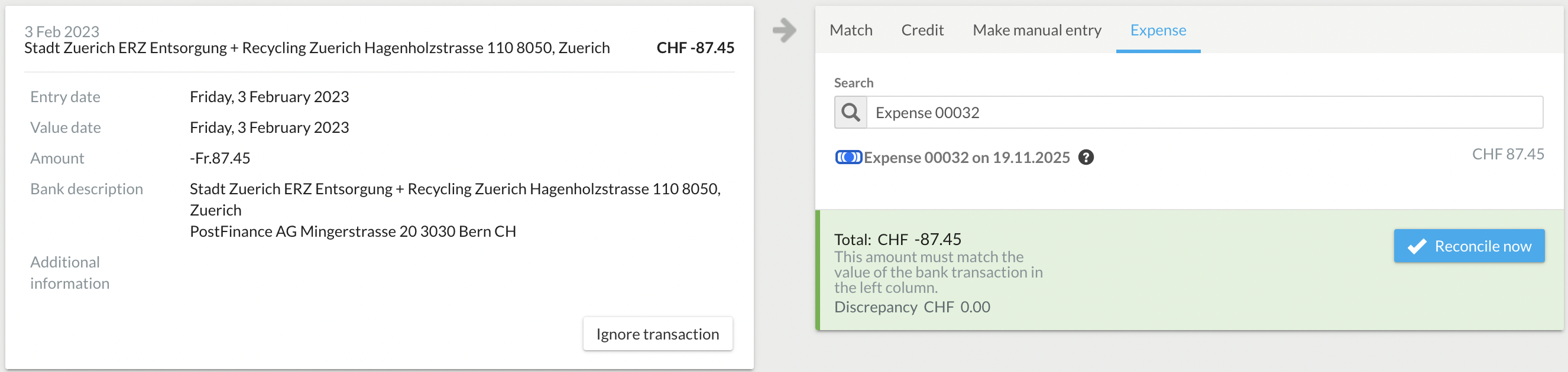
For example: An expense was recorded with a «paid on» date of: 19.11.2025. The charge, and thus the bank transaction, has a different date, e.g., 03.02. You reconcile the bank transaction with the expense.
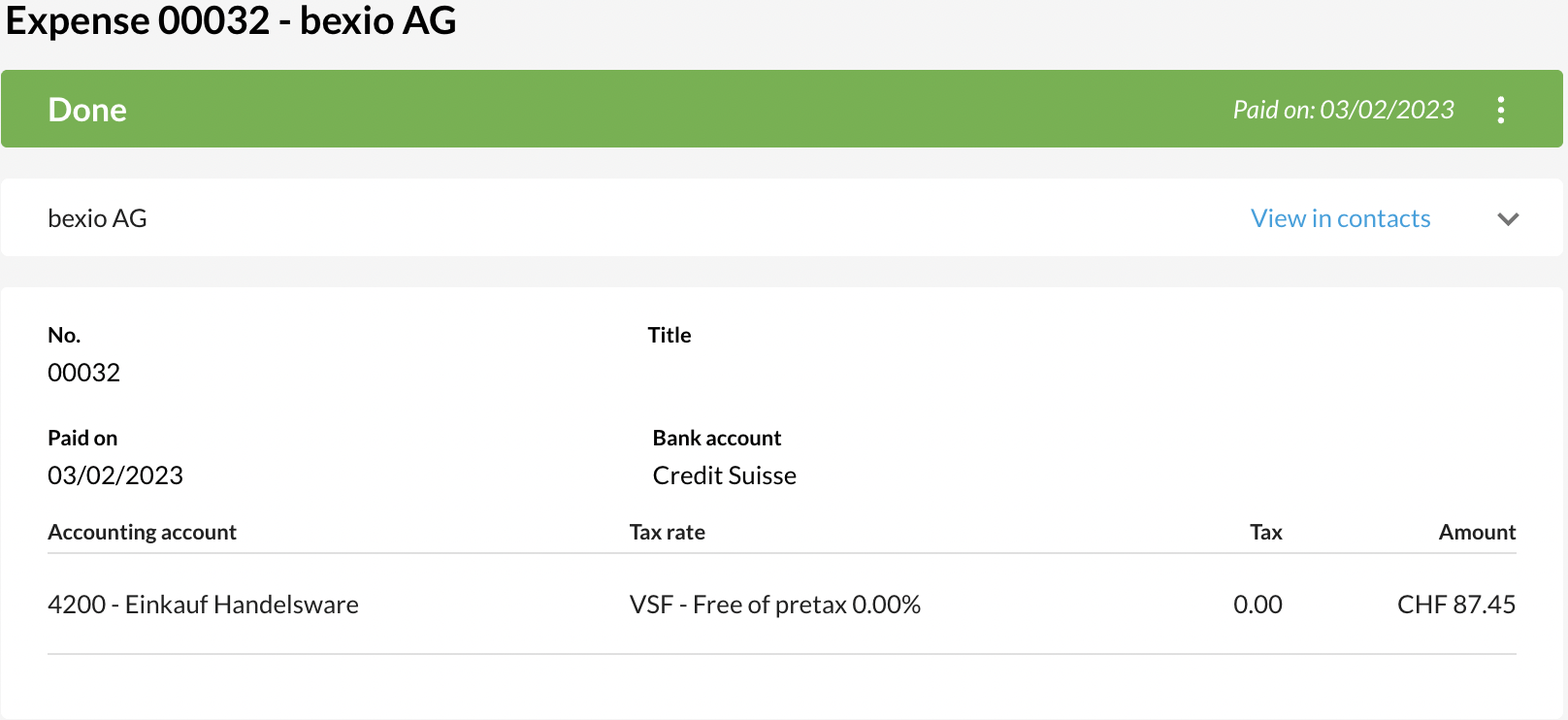
In the expense view, the date 03.02 and the bank account with which the bank transaction was reconciled are now displayed visually.
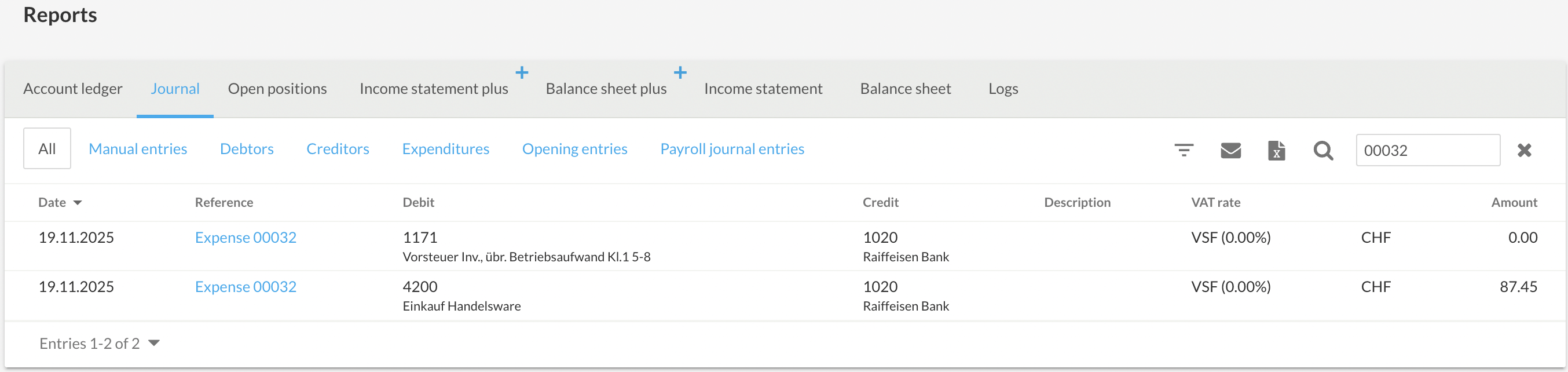
Important! The bank transaction currently has no influence on the accounting. In the accounting, the date 19.11. and the bank account selected during creation continue to be used.
- Create an expense with the correct date + bank account and set it to completed
- Reconcile the transaction in Banking (different date and different bank account)
- The display in the expense changes as soon as the bank transaction has been reconciled.
- Transaction information is ignored in the accounting. The original information continues to be reflected.
Correcting the Expense booking date
If you wish to correct the display in the expenses, we recommend the following procedure: First, you should undo the link of the relevant transaction in the Banking section. («Banking» - «Show bank transactions» - «Undo transaction»)
Next, reset the expense to «Draft» status, as this allows you to edit the date and the bank account. In the top right of the expense, you will find 3 dots that allow you to set the expense back to «Draft» status.
In the next step, adjust the posting date of the expense to the correct date and check/correct the bank account. Finally, set the expense to completed again with the corrected data.
The associated transaction can then be reconciled or ignored.