In this post, you will learn how to easily and conveniently switch the payment method to annual or monthly.
Content
Where do I set the billing method?
You can pay bexio easily and conveniently on an annual or monthly basis. Both options are available to you; select the billing type that suits you best.
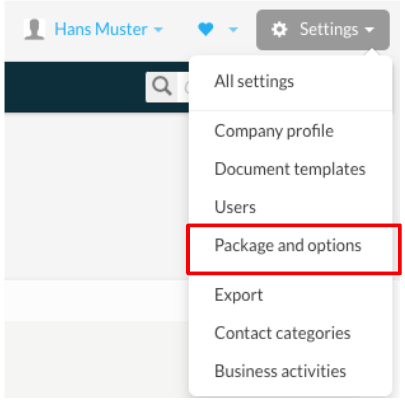
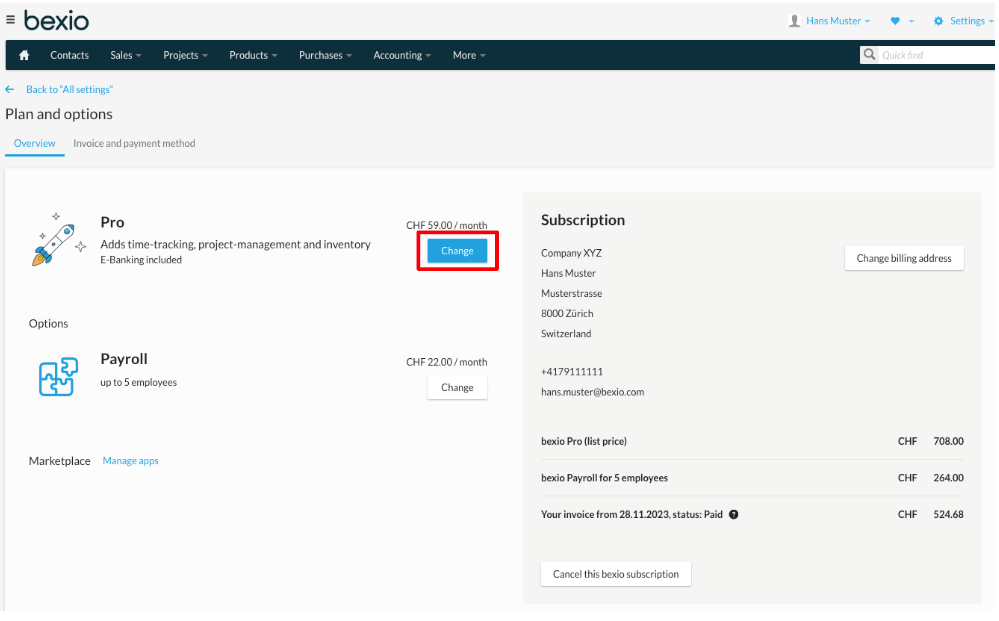
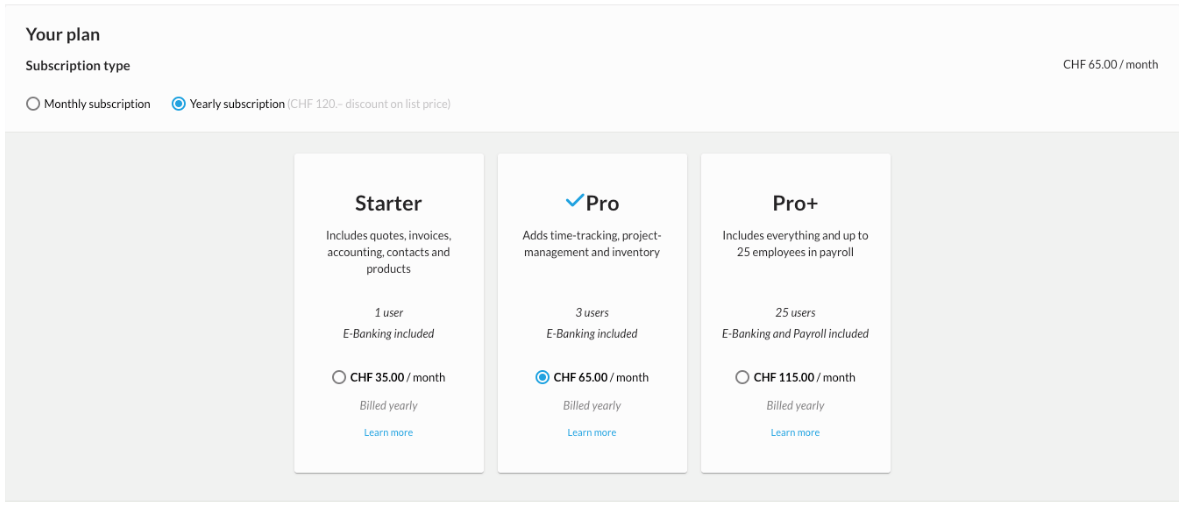
Under "Settings > Package and options" > the "Overview" tab, you can click on "Change" to set the billing type (monthly or annual) according to which we should create your bexio invoices.
Alternatively, you can click directly on this link to change the data.
When will the change in billing period take effect?
Switching to annual billing:
You can switch from monthly to annual billing at any time.
You will receive a prorated annual bill the next working day.
Your bexio year always begins as of the date of purchase.
Example: Your bexio account became subject to a fee on 01/01/2025, and you switch from monthly to annual billing on 15/01/2025: you will receive a prorated annual bill from 15/01/2025 to 31/12/2025. Your previous monthly bill (01/01/2025–31/01/2025) will already be deducted from this bill on a pro rata basis. As of 01/01/2026, you will receive your first full annual bill.
Switching to monthly billing:
You can switch from annual to monthly billing in your bexio account at any time. This switch will be logged and put into effect at the end of your current contract/billing period.
You will have until the end of your current contract/billing period to change your mind and stick with annual billing.
Example: Your bexio account became subject to a fee on 01/01/2025, and you switch from annual to monthly billing on 15/01/2025: the change will be logged in your bexio account and can still be adjusted until 31/12/2025. As of 01/01/2026, you will receive your first monthly bill.