bexio Pay offers you fully automated and contactless booking of your expenses and outgoings. Simply pay your expenses with your virtual or physical debit card and they will be posted directly to your bexio account. You can also make foreign payments free of charge in over 20+ currencies.
Content
Onboarding in amnis
During onboarding in amnis, all settings relevant to the booking are defined.
Important:
For successful onboarding and so that the transactions can be booked in bexio, the user who creates the account in amnis must have the following authorizations in bexio:
- Banking
- Receipt upload
- Accounting
Are you liable for VAT?
According to your basic VAT settings in bexio, you may also have to enter VAT for card transactions in amnis.
- If you are not liable for VAT, no input tax can be deducted and no VAT is to be recorded for the card transactions.
- If you are liable for VAT according to the net tax rate method, no input tax deduction is possible and no VAT is to be recorded for the card transactions.
- If you are liable for VAT according to the effective taxation method, an input tax deduction is possible and VAT must be recorded for the card transactions.
Assign bexio accounts and amnis categories
In order for the card transactions to be categorized in amnis and then correctly transferred to bexio, the categories must be assigned to the respective bexio accounting account. All active expense accounts from bexio are available for assignment. The categories and account assignment can be adjusted at any time in the administrator settings in amnis.
Select your transfer account
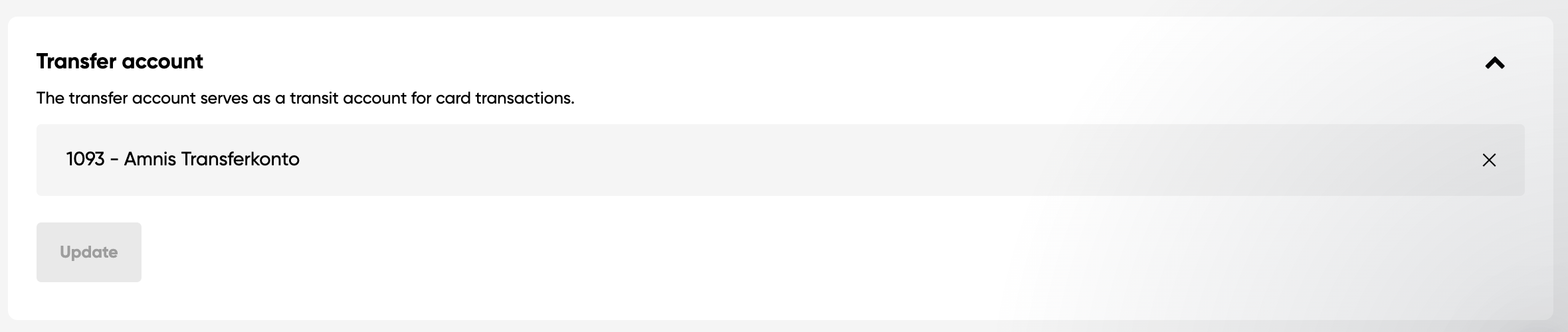
A transfer account must be defined for the synchronization of card transactions between amnis and bexio. The transfer account serves as a transit account for the card transactions. By default, the accounting account “1090 - Transfer account” is proposed for this purpose. Another account can also be selected as the transfer account. If no suitable transfer account is found in bexio, a new account must be created in the chart of accounts. It is important that the transfer account is assigned to account group “109” so that it can be selected in amnis.If you are unsure or have questions about the choice of transfer account, we recommend that you consult your trustee.
You can also change the transfer account in the amnis settings under "Accounting and expense management".
Define your relevant VAT rates
If you selected at the start of the onboarding process that you are liable for VAT and would like to enter VAT for the transactions, the step for selecting the VAT rates appears. Here you can choose from all active input tax rates and reference tax rates from bexio. Select the rates that are relevant for you and delete rates that you do not need. The saved tax rates are then available for selection when categorizing card transactions. The VAT rates can be adjusted at any time in the company settings in amnis.
Settings in amnis
You can manage the following areas under “Company settings” - “Accounting and expense management” in amnis:
Requirements for expense processing and accounting
Here can be defined which information are required to process the expenses. Only when all the needed details have been entered, the card transaction will be marked as complete in amnis and will be synchronized to bexio.
The following criteria relevant for bexio can be defined under "Requirements for expense processing and accounting":
- Receipt
- Category (mandatory, cannot be deactivated)
- VAT rate
The "Request VAT rate" option controls whether VAT must be recorded for the card transactions in amnis. If your VAT liability changes, this can be mapped using this option.
Categories
Here you will find the categories and linked bexio accounting accounts. New categories can be added, adjusted or existing ones removed at any time. All active accounts with the account type “Expense” from the bexio chart of accounts are available for assignment.
What is the difference between categories and cost centers?
Categories are assigned to bexio accounting accounts and are relevant for posting in bexio. Cost centers, on the other hand, are an amnis-specific setting and can only be used for analysis purposes within amnis.
Value added tax rates
In the "VAT rates" area, the required VAT rates can be added or removed from bexio. All active VAT rates of the types "Input tax" and "Reference tax" are available for selection.
How does the booking of card transactions work?
Card transactions are booked in bexio in two steps.
- Step - Card use: Transfer account (credit) to amnis bank account (debit)
- Step - Categorization: Expense account (debit) to transfer account (debit)
First step: Card use
When you use your amnis debit card and the transaction receives the status “executed” in amnis, the card use is automatically booked in bexio.
Second step: Categorization
For the second step of the booking in bexio, the balancing of the transfer account, the card transaction must be categorized in amnis. To do this, click on “Add receipt” for the transaction, upload the receipt for the transaction and assign a category and, depending on the setting, a VAT rate. Once all the necessary information has been added to the transaction in amnis, the transfer account is also posted in bexio. The categorization must be carried out manually once for each retailer.
The categorization can then be automated using the Auto-Accounting function in amnis. More details can be found in the next section.
Tip: Use the amnis app to upload your receipts and for quick and easy categorization.
Good to know: Transactions are synchronized from amnis to bexio every 5 minutes. If a booking or receipt is not immediately visible in bexio, wait a few minutes and then check again whether the booking is now visible.
FAQ
The following article answers the most frequently asked questions about bexio Pay: FAQ bexio Pay.