Sometimes it is difficult to explain a problem over the phone. To make this process more efficient, we use AnyDesk's remote access software. Our support team can see what you see and help you more easily and quickly.
AnyDesk is a leading global provider of remote access software. This software enables access to other computers from any location without the need to install additional software.
Contents
Download AnyDesk
Click on “Download AnyDesk” in our support area.
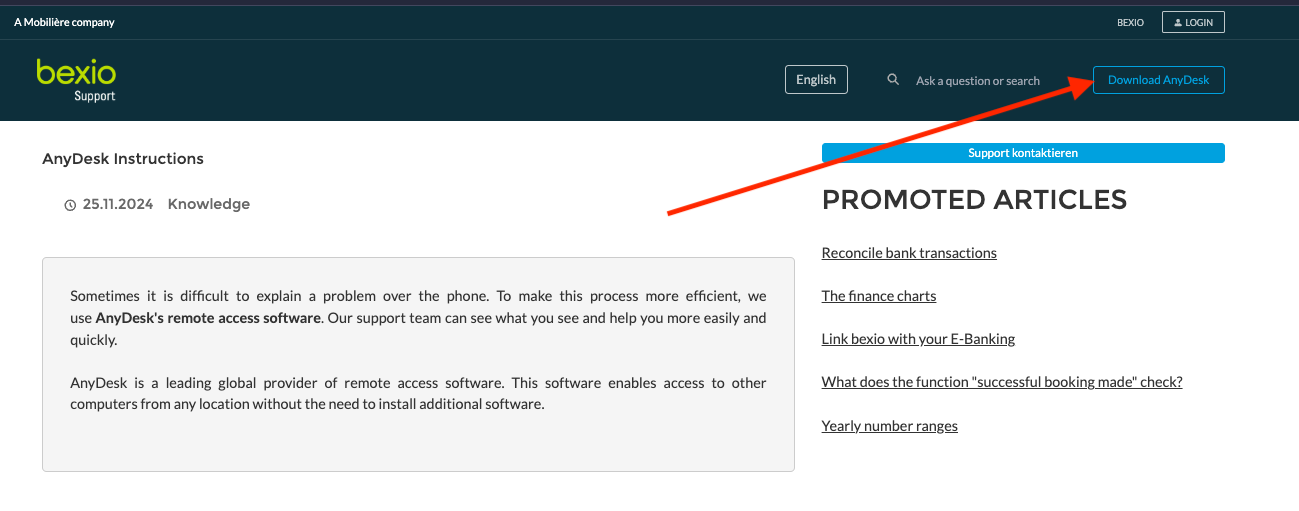
How to find the download?
Once you have downloaded the file, you will find it in your file manager under “Downloads”. Double-click to set up the software.
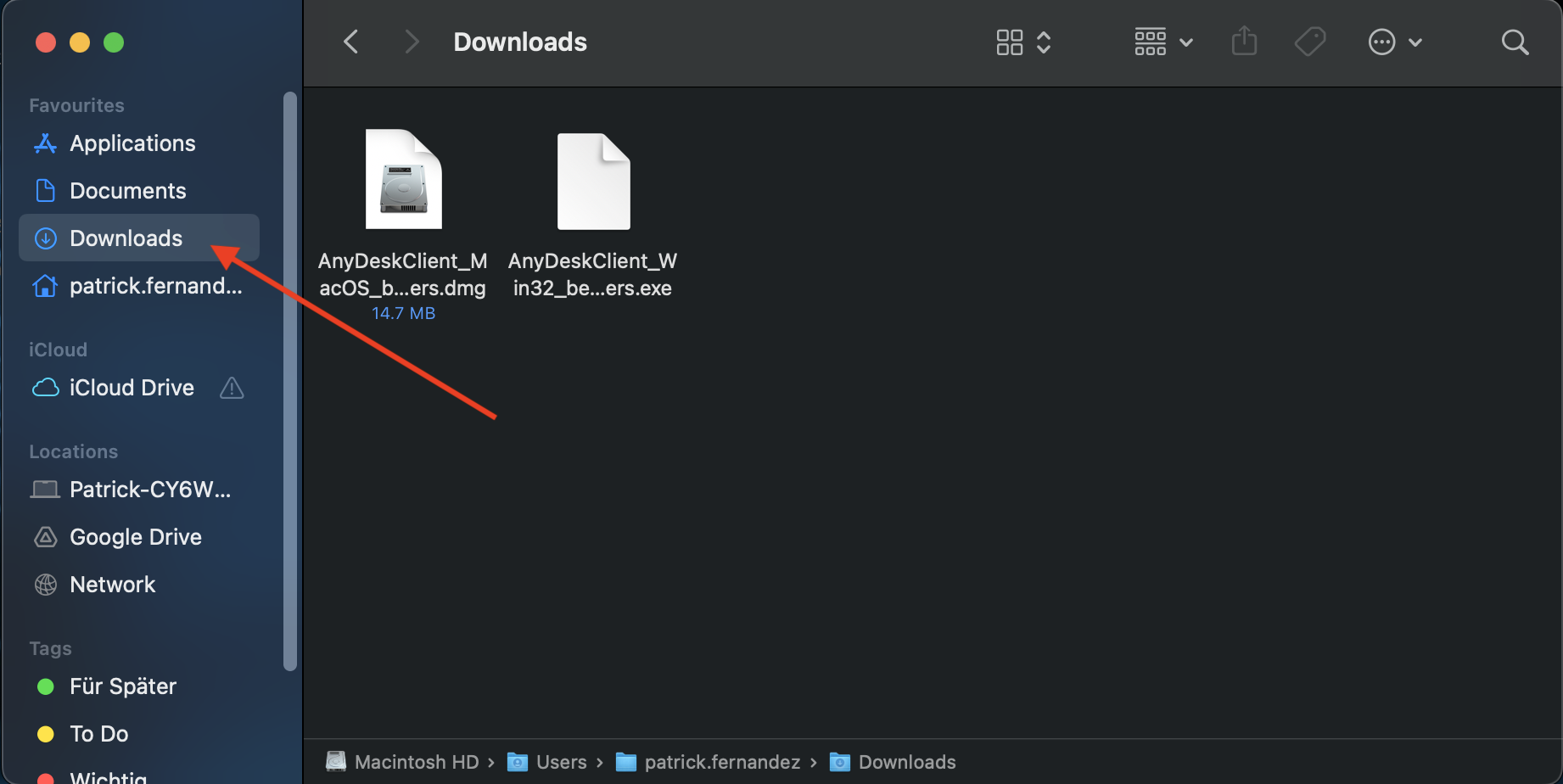
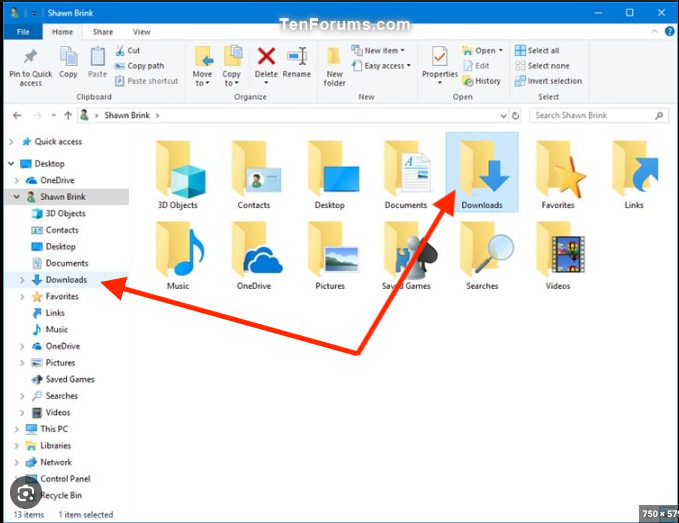
What other settings do I need to make for my operating system?
MacOS
Good to know: MacOS has special security measures to ensure that not all programs have the same access to all functions in the system. However, two settings must be made for the TeamViewer remote maintenance software to work.
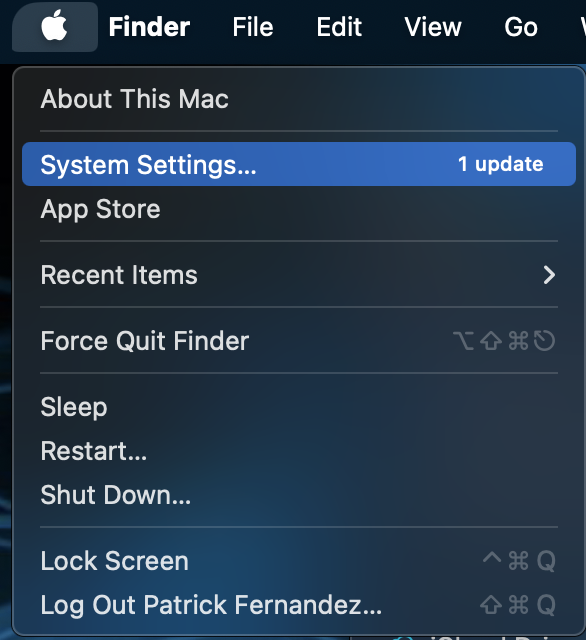
1. Open the “System settings”
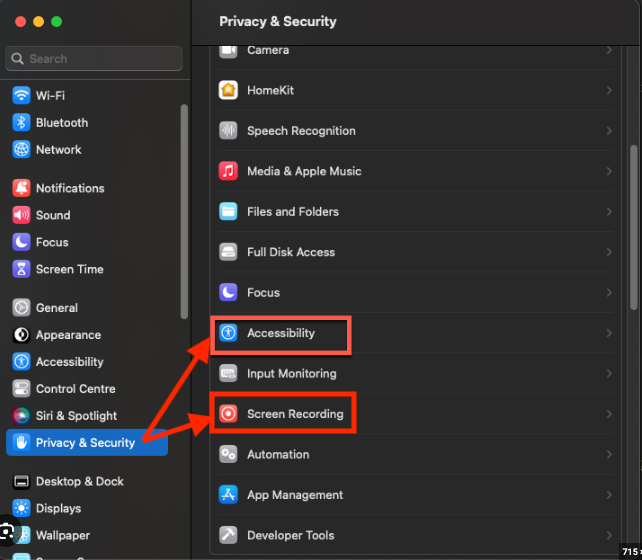
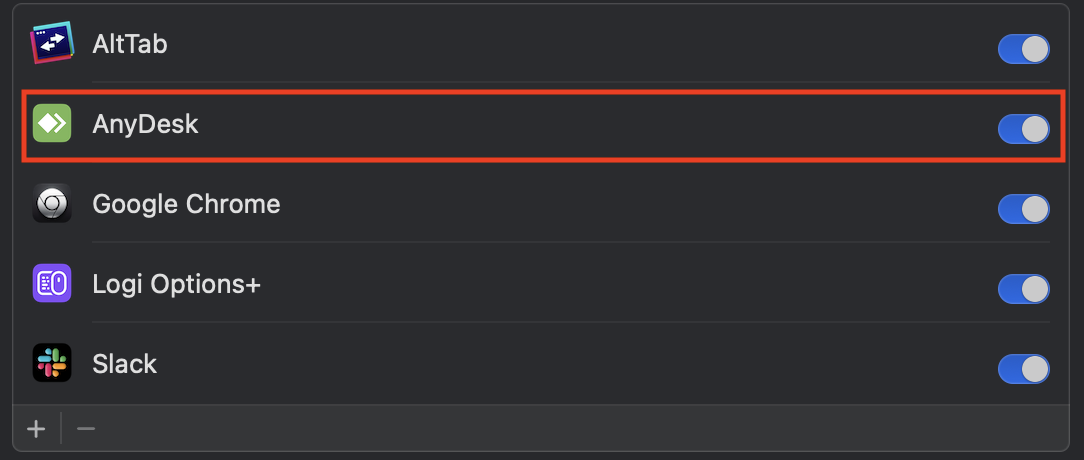
2. Select “Privacy & Security” and activate the selection box for “AnyDesk” under “Screen recording”. This also applies to the “Accessibility” section.
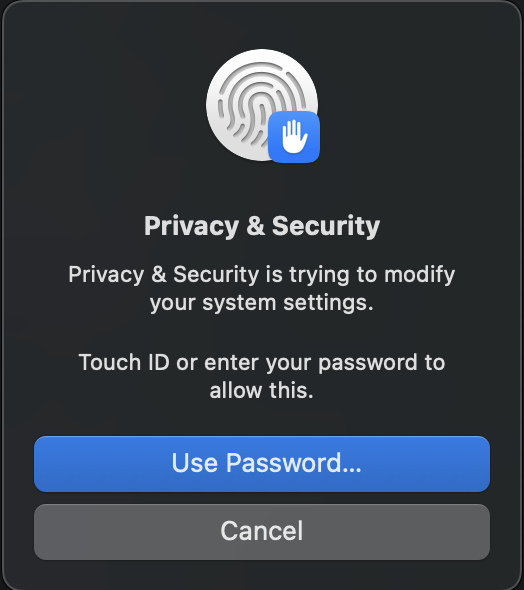
3. After activation, you will be asked to confirm your identity using a password/fingerprint.
Windows
No further measures are required for Windows.
How can I connect with bexio Support?
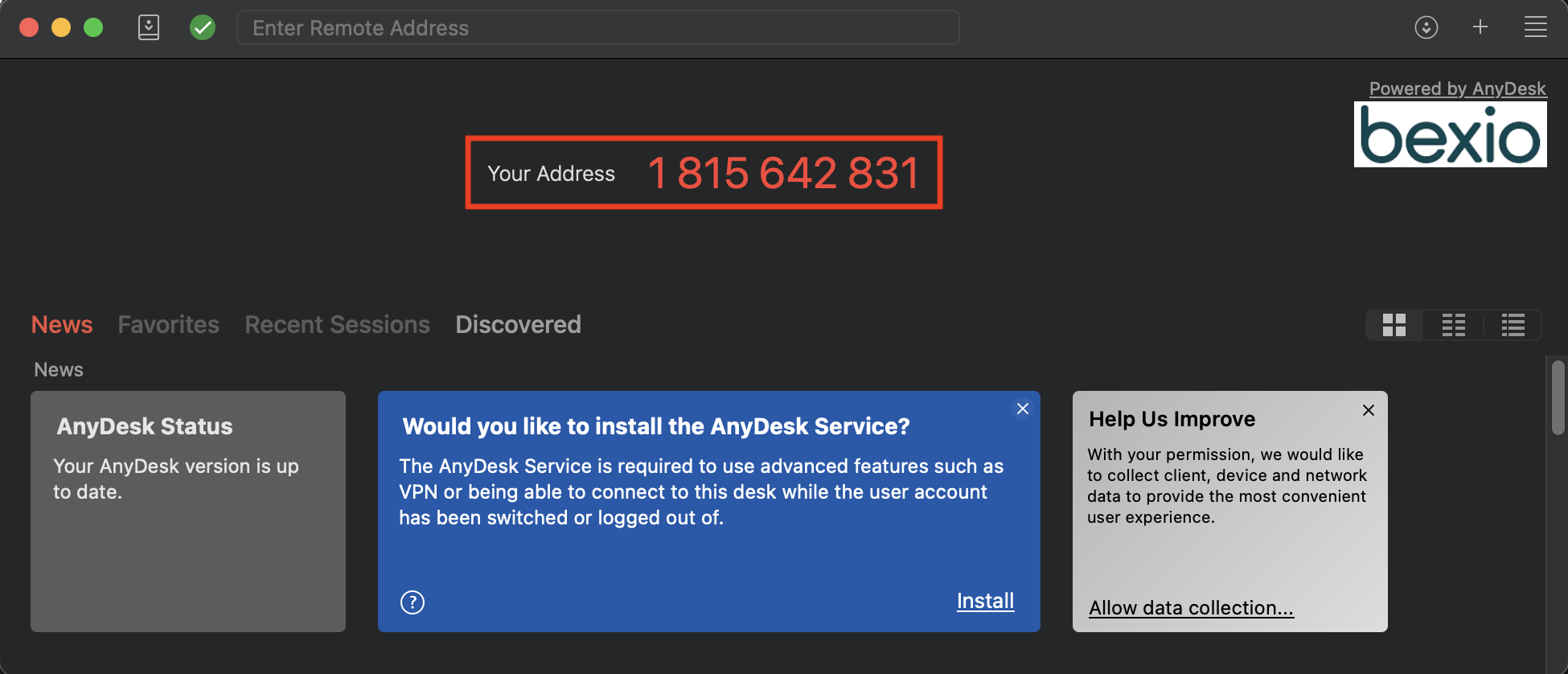
As soon as AnyDesk has been set up and configured, your address will appear in the main window, which you can give to the support employee in order to establish a connection.