Zapier helps you to automate the tedious parts of your daily work. In this guide, we will show you how to activate the integration.
This article also contains instructions on how to make an update regarding “Structured Addresses”.
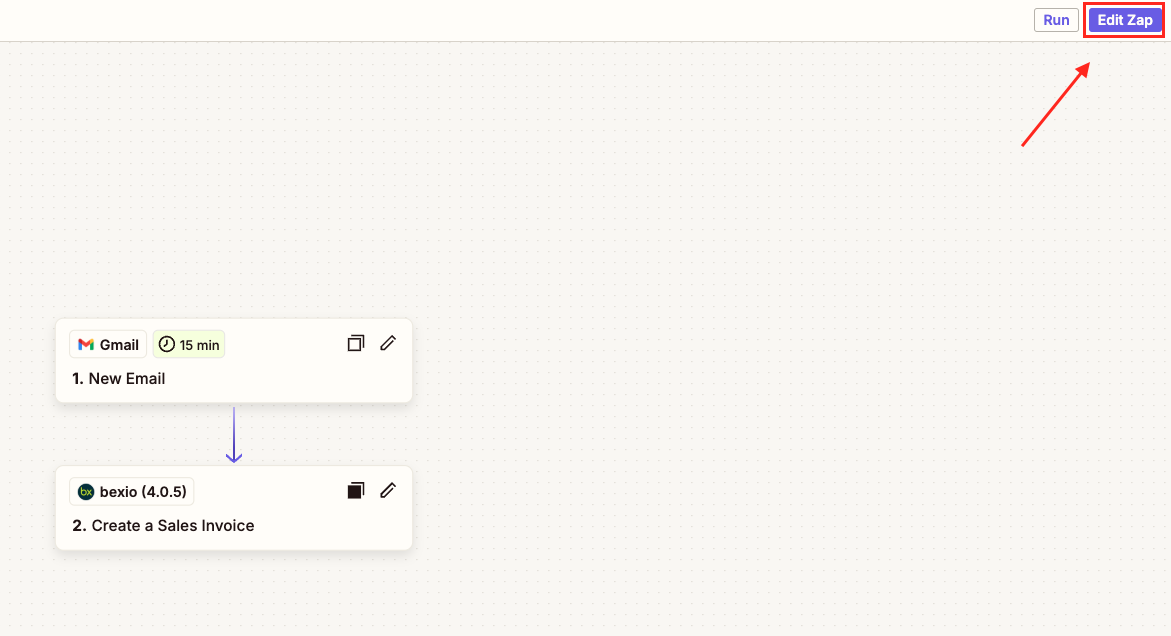
1. Open a zap that contains a bexio action or trigger by clicking on “Edit Zap” in the top right corner
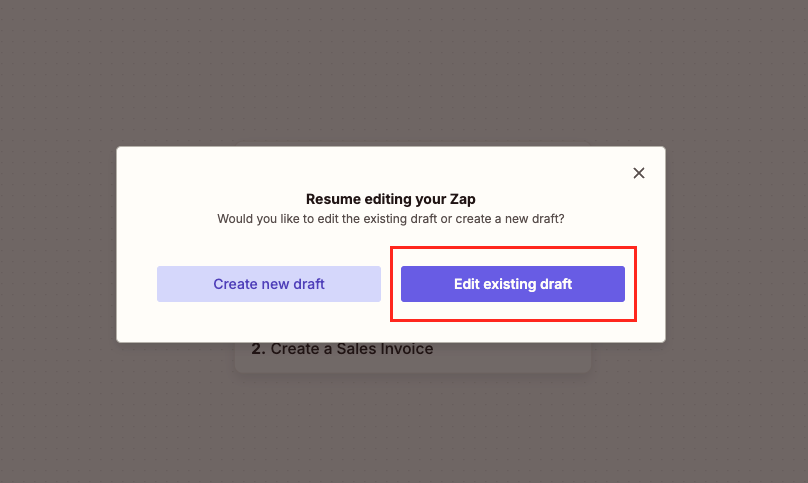
2. Continue with “Edit existing draft”
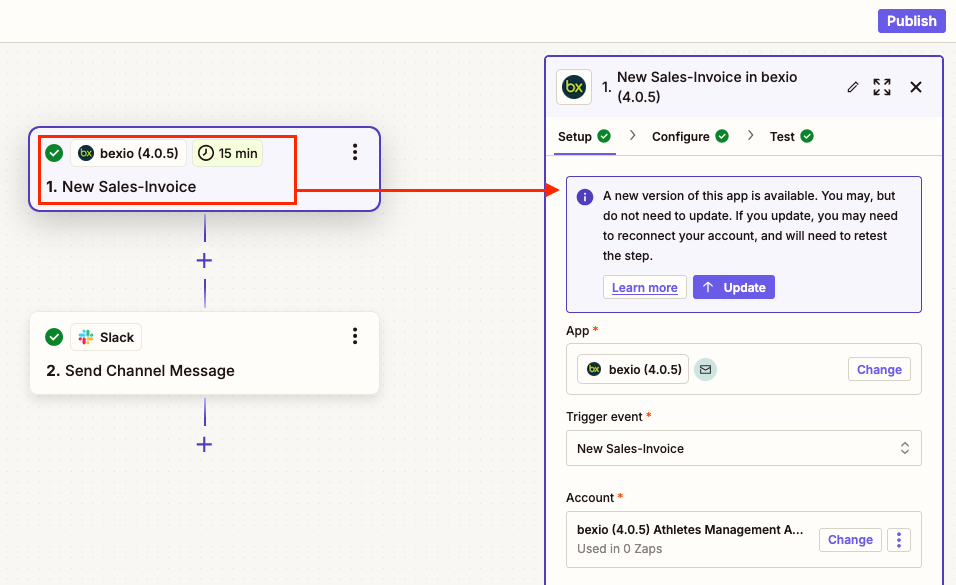
3. Click on the bexio action or trigger (this can be a beginning or a following step within your Zap)
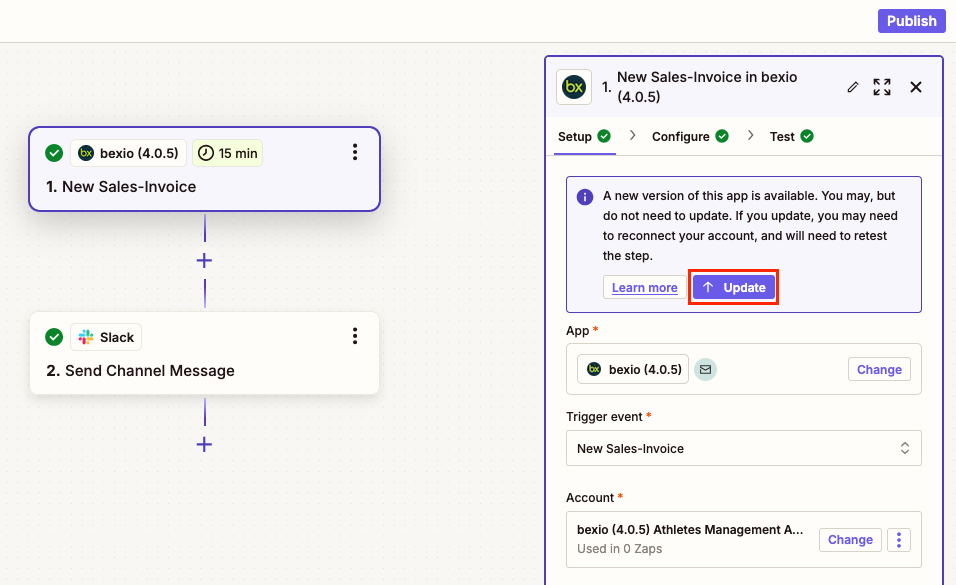
4. Click once on the purple “Update” button
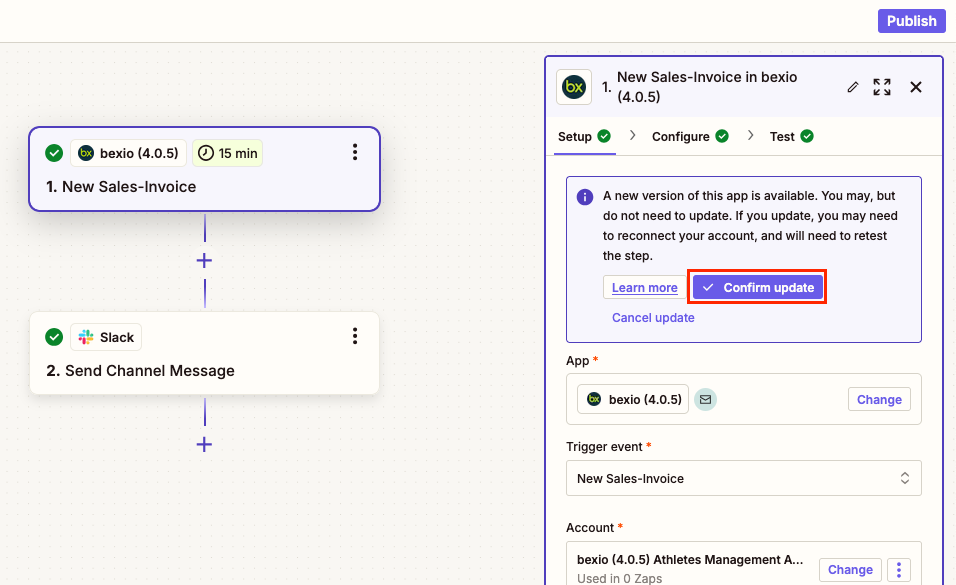
5. Then confirm the update of the bexio integration with the “Confirm update” button
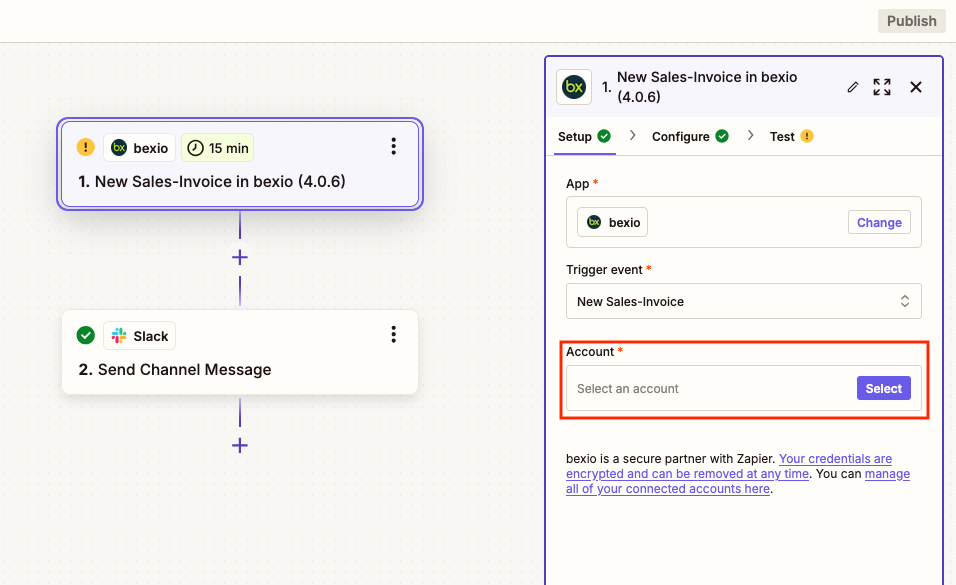
6. Click on the “Select” button to establish a connection to your account
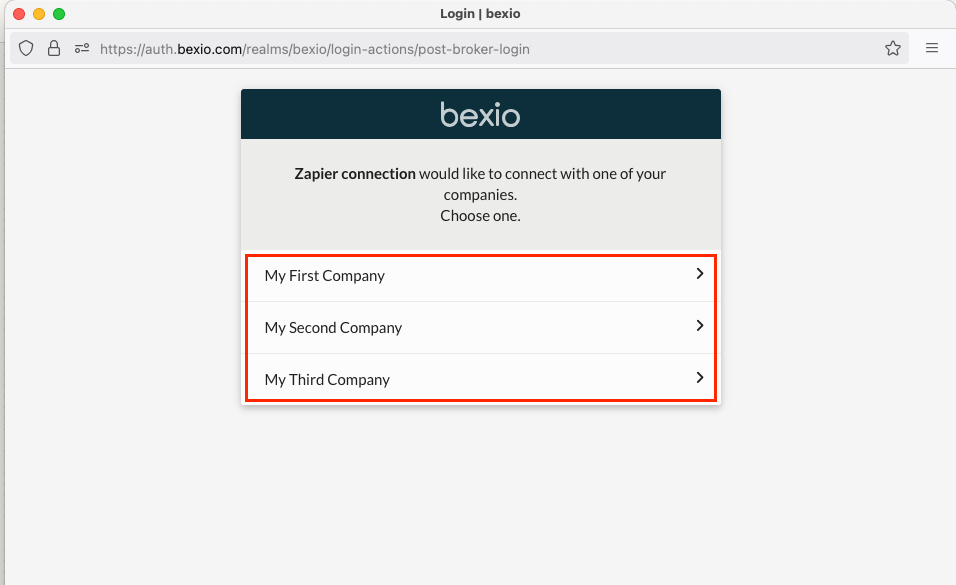
7. A pop-up window will open in which you can select the company you want to connect to Zapier
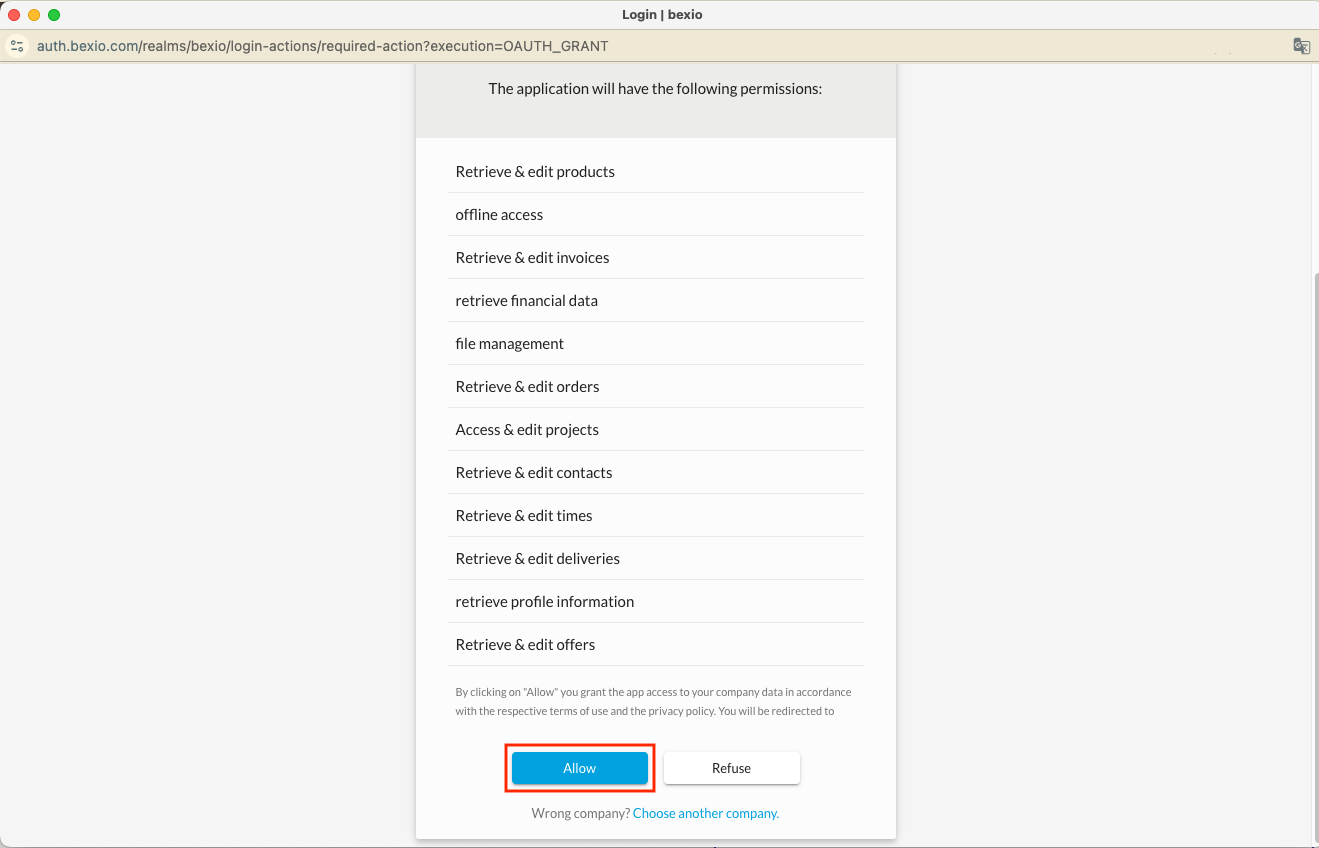
8. You can now grant Zapier the necessary access using the “Allow” button
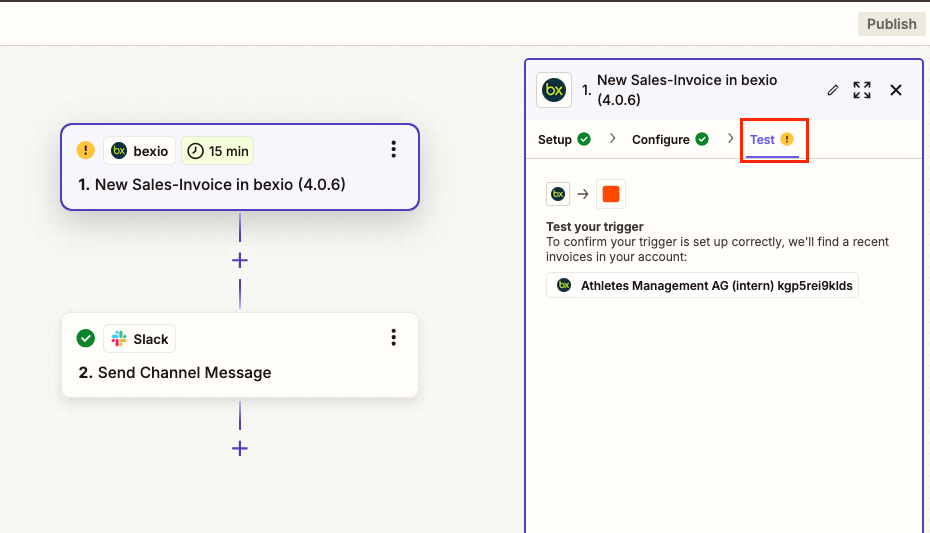
9. You have now reconnected your company to Zapier and need to test your step in the “Test” tap
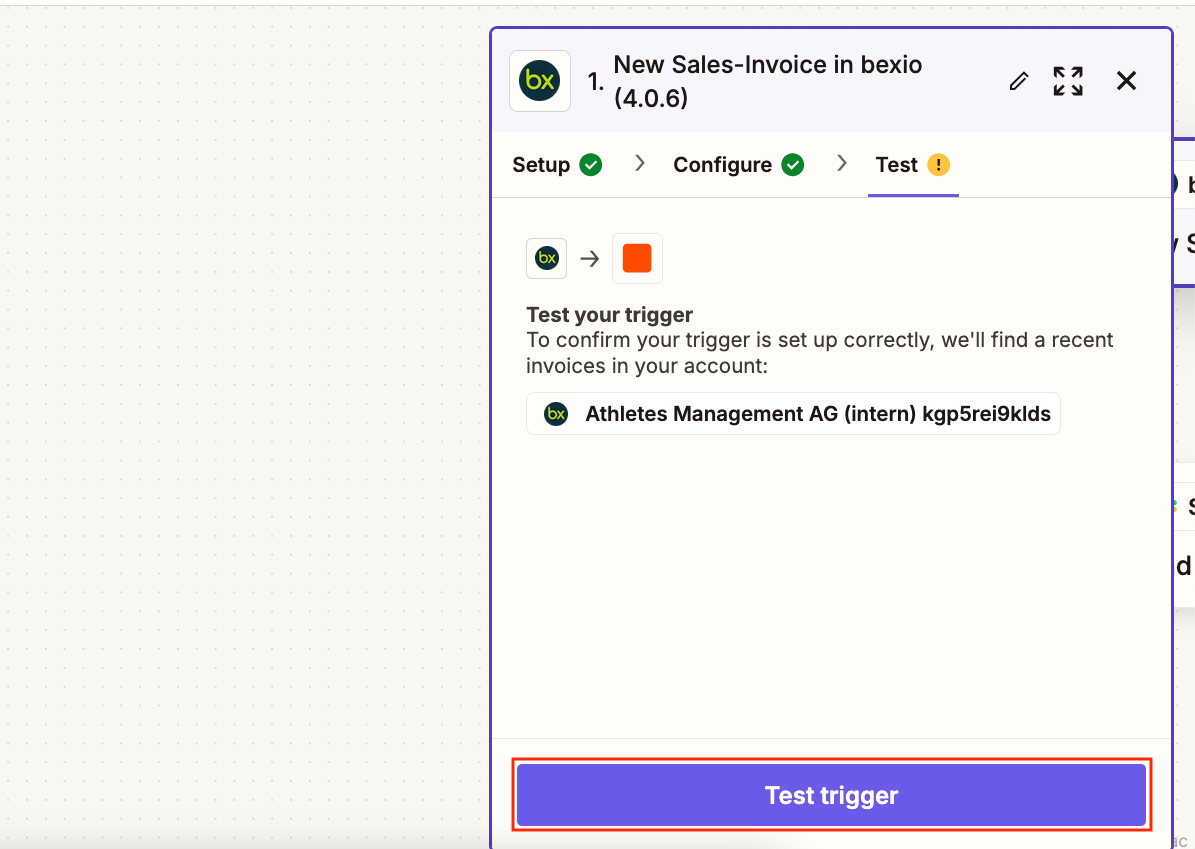
10. Select the “Test trigger” button
11. If the test was successful, you will see a green tick next to the name of the “Test” tab
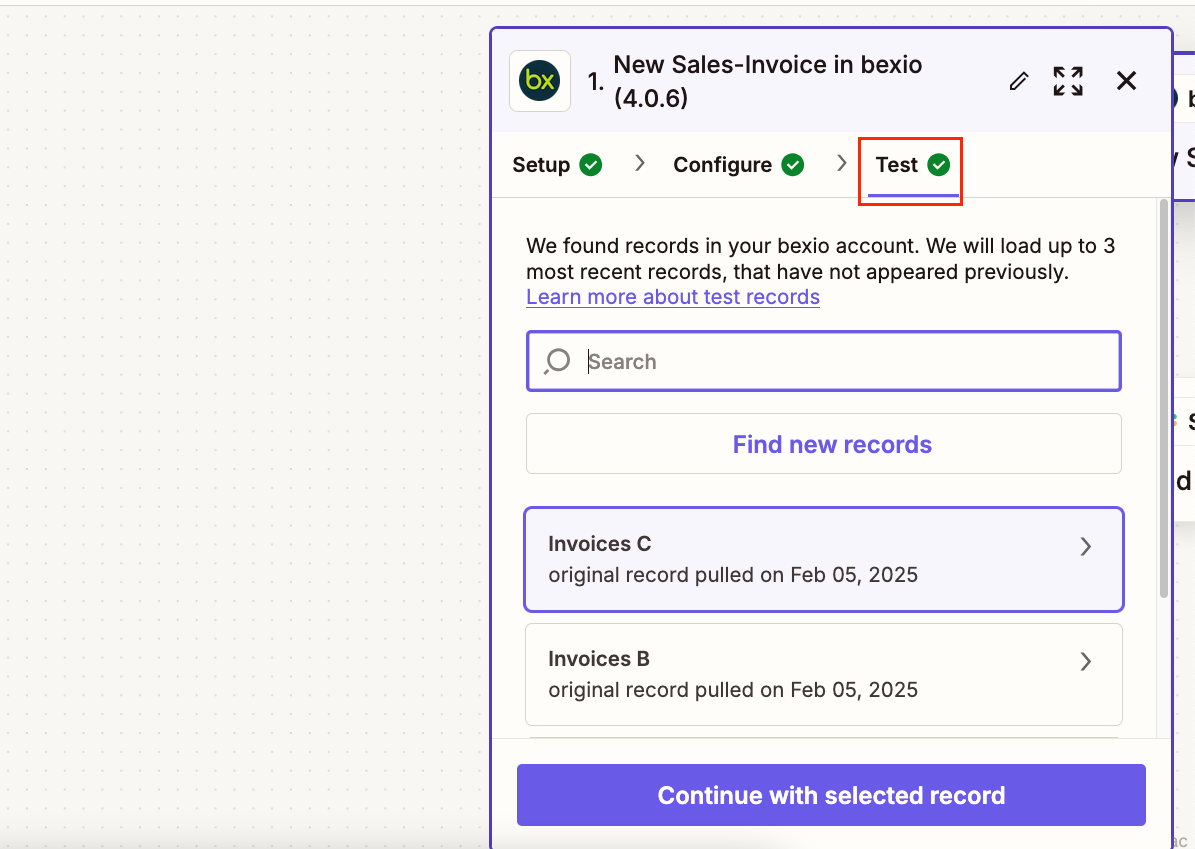
12. You have now completed the update