Have you already set up your bank account in bexio and would now like to connect it to your online banking? Once the connection is established, you can automatically import your bank transactions into bexio and send outgoing payments to your online banking.
Create a Bank/Checking Account
Quick Info
In this post, you'll learn how easy it is to sync your ZGKB account with bexio and how to reconcile transactions and submit payments.
| Set up data transfer: | Enable bLink in online banking and grant bexio access |
| File format for payments: | pain.001 |
| File format for the bank statement: | camt.053 V8 with details |
| Notes: |
- Only one e-banking agreement can be linked to a bexio account at a time.
- QR-enabled interface
- Automatic Overnight Synchronization of Transactions
- Transactions are always available the next day
- Authentication via the Access app
|
Connect to bLink in your online banking and bexio
-
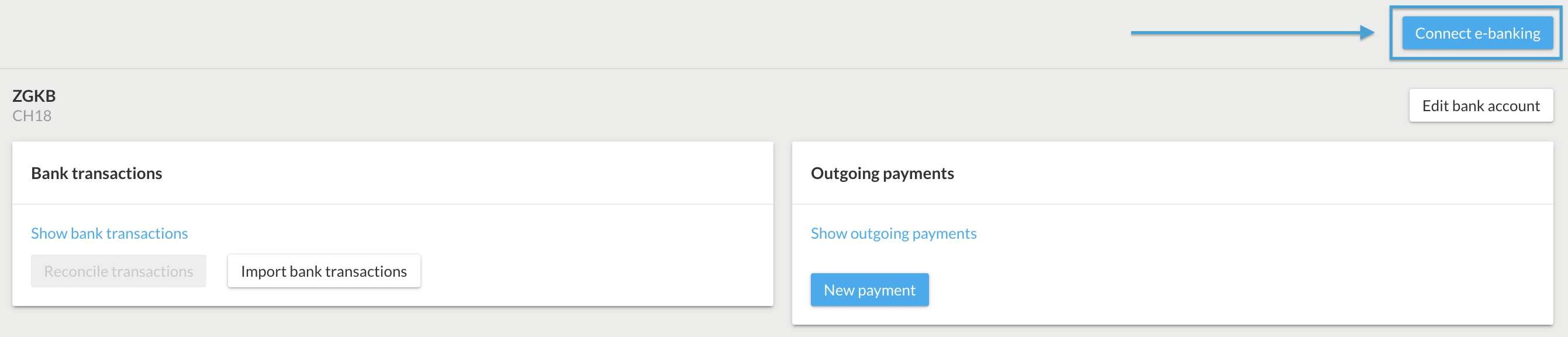
Click "Connect to E-Banking"
-
A dialog box will appear informing you that you are about to be redirected to your bank's online banking site. Click the blue button to continue. Log in using your Digital Banking contract number.
- Log in to your e-banking account at Zuger Kantonalbank. Enter your account number and password.
- Scan the image (photoTAN) or confirm on your cell phone that you want to grant access to a third-party app.
- Please grant bexio AG access to your data so that transactions can be retrieved.
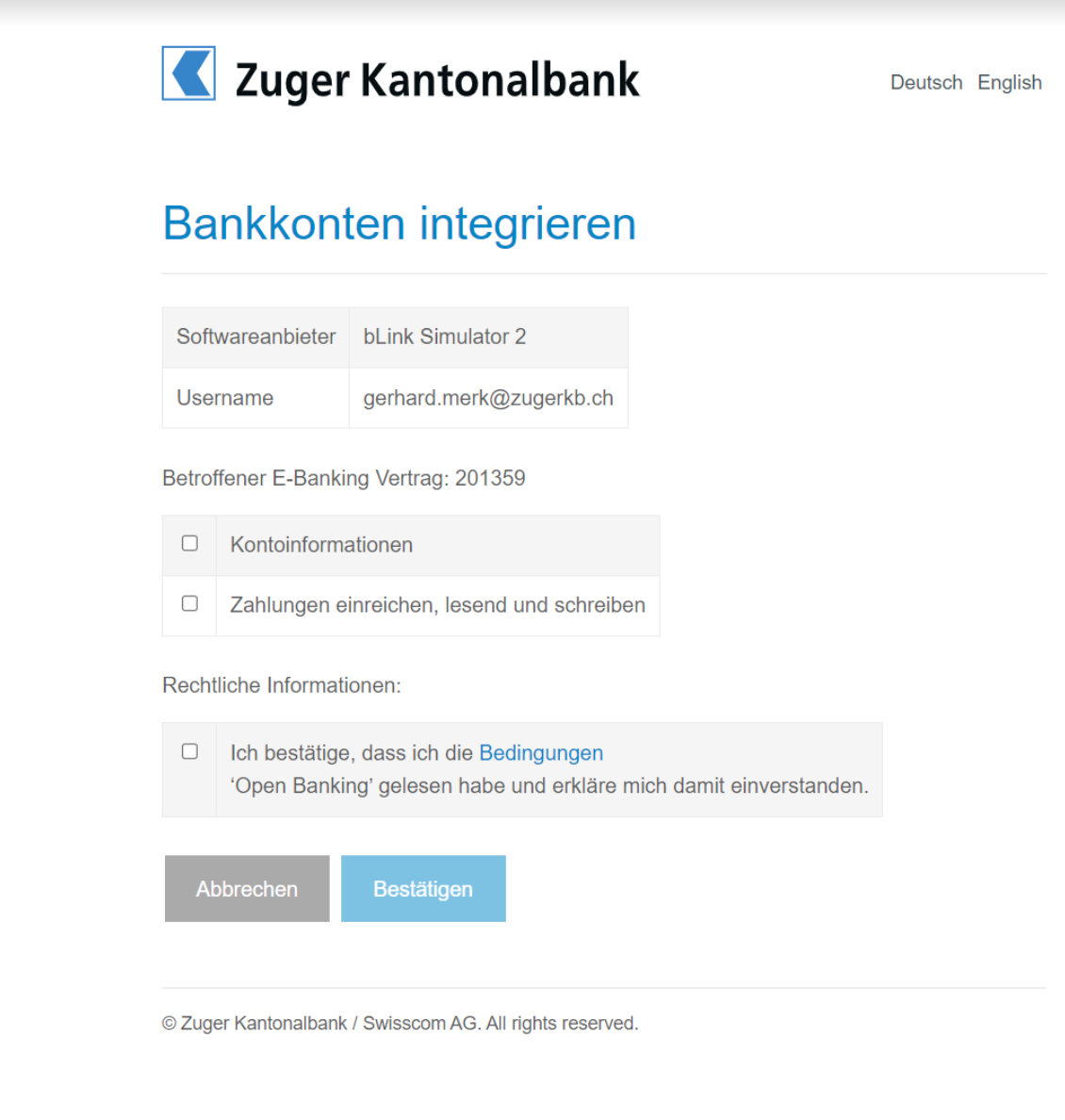
- Check all three boxes so that account information and payments can be transmitted to the bexio system.
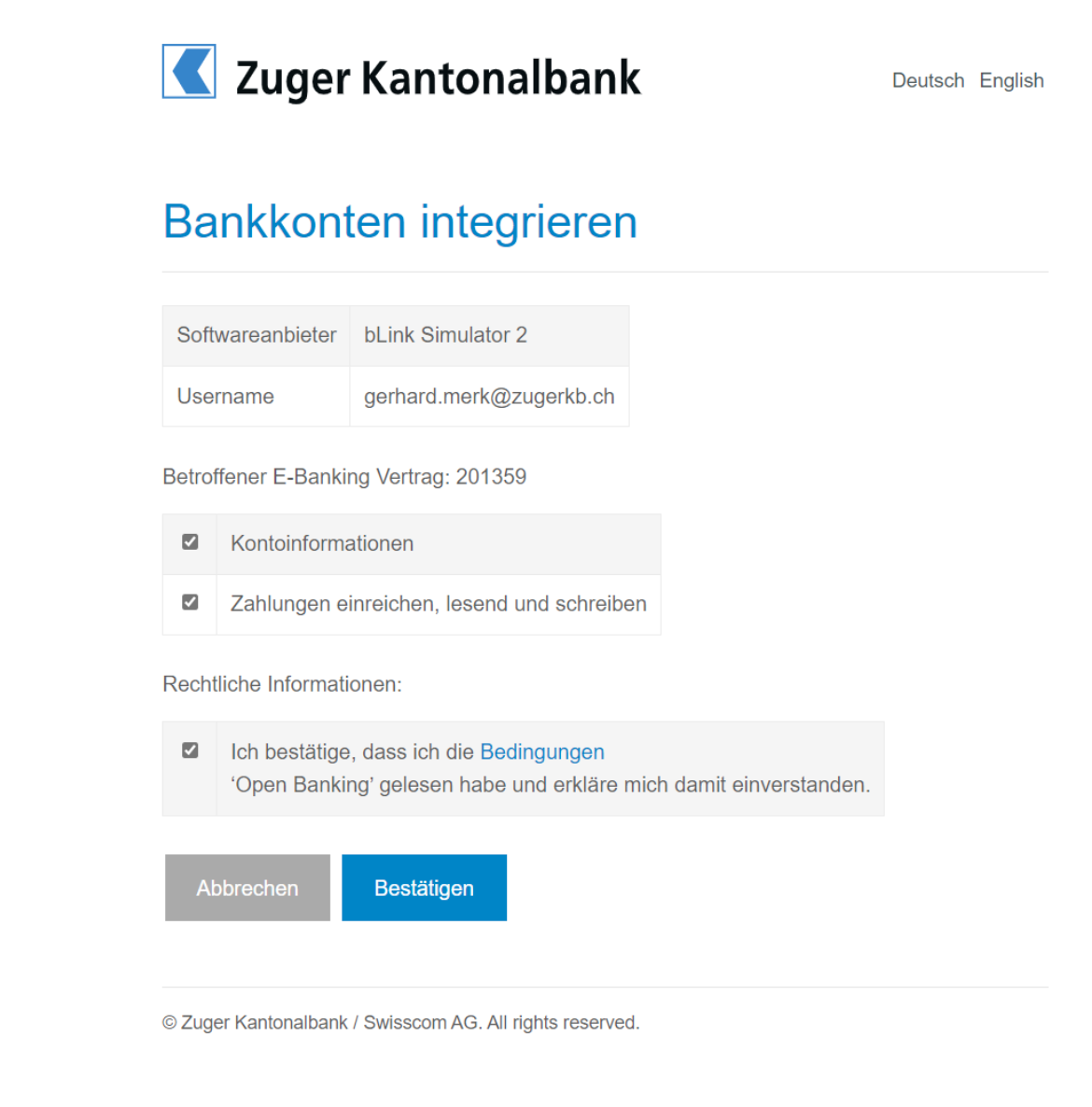
- In the second-to-last step, the bank asks you to scan the image (photoTAN) again to confirm the software connection between Zuger Kantonalbank and bexio.
- In the final step, a "Next" button will appear, which will redirect you to your bexio account.
- Link the bank account to an existing bexio bank account or to a new bexio bank account. Bank accounts that you do not want to use in bexio can be ignored using the "Ignore this bank account in bexio" option. It is important that all bank accounts are either linked to a bexio bank account or explicitly ignored.

Retrieve transactions retroactively using the date range
You can import transactions into your bexio retroactively. To do this, click on “Banking” in the top menu of bexio, then click the small arrow next to “Retrieve Transactions.” You can then specify a “Date Range.” This ensures that even account statements that may already be marked as “retrieved or read” in your online banking will be checked again and imported.
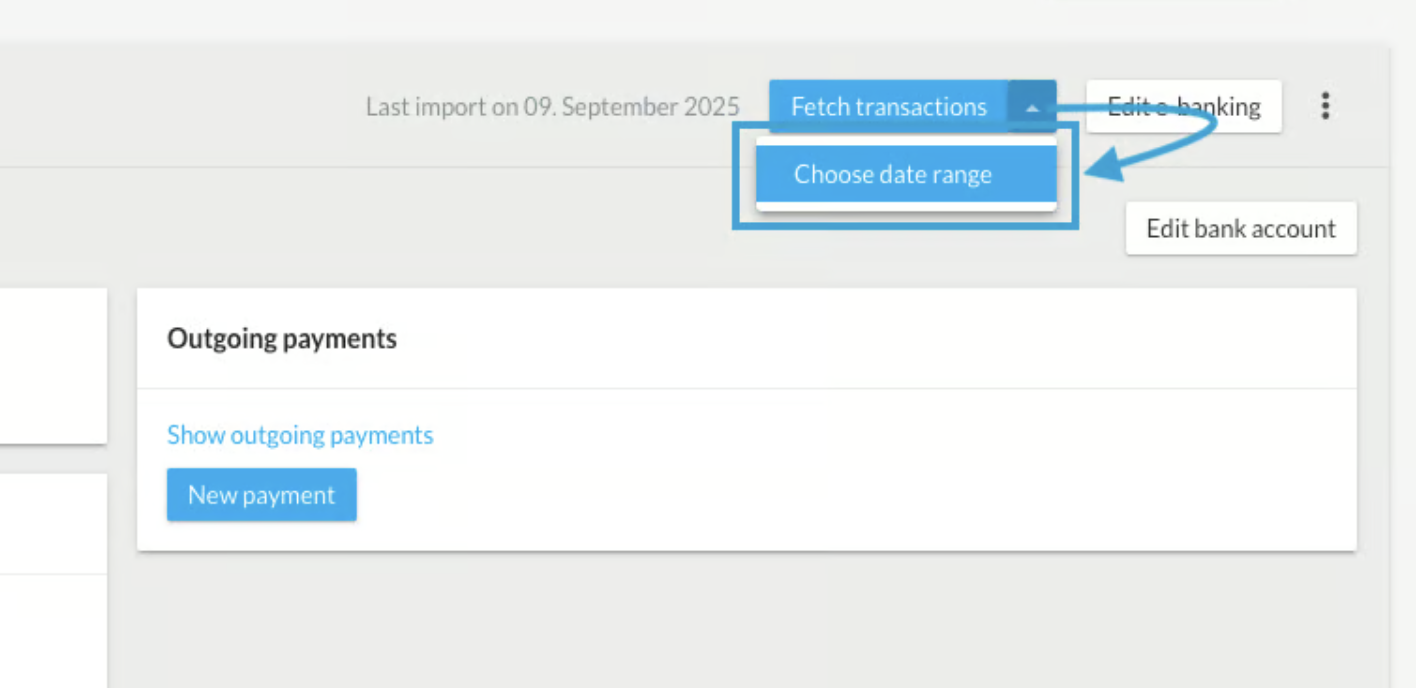
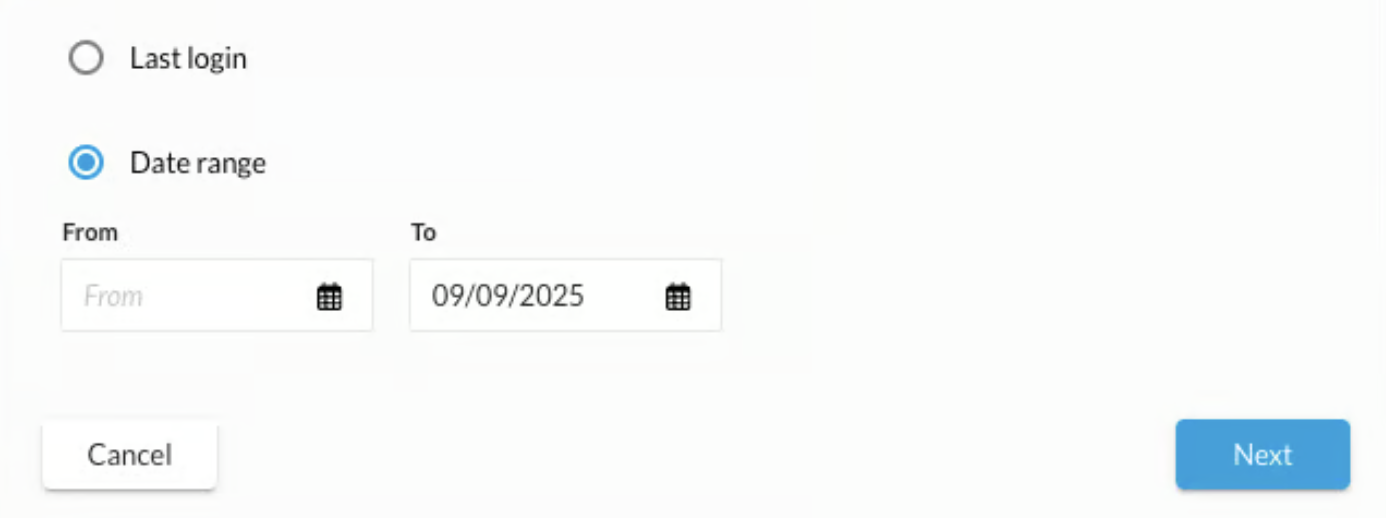
We have a duplicate filter enabled on the interface that prevents you from importing a transaction twice. As a result, you won't have any duplicates, and you can be sure that all transactions have been imported. All transactions are automatically retrieved overnight. However, this feature allows you to verify that all transactions have been imported and that nothing has been overlooked.
Record and approve outgoing payments
Record Payments
Outgoing payments are best entered via the supplier invoice or, alternatively, directly under “Banking” → “New Outgoing Payment.”
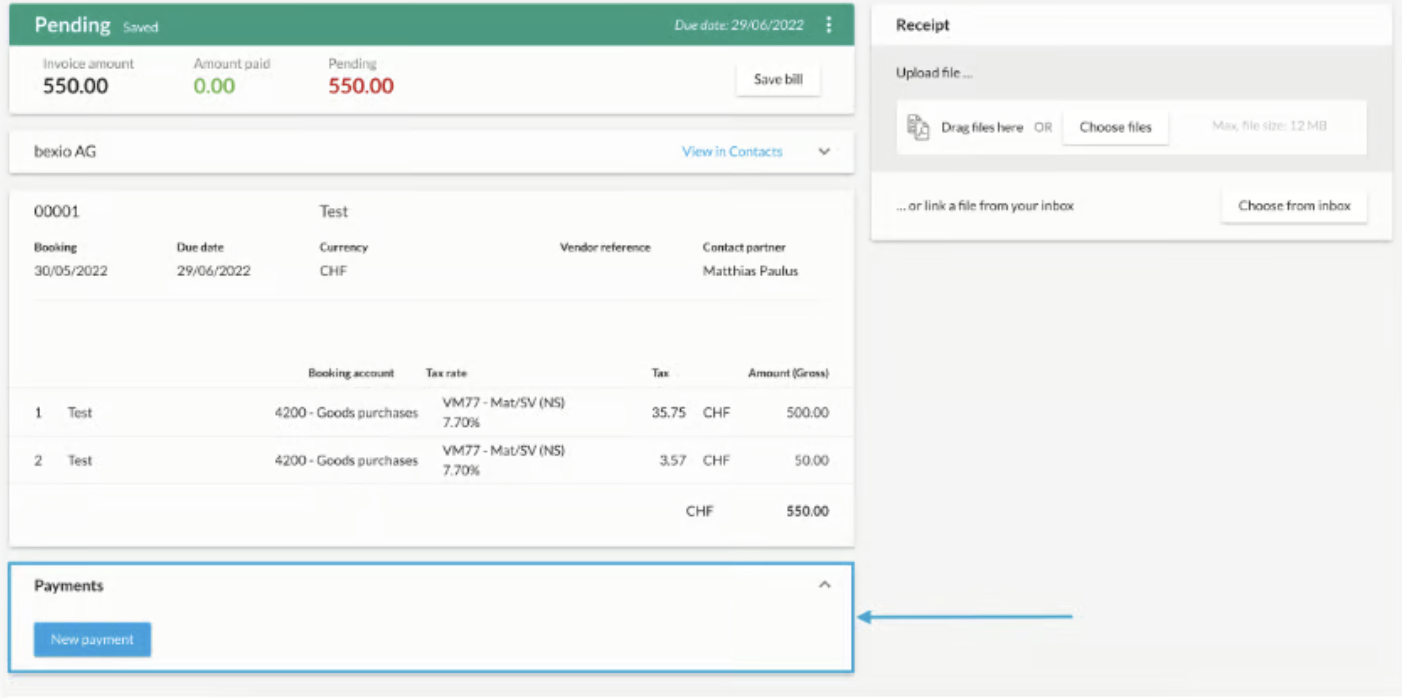
Submit Payments
As soon as the payment has been recorded, it will appear in the bexio Banking section under “(..) Pending Payments.”
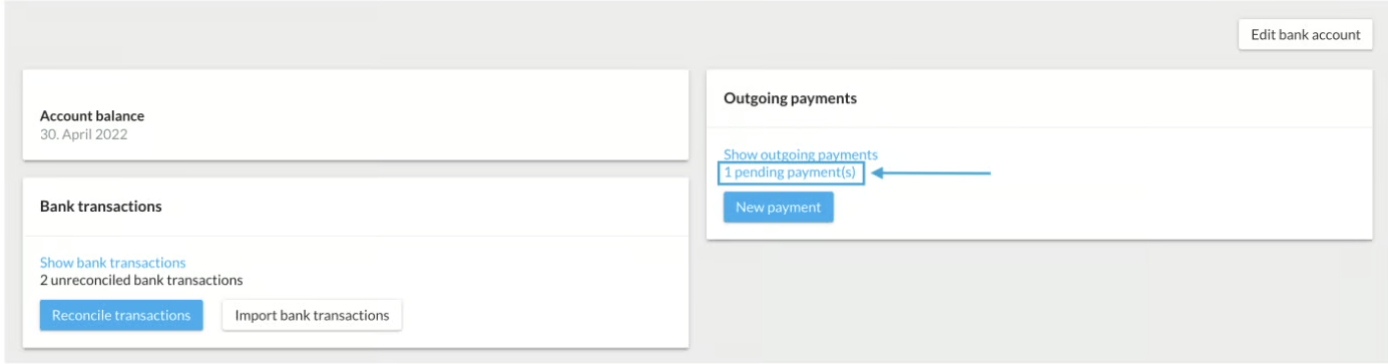
To send the payments for the transaction to your online banking, select the relevant outstanding payments and then click “Submit Payment Order.”
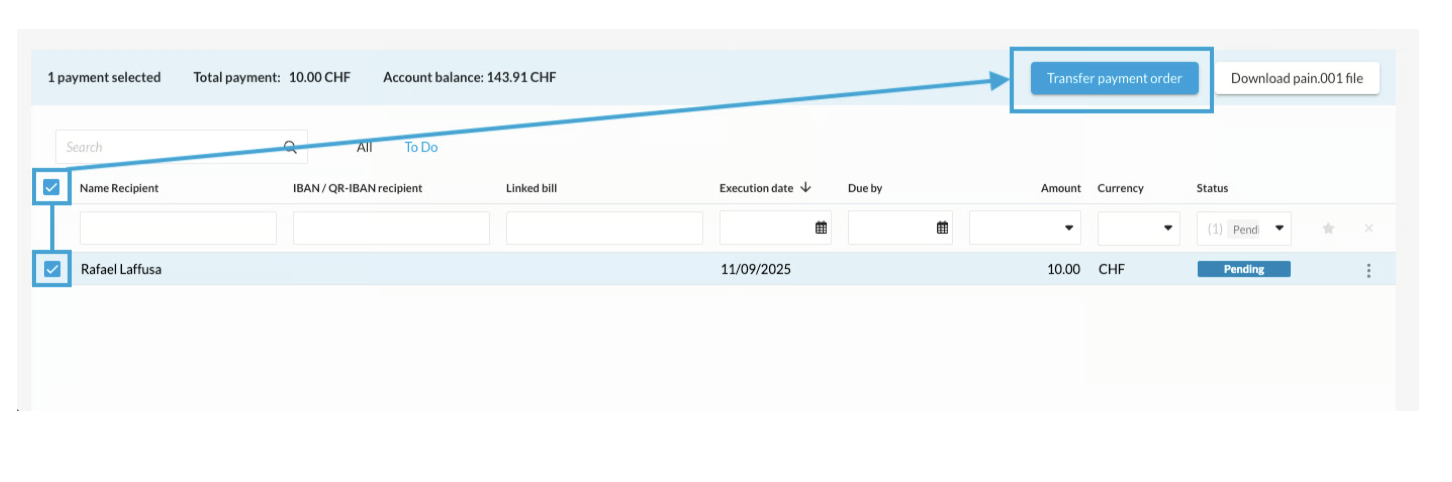
After submitting the payments, you must approve them in your online banking system to ensure that the payment is processed on the desired date.
Note:If the "Submit Payment Order" button is grayed out, this means that the interface is not connected, and you can only download a pain.001 file.

Disconnect the interface
How do I set up my bank in bexio?
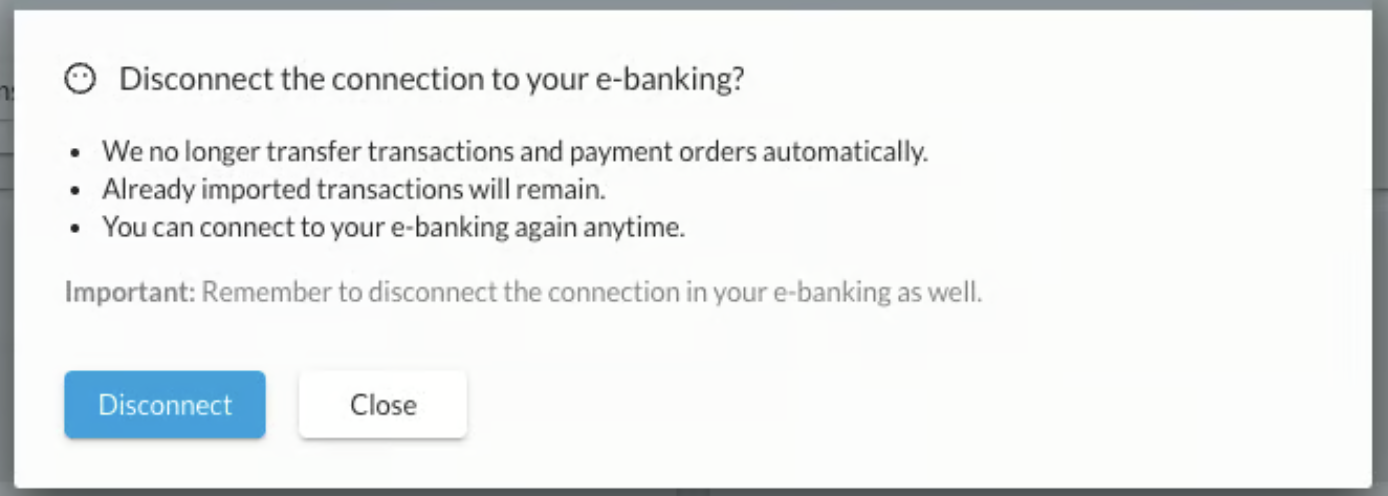
You can manually disconnect the e-banking connection by clicking the "three dots" next to the "Edit E-Banking" button.
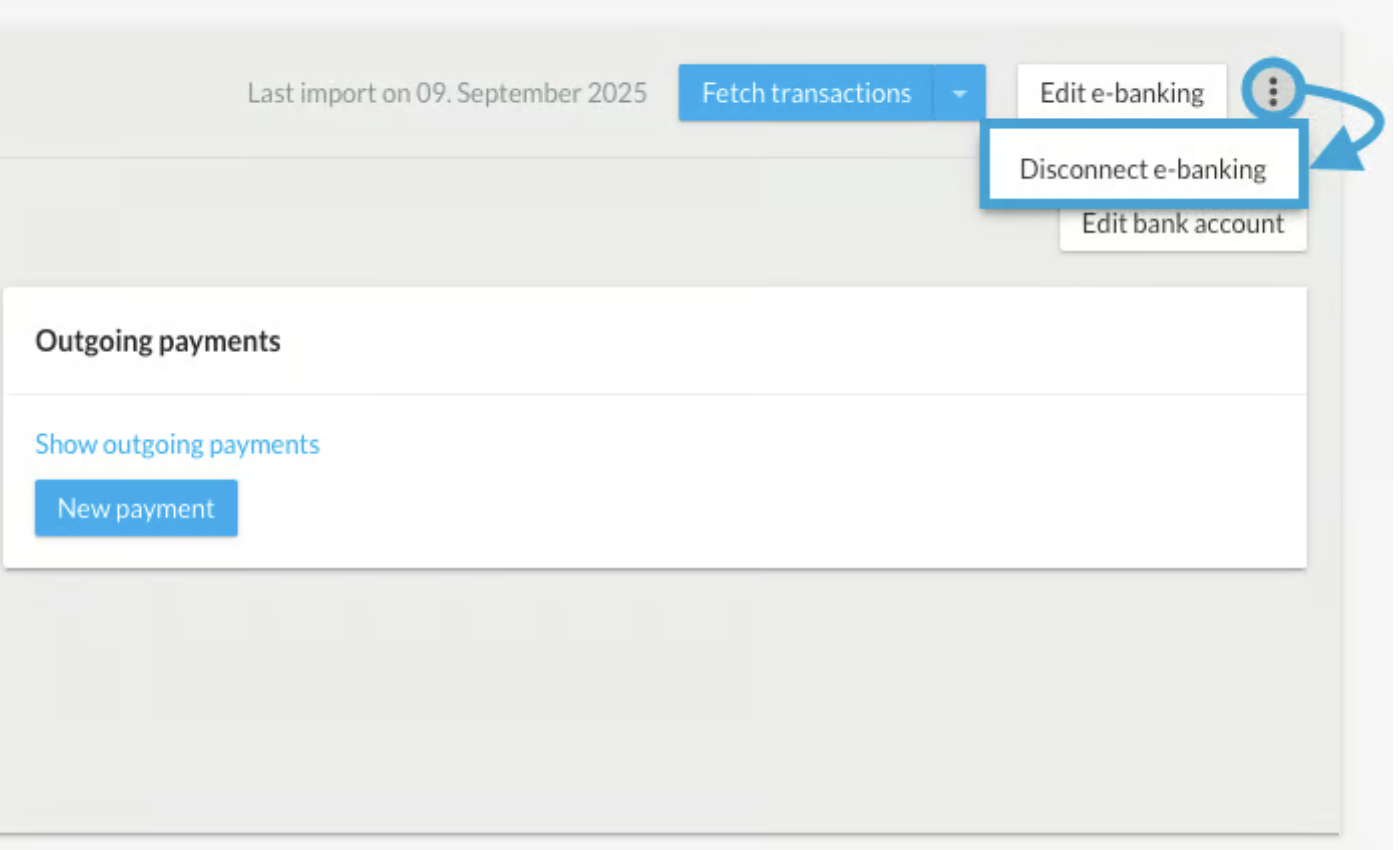
A dialog box will open in which you must confirm the disconnection between bexio and your online banking service. Transactions that have already been imported will still be visible in bexio. You can reestablish the connection at any time.