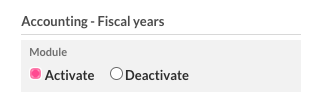
The status of a financial year can be changed. To do this, you need to have the user right "Accounting – Fiscal years".
Where can I customise this user right?
To activate the right for "Accounting – Fiscal years", go to "Settings" – "Users" – "Manage users".
How do I know if my financial year is closed or locked?
If you go to "Accounting" – "More" – "Download past annual financial statements", you will see the last closed financial year.
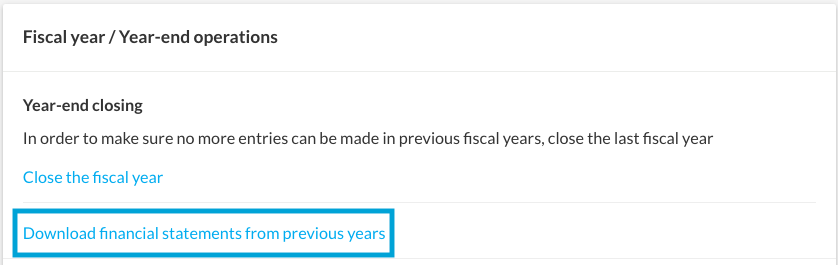
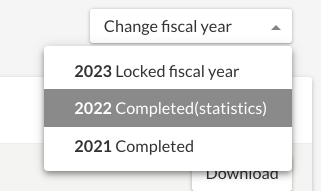
Here, you can now switch to another fiscal year at the top right via "Change fiscal year". You can also see whether a financial year is only locked or closed.
Another way you can see the status of your fiscal years is under "Settings" – "All settings" – "Accounting" – "Change fiscal year".
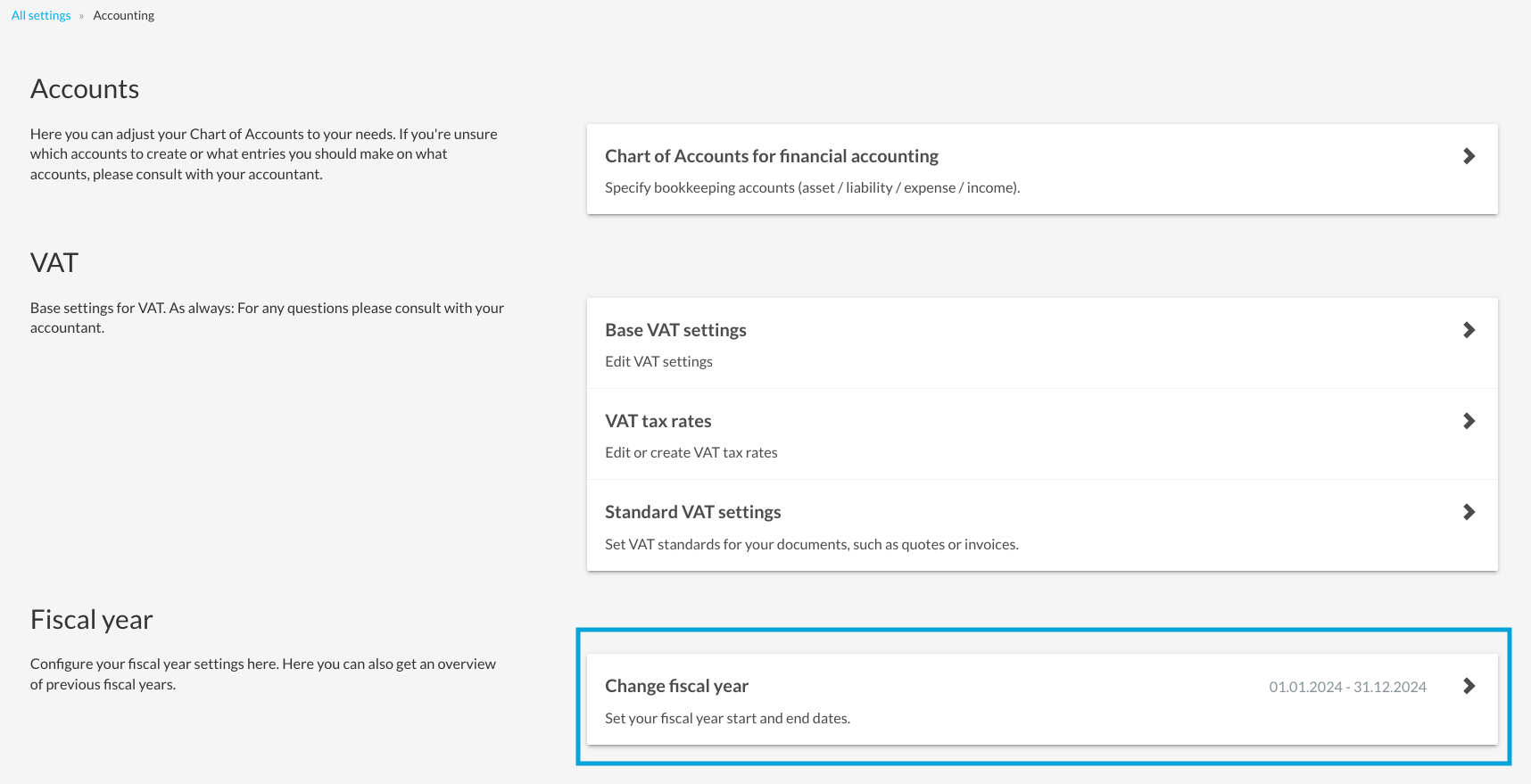
This will take you to the overview of the statuses of your fiscal years and the history, indicating which status changes have been made, and by whom.

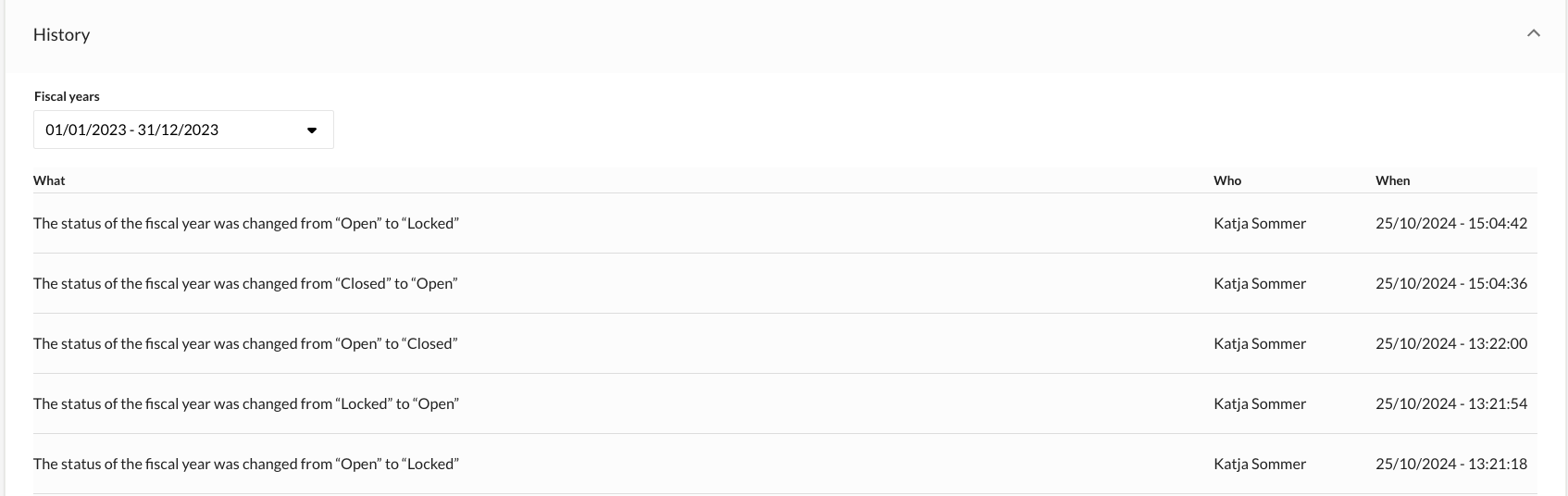
As a basic principle, when making status changes it is important that the oldest open fiscal year is always locked/closed first and that the most recent closed/locked fiscal year is edited first when opening/unlocking.
Locking a fiscal year
A fiscal year can be locked. This ensures that no further postings can be created in that financial year, and that existing postings are not changed. No automatic balance carryforwards will be posted. The fiscal year can be locked under "Settings" – "All settings" – "Accounting" – "Change fiscal year". To do this, click on "Lock" in the menu on the right with the three dots.
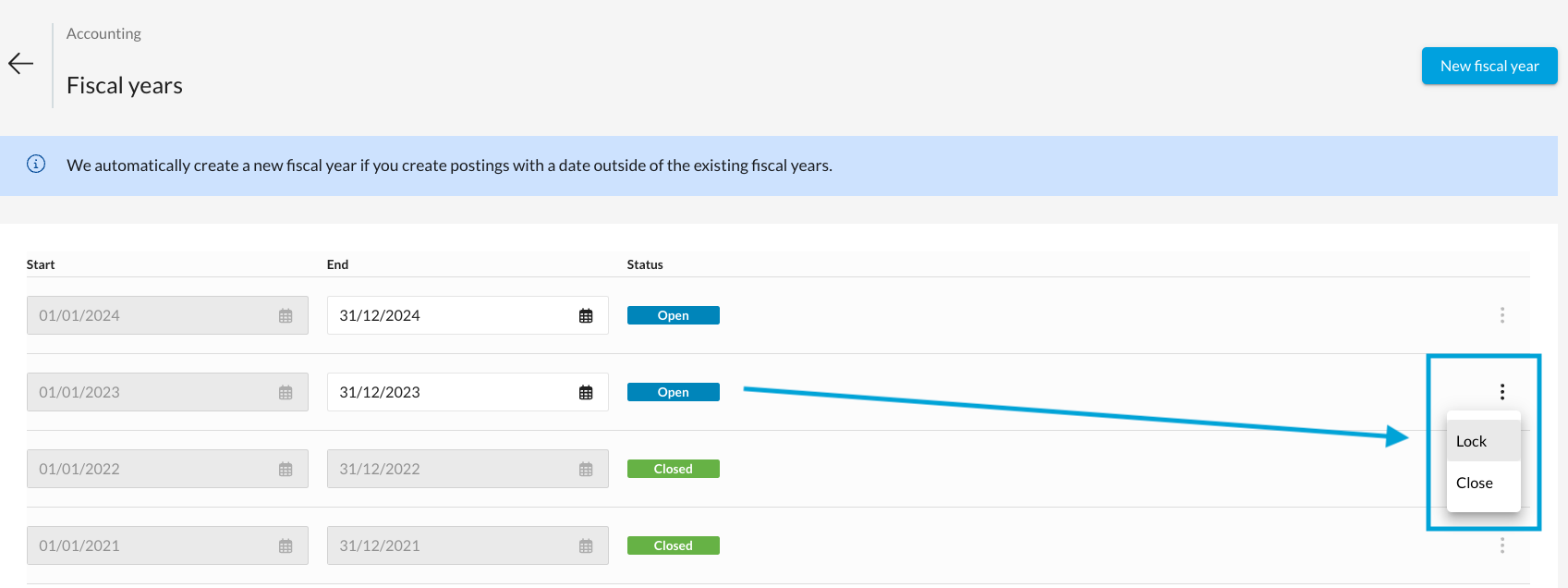
To allow the locking of a financial year, the following criteria must be borne in mind:
- The status "Open" has been set for the fiscal year.
- All previous fiscal years are either locked or closed, and all subsequent fiscal years are in the "Open" status.
- The end of the fiscal year must be in the past (accordingly, the current and future fiscal years cannot be locked)
Unlocking a fiscal year
To unlock a fiscal year, you can click on the menu with the three dots on the right and select "Unlock" to set the financial year back to "Open".
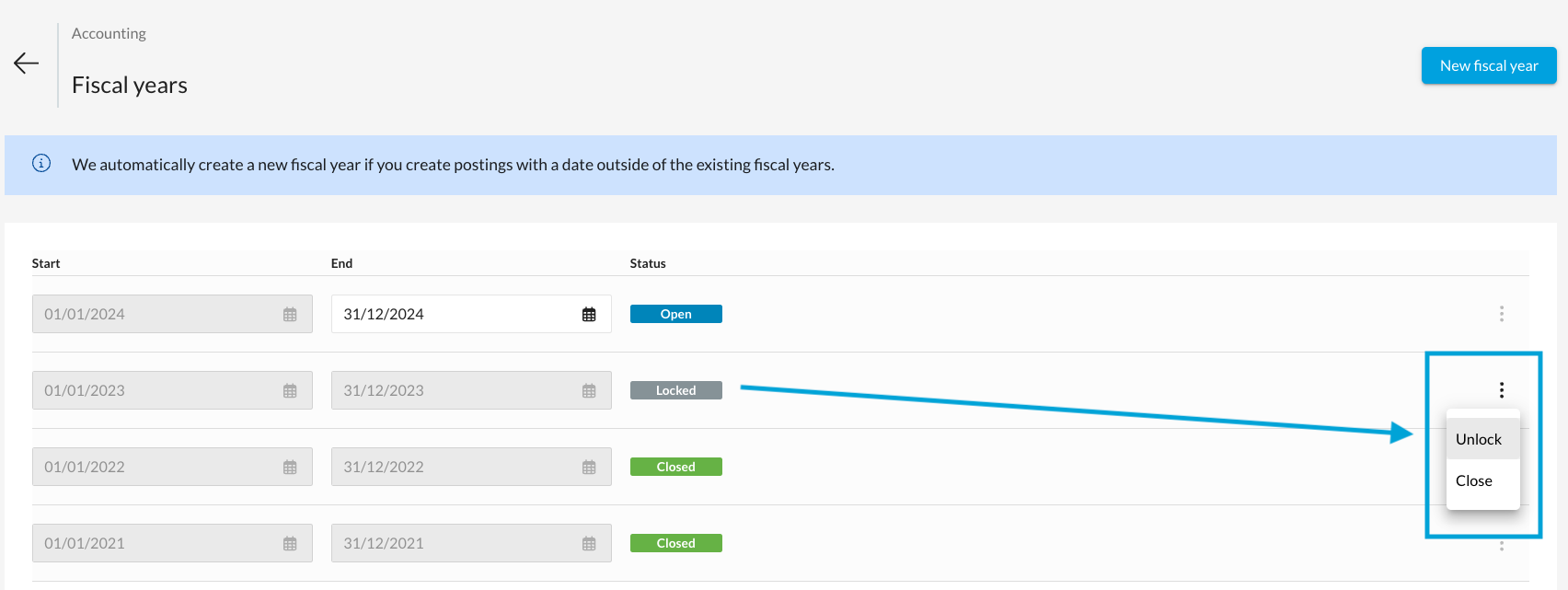
To allow the unlocking of a fiscal year, the following criteria must be borne in mind:
- The status "Locked" has been set for the fiscal year.
- At least one subsequent fiscal year exists, and all subsequent financial years are in the "Open" status.
Opening a fiscal year
Opening a closed fiscal year makes it possible to record any supplementary postings and to carry out the annual financial statements again. To reopen a closed financial year, you can click on the menu with the three dots on the right and select "Open". As a result, the status of fiscal year will revert to "Open".
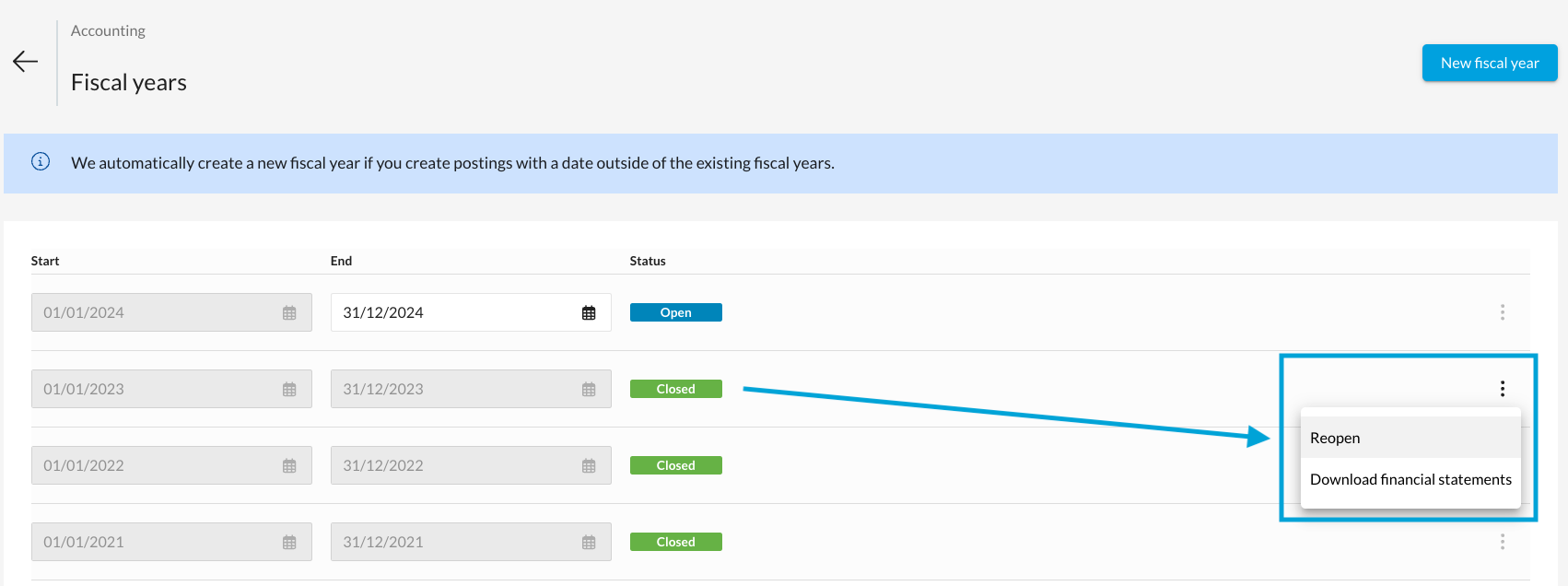
To allow the opening of a fiscal year, the following criteria must be borne in mind:
- The status "Closed" has been set for the fiscal year.
- At least one subsequent fiscal year exists, and all subsequent financial years are in the "Open" status.
- If the first financial year, which has already been locked, was created using the accounting assistant, please contact support. We will need to manually activate the accounting assistant for you.
Fiscal years cannot be closed
If you cannot close a fiscal year because a message appears stating that there are even older financial years in existence, you will find more information about this in the following article.
There are older fiscal years that contain postings