Illness
In order to correctly map the absence of an employee in your payroll accounting, open the menu item “Employees” and select the employee concerned. Then click on “Absence” and create a new entry by clicking on “Add”. Select the appropriate reason for the absence. The following options are available in bexio:
- Illness
- Accident
- Maternity/Paternity
- Military leave
- Vacation
- Interruption of work (unpaid leave)
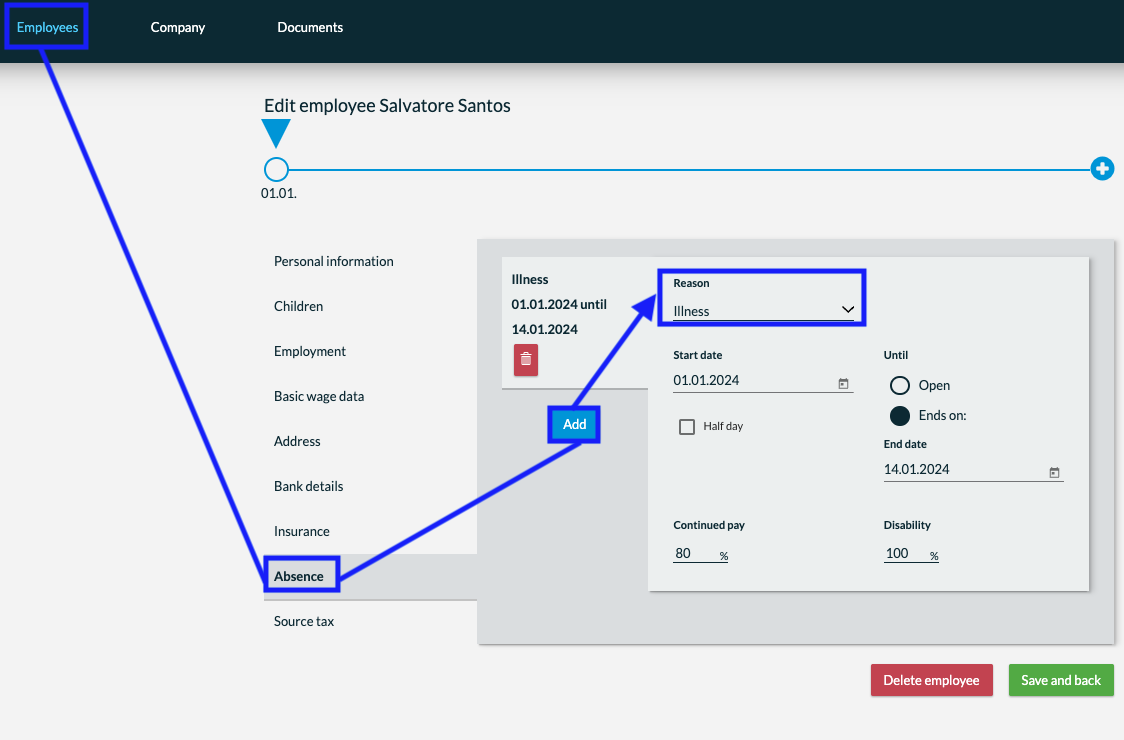
Practical example: “Illness”
- Under the employee “Absences”, you enter a new illness under “Illness & Accidents” with the date from which the employee was absent, the amount of the incapacity to work and whether the salary will continue to be paid at 100% or 80%.
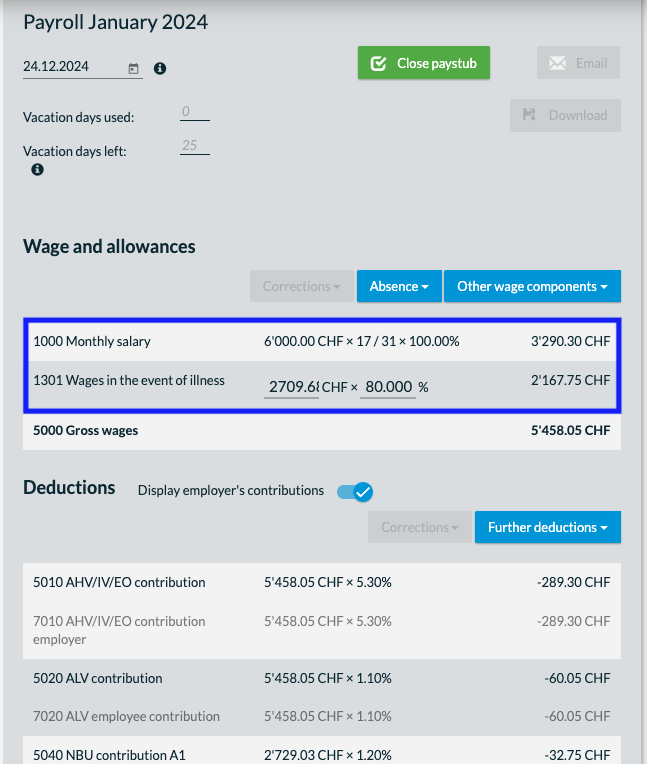
- bexio automatically calculates how high the salary actually paid out must be and adds this in the corresponding month with the salary type “Salary in case of illness” or “Salary in case of accident”.
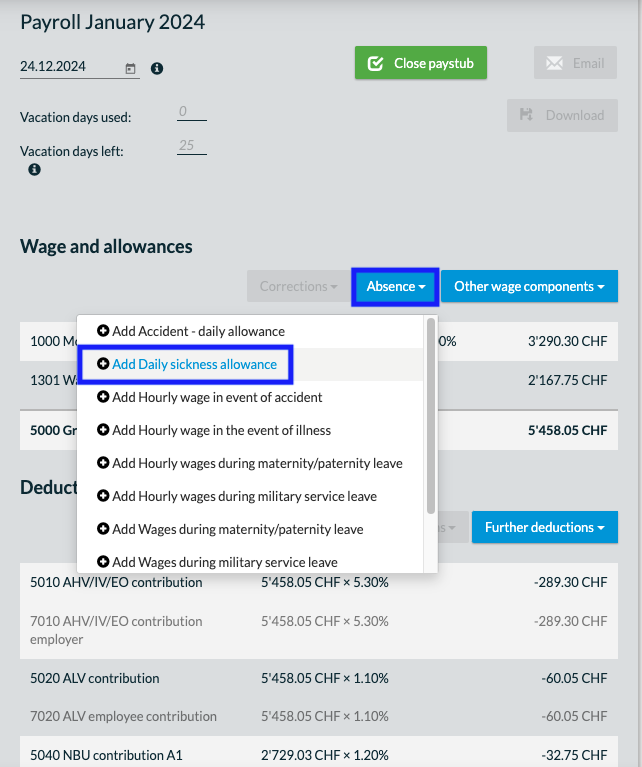
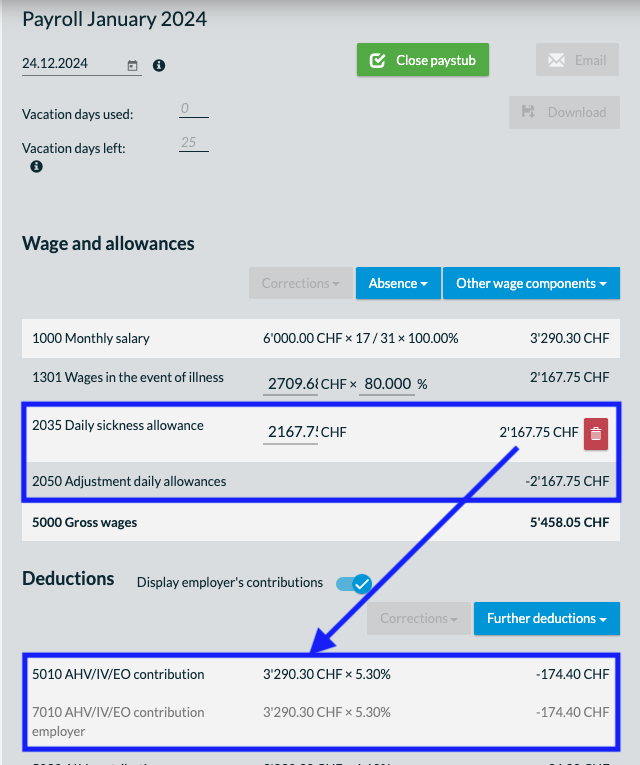
- However, this does not yet correct the deductions. As soon as the KTG/UVG takes over the continued payment of wages for you (this is usually the case after 30, 60 or 90 days), you can manually add the amount received from the KTG/UVG to the payroll statement that is currently open. You can do this directly in payroll accounting under “Accident/illness” > “Daily sickness or accident benefit”.
Important:
This wage type has no influence on the gross wage, only on the deductions. So if you add the daily sickness or accident benefit, this is added to the gross wage and deducted again immediately. The only function of this wage type is to correct the basis of the deductions/social benefits concerned. This means that the sick pay (or accident pay) must still be shown in the payslip.
Important: If payroll accounting has already been completed, the data will have no influence on payroll accounting.