The account statement is a clear view of a customer's financial history. This report tracks invoices, credit notes, and pending payments, making it easy to identify any outstanding amounts.
Summary:
Access customer's finances
Create and export the account statement
Detailed content of the account statement (PDF)
Account statement history
Access customer's finances
To view the financial status of a specific contact:
- Contacts and select the contact of your choice.
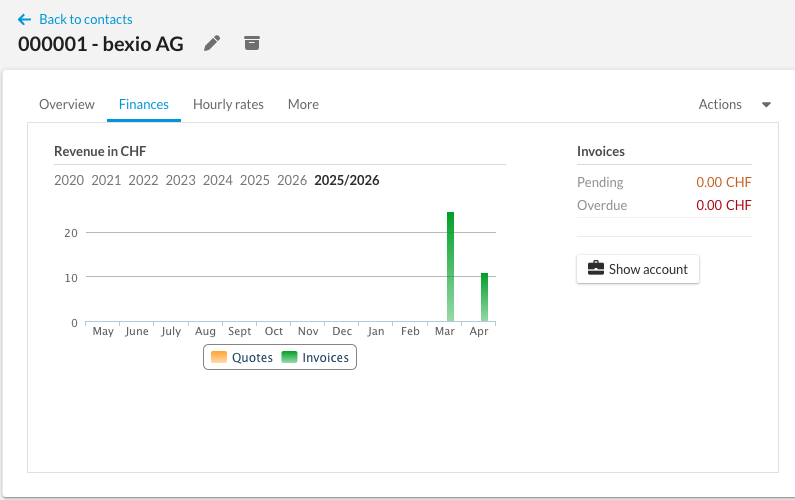
- Go to the Finances tab.
- You will see an overview of all credits and invoices, as well as a graph representing the turnover.
his section provides two ways to visualize this data:
- Detailed List: An exhaustive list of all credits and invoices.
- Sales Performance Chart: A visual analysis of sales trends for this customer.
Create and export the account statement
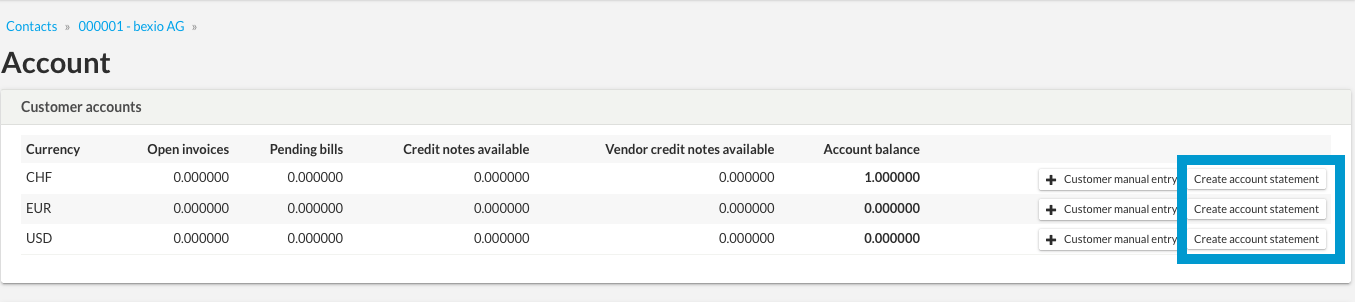
The account statement allows you to review outstanding amounts, with multi-currency management.
- From the Finances tab, click the Show Account button.
- Click on "Create an account statement".
Prima di finalizzare il documento, hai a disposizione diverse opzioni:
- Preview: You can preview the document before downloading or sending it.
- Text: Modify the body of the text to add a specific message.
- Address: Adjust the destination address directly on the account statement.
- Document Template: You can configure and customize your document templates
- PDF: Export in PDF format
Detailed content of the account statement (PDF)
Included:
- Sales Invoices: Open or partially paid invoices.
- Credit Notes: Fully or partially open credits.
If a credit note is partially used, its original total amount remains displayed.
- Bills: If the customer is also registered as a supplier, their unpaid bills (full or partial) will appear.
- Manual Entries: These impact the final balance, even if the details do not appear on the statement.
Not included:
- Settled Documents: Invoices and credits that are fully paid or fully offset.
- Expenses: Expenses are not linked to the customer account.
Account statement history
All generated documents are centralized under:
- The Sales > Others tab
- Click on: Account Statements
You can download them as a PDF with headers and footers included.