In bexio, deleting a quote is subject to specific status conditions. This article explains how to delete a quote or how to mark it as declined.
Prerequisite:
In order for a quote to be deleted, its status must be set to "Draft".
Content:
Deletion based on quote status
Quote in "Draft" status
Quote in "Pending" status
Quote in "Confirmed" or "Declined" status
Deletion based on quote status
Quote in "Draft" status
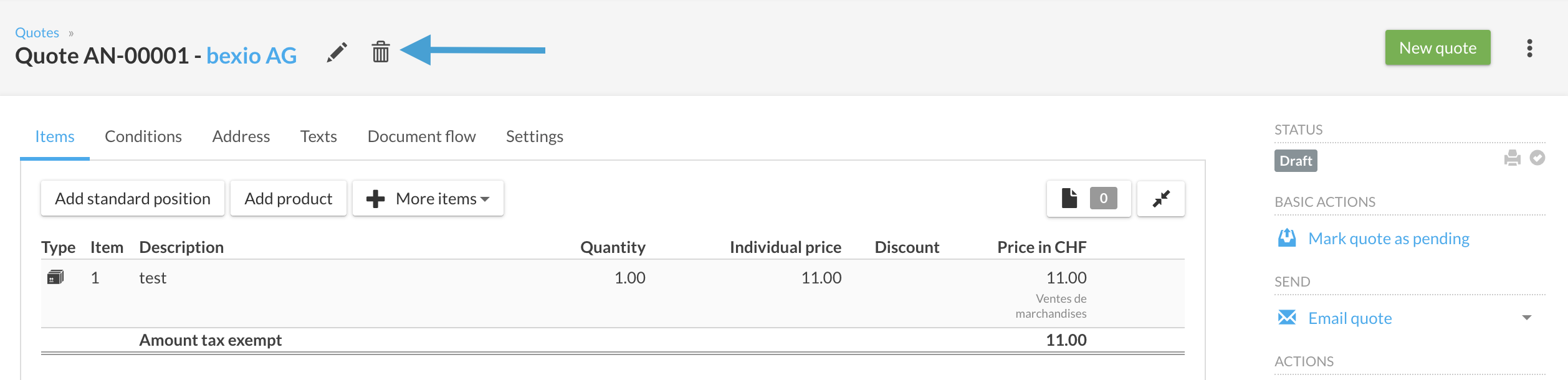
If the quote is already in draft mode, simply click on the trash can icon to delete it permanently.
Quote in "Pending" status
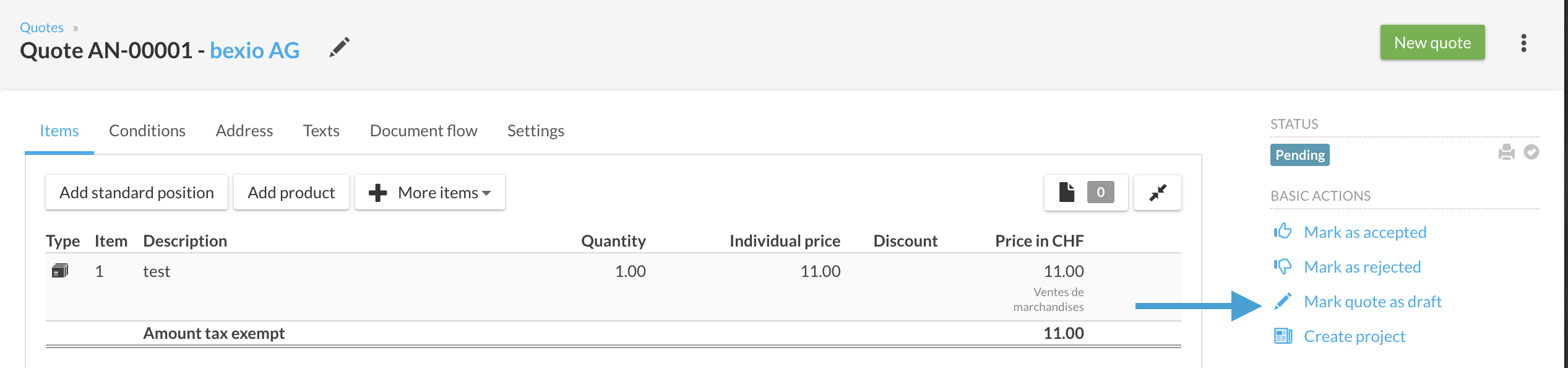
If the quote is "pending," you must first revert it to draft status:
- Click on the action "Mark quote as draft".
- Once the status is updated, the trash can icon will appear, and you can proceed with the deletion.
Quote in "Confirmed" or "Declined" status
For these statuses, an additional step is required:
- First, click on "Edit quote" (this reverts the quote to pending status).
- Next, click on "Mark quote as draft".
- You will then be able to click the trash can to delete the quote.
Deleting a quote is irreversible. If you simply want to cancel a sale while keeping a history in your account, we recommend leaving the quote in "Declined" status instead.