In this article, you will learn where to find your bexio usage invoices, how to download them as a PDF, and where to find your personal customer number.
Content
Where can I find my bexio invoice?
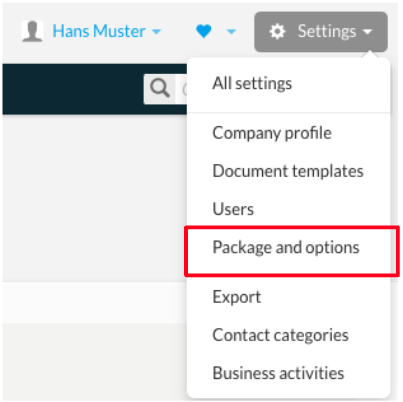
The bexio invoices you receive can be found under “Settings -> Package and options" -> in the “Invoice and payment method” tab in the invoice history section.
Click on "PDF" to download the desired invoice in PDF format.
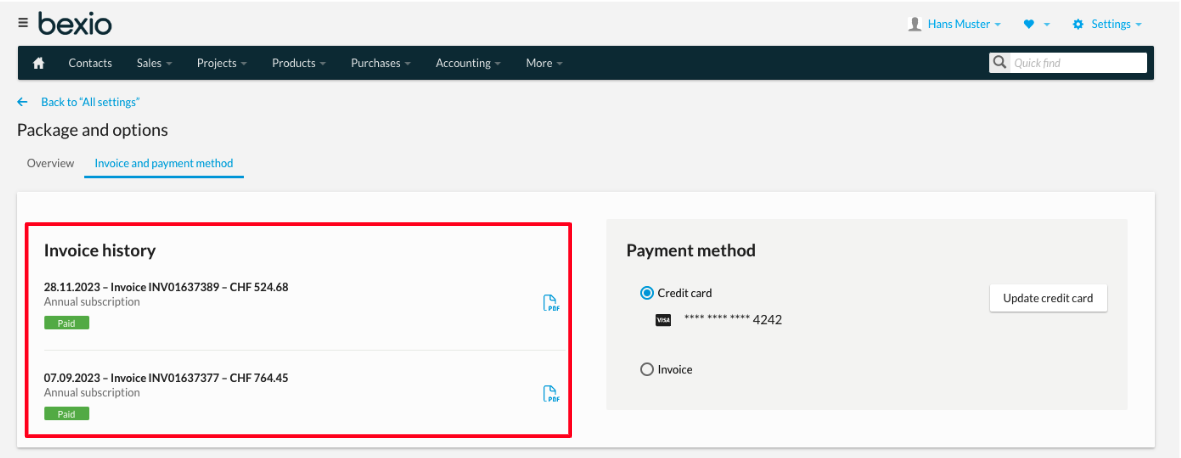
Tip: You can also manage your preferred payment method in this section.
Where can I find my customer number?
Your customer number is important for identification in support requests. You can find it in the following places:
- Directly in the "Overview" tab over your account information.
- On every downloaded bexio invoice (PDF) in the "Usage of bexio" section.
Good to know: Always have your customer number ready when contacting support for faster assistance.