It is not possible delete a contact. The only way to remove it from your active list is to archive it. Once archived, the contact can no longer be used or modified in your documents.
How to Archive a Contact
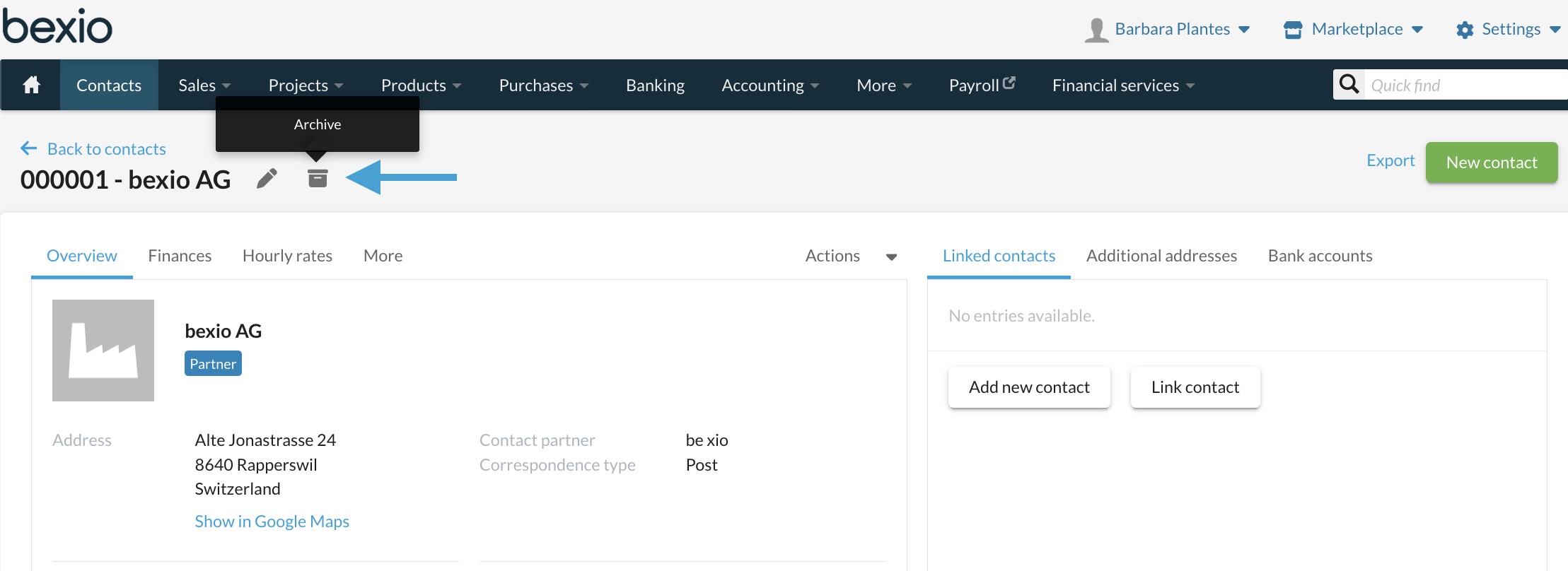
Archive Directly within the Contact Record
Go to Contacts > Select the contact of your choice.
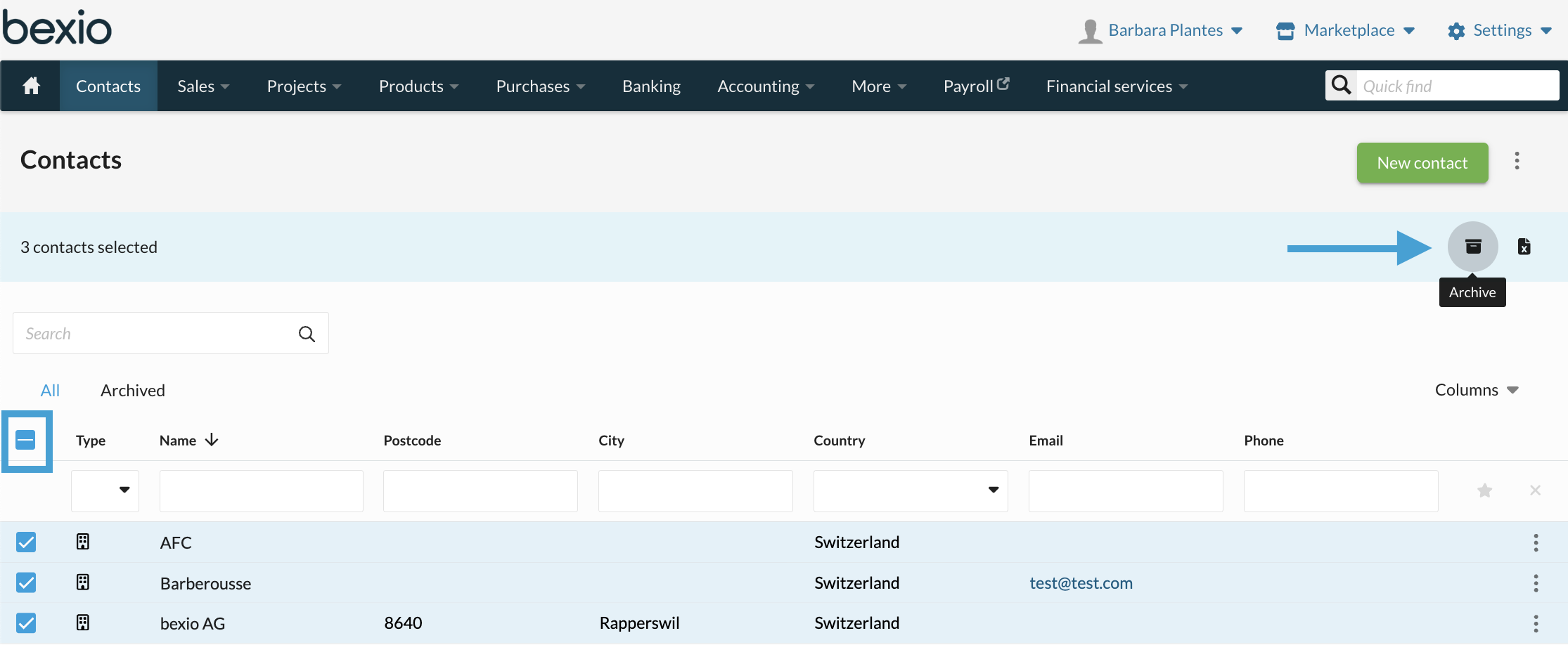
Archiving Multiple Contacts at Once (Group Action)
For multiple selections, check the box next to the desired contacts.
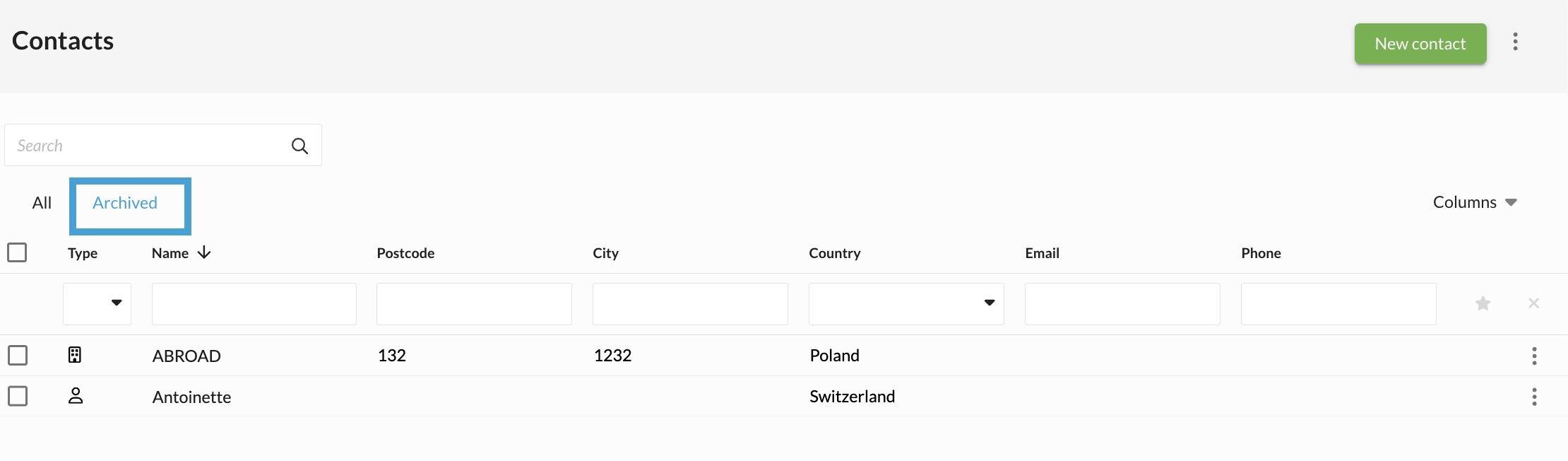
View archived contacts
All archived contacts are listed in a separate list.
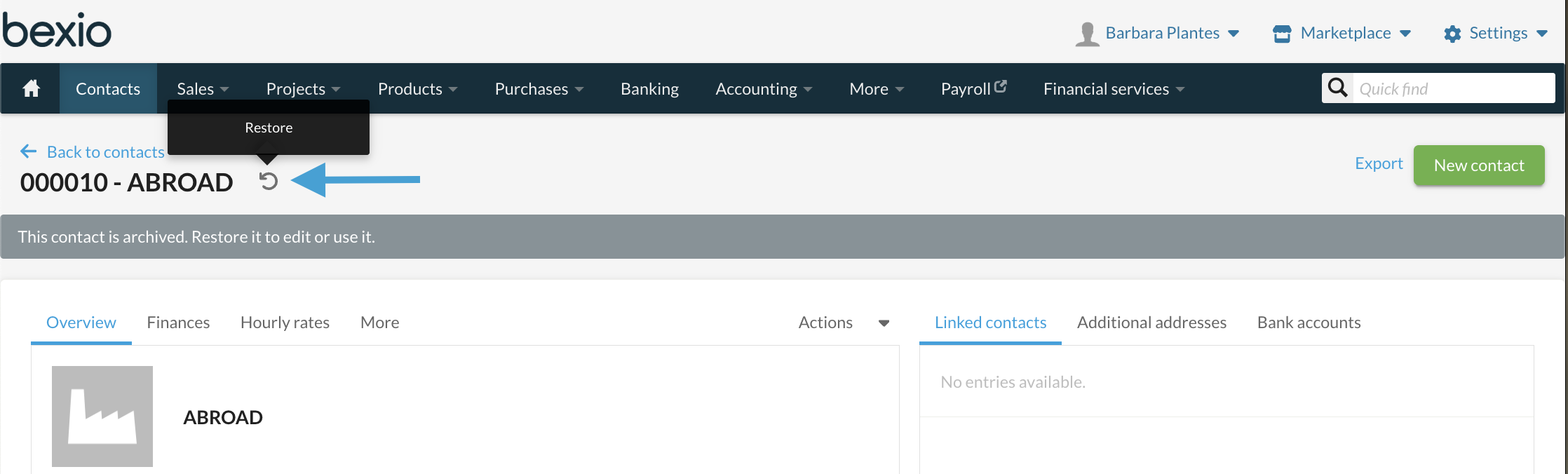
Restoring Archived Contacts
Navigate to the list of archived contacts, open the desired contact, and then use the Restore option.
This option can only be done one contact at a time.
Questions & Answers
Q: What should I do if I want to completely delete a contact?
A: Contacts cannot be deleted; they can only be archived. If you still wish to permanently destroy contact data, please observe the following guidelines:
-
If a business relationship exists for the contact (e.g., documents or entries are present), we fundamentally do not recommend deleting the contact. You have a legitimate interest in retaining the contact in this case.
-
If you wish to permanently delete contact data, you must overwrite or delete the relevant fields (e.g., name, address, email) with dummy data ("John Doe") to destroy the information. You can then archive this contact. This procedure is GDPR/DSG compliant. Please note that there is no possibility to automatically restore this data within bexio.
-
Contact data on existing entries, such as invoices, cannot be changed. This is compliant with legal regulations.
Q:Do you have further questions about the revised Data Protection Act ?
R: You can find all information here: Privacy Policy