Keep your expenses under control at all times: The list of expenses, which you can easily access via the main menu, is your central hub for efficient expense management. In this article, we will show you how to optimally adapt this view to your workflow. From flexible column design to clever filter functions and precise data export – learn about all the tools you can use to effortlessly manage and organize your expenses.
Content
Accessing the list of expenses
To access your list of expenses, simply navigate to "Expenses → Expenses" from the main menu. This will take you to the list of all expenses.
Actions and icons in the list
On the right side of the list, next to each row corresponding to an expense, there is an action menu.
The "Delete" action is only available for expenses in "Draft" status, while the "Duplicate" action is available for all expenses.
The paperclip icon on the left indicates whether a file is attached to the expense.
Customizing the columns
By default, there is a certain number of columns displayed in a predefined size. However, these can easily be customized to your needs.
To select which columns to display, click on the "Columns" dropdown menu at the top right of the list.
The expense number (No.) and the title are the only columns that cannot be hidden. All other columns can be shown or hidden as required.
It is possible to resize all columns by grabbing the edge of the column header with the mouse pointer and moving it sideways. If you grab the header itself, you can also move the entire columns to rearrange them according to your preferences.
The order of the columns and their width are saved in your browser's cache, so they remain unchanged the next time you visit the page.
Please note: Adding or removing a column will redistribute the width, which will resize all columns.
Filters
In most columns, you can filter by the value in the column.
The following filters are available:
- Date filter - Filter by dates within a specified "from - to" range available for
- Creation date
- Payment date
- Text filter - Filtering by a series of characters available for
- Document number (No.)
- Contact
- Title / Posting text
- Amount filter - Filter by amounts within a specified "from - to" range available for
- Filter by choice
Filters are currently not available for status and posting accounts, but will be available soon.
Multiple filters can be applied at the same time. To clear all currently applied filters, you can use the "Clear filters" button on the right side of the column filters. When using any filter criteria for columns in the list of expenses, it is possible to save the applied filters as custom filters. Such filters can be saved and reused at any time.
To save a custom filter, simply click on the star icon, enter a name for the filter, and save it. Please note that the filter name can be a maximum of 15 characters long.

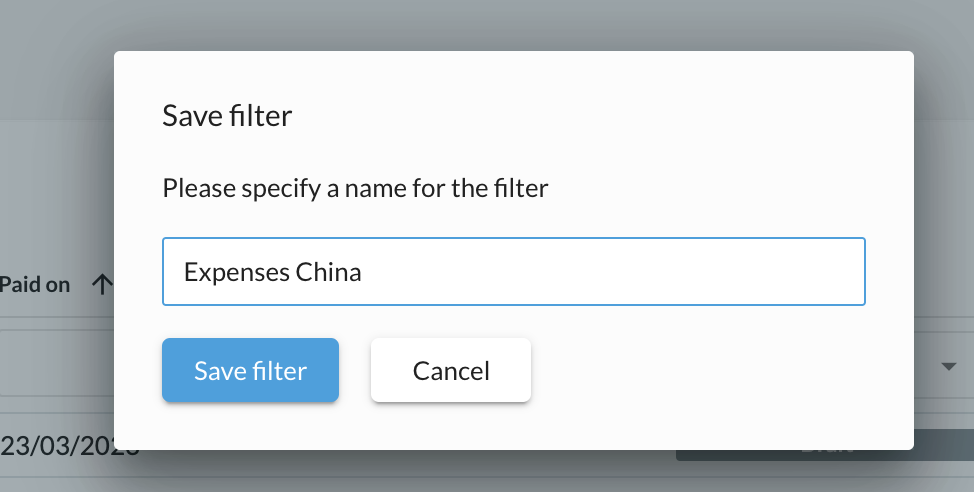
Multiple filters can be saved, but only the most recent ones are displayed at the top of the list - to see all filters, expand the list of filters at the top right. Filters can also be deleted in this dropdown list.

Exporting expenses
Expenses can be exported at any time based on the current selection of items (rows) in the list - any applied filtering and sorting is taken into account during export.
Please note that all available columns are exported, regardless of which columns are displayed.
To start the export, select the items you want to include. There are several ways to do this:
- by selecting all entries using the checkbox at the beginning of the list
- by selecting individual rows one after the other
- by selecting all entries using the checkbox at the top of the list and then excluding the rows that should not be included
When you are satisfied with your selection, simply click on the export icon and an Excel file should be created and automatically downloaded by your browser. While the export is being prepared, a spinning wheel indicates that this process is running - please do not leave the page until the export is downloaded, otherwise this process will have to be repeated.Good to know:
Each exported file is named according to the following convention: bexio_export_expenses_YYYYMMDDHHmmSS.xlsx, where "YYYYMMDDHHmmSS" stands for the exact date and time the export was created (year, month, day of the month, hour, minutes, seconds).
For example: bexio_export_expenses_20230712112256.xlsx