From January 1, 2025, a significant change to VAT invoicing came into force. Companies with an annual turnover of
up to CHF 5,005,000 can now choose an
annual billing method on request instead of the previous quarterly, half-monthly or monthly intervals. You can find further information on the annual VAT settlement
on this FTA page.
Settings in bexio
In bexio, you can activate the annual VAT statement from the 2025 tax period. Go to the following settings: Settings --> All settings --> Accounting --> Base VAT settings:
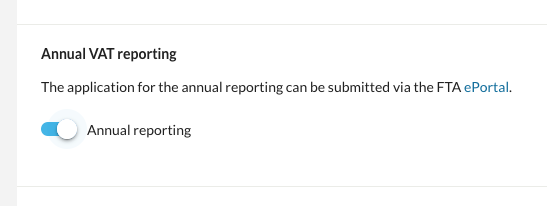
If a VAT quarter/semester has already been completed in the corresponding VAT period, this setting can no longer be activated! In such cases, please contact bexio Support. We will be happy to reopen the corresponding VAT period for you so that you can activate the annual statement.
If annual billing is activated, the VAT form and the VAT journal will only display this for the whole year instead of per quarter or semester.
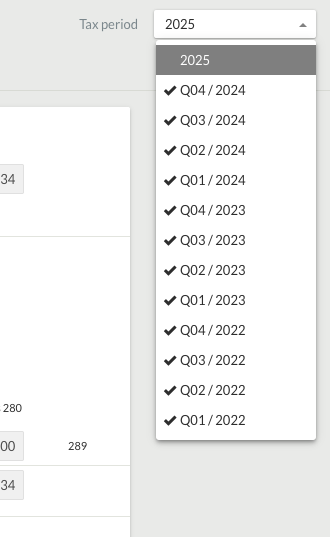
To check the tax claim on a quarterly or semester basis, even with annual billing, it is best to proceed as follows:
- Briefly deactivate "Annual billing" in the "Base VAT settings"
- The quarters or semesters are displayed again in the VAT form and VAT journal and you can check the tax liability as usual
- Then go back to the "Base VAT settings" and reactivate "Annual billing"