To ensure fast and secure processing of your transactions, we highly recommend entering the bank details of your third parties. This step is ideal for your recurring payments (bills) : once the IBAN is saved, you will no longer need to enter it for future operations.
Summary:
How to add a bank account
Streamline your payments
How to add a bank account
- Go to the Contacts section and create a new profile or edit an existing one.
- Click on the Bank Details tab on the right, then on Add Bank Account.
- Enter the required data. (Fields marked in red are mandatory.)
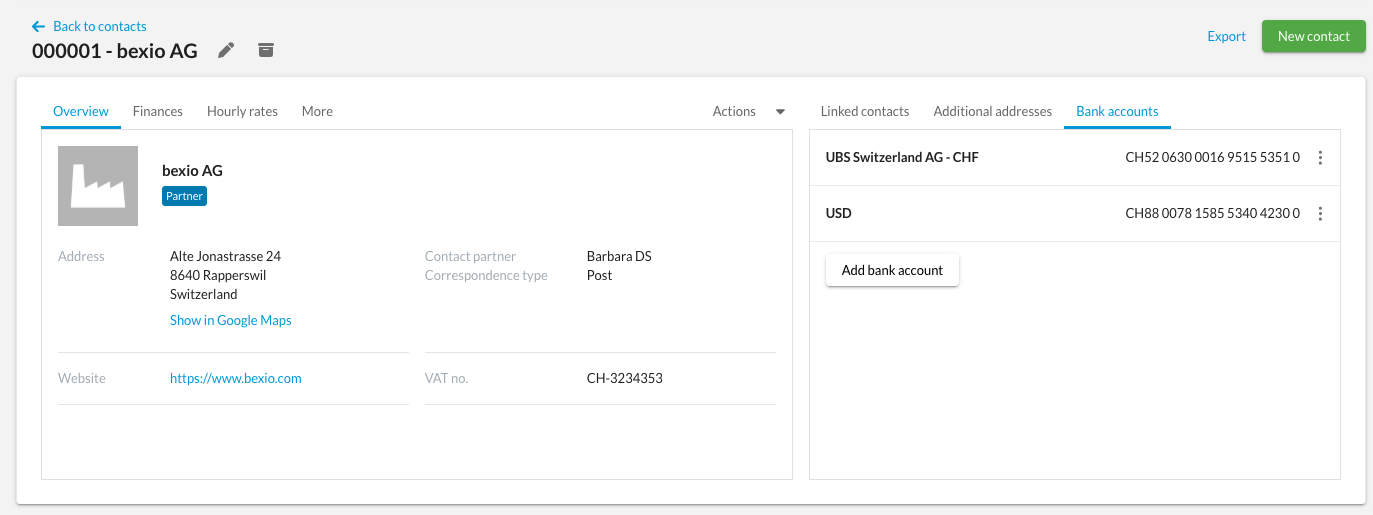
Once saved, the accounts appear in a summary list showing:
- The internal designation (to easily identify the account, e.g., "Main Account" or "EUR Account").
If you deal with international bills, be sure to fill in the internal designation to quickly distinguish accounts by currency.
Streamline your payments
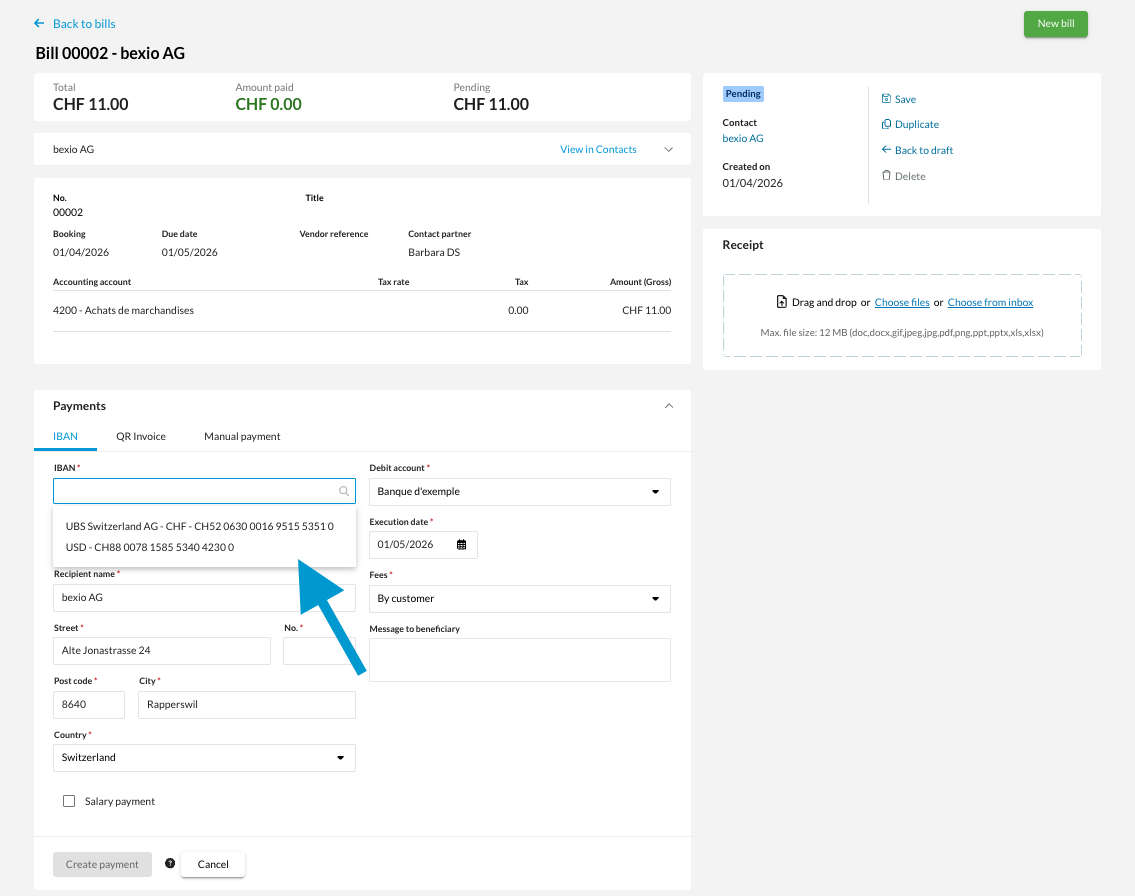
The main advantage of this entry lies in the automation of your bills payments. When you create an IBAN-only payment, you no longer need to manually enter the information: you have the option to directly select one of the bank accounts saved on the contact record.
If your contact has several accounts, no problem: during payment, a menu allows you to select the desired account. This avoids entry errors and makes your transfers faster.
Example: