You can recognize VAT rates that are not assigned to a digit either on the VAT form or on the overview of VAT rates.
A message is displayed under “Accounting” - “VAT” if there are VAT rates without an assigned number:

In order to assign a digit to the outstanding tax rates, click on the link "VAT-Settings" in the message that you see above, or go to "Settings" - "All settings" - "Accounting" - "VAT tax rates".
All tax rates marked here with an exclamation mark are not assigned to a digit.
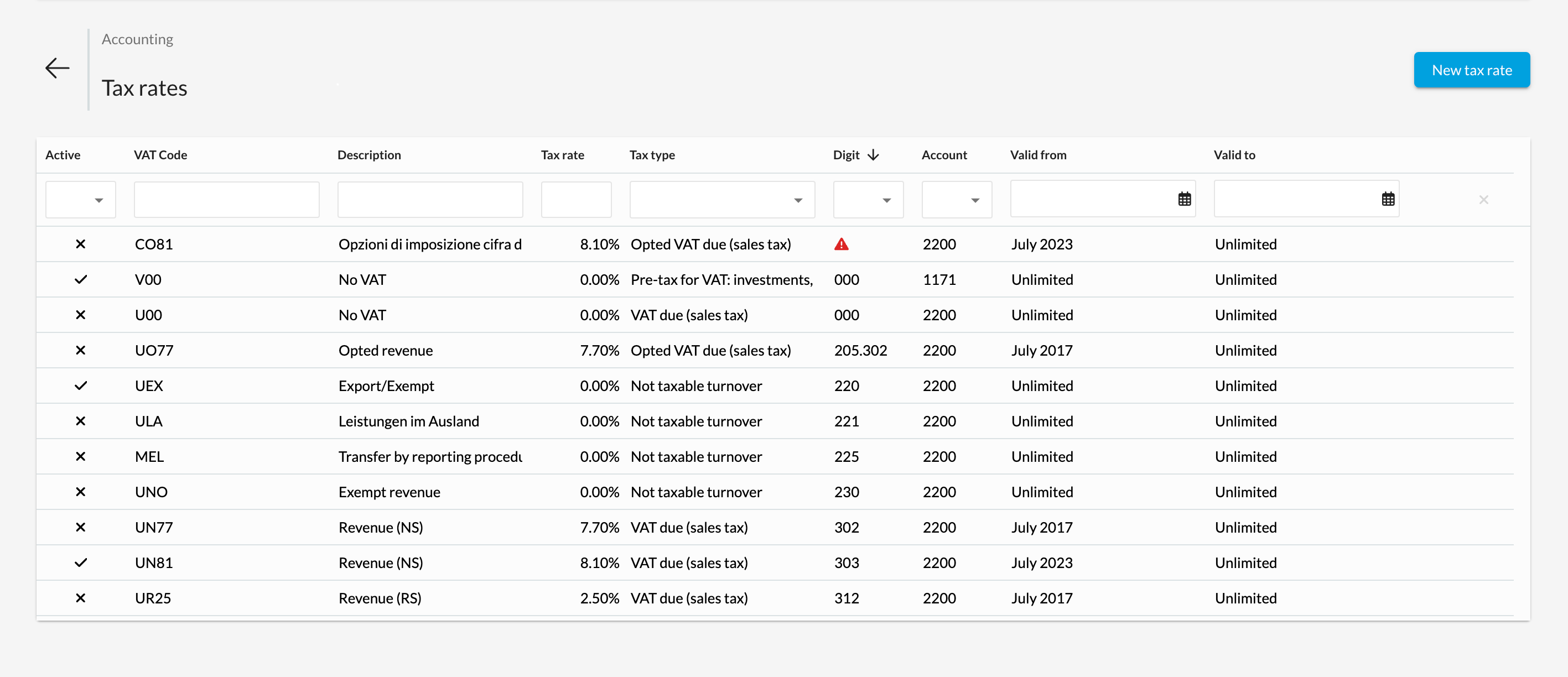
Click on one of the tax rates with an exclamation mark. If you no longer use this rate, we suggest that you disable it by removing the tick for "Active".
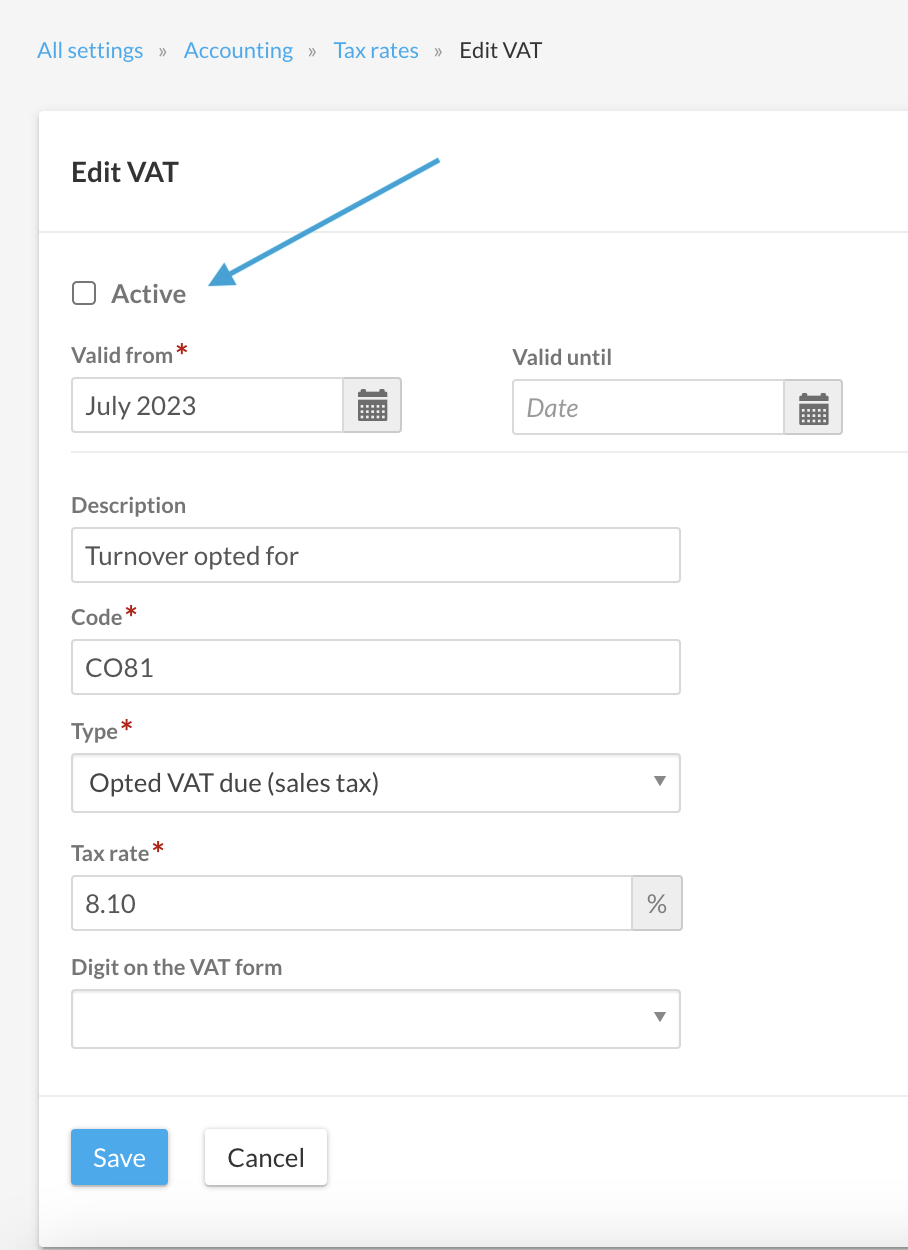
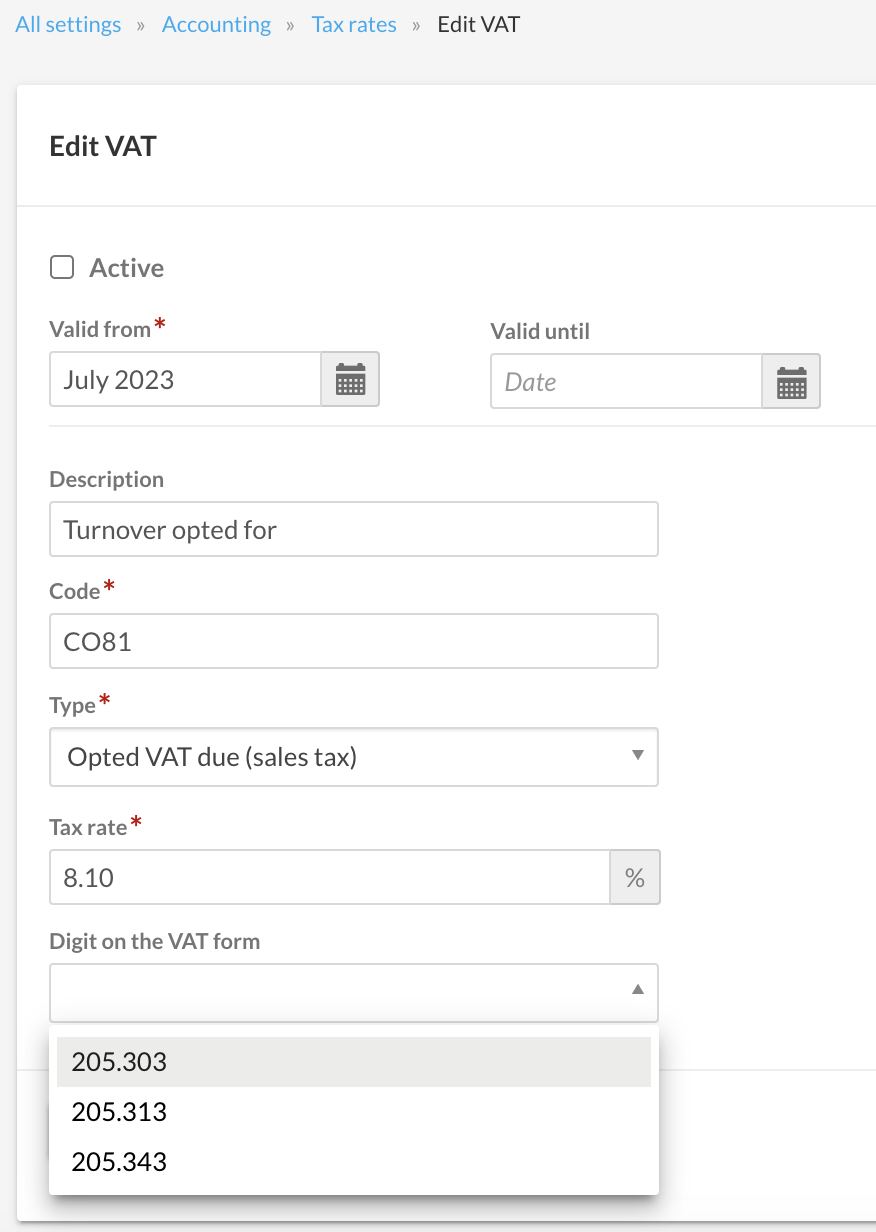
If you want to continue using the tax rate, you must assign a number to it so that these amounts are included in your VAT statements.
Special case digit "000"
The digit “000” is a bexio-specific number that is not included on the VAT form. This digit is not available for selection in the “Digit on the VAT form” field when editing a tax rate and therefore cannot be assigned to a VAT rate itself.
By default, there are two VAT rates assigned to the digit “000”: An input tax rate and a sales tax rate with the tax rate 0.00%. These two tax rates are to be used for vendor vouchers without input tax deduction and for customer invoices without VAT. By using a separate number, postings with this tax rate can be evaluated separately in the VAT journal - for even more control and overview
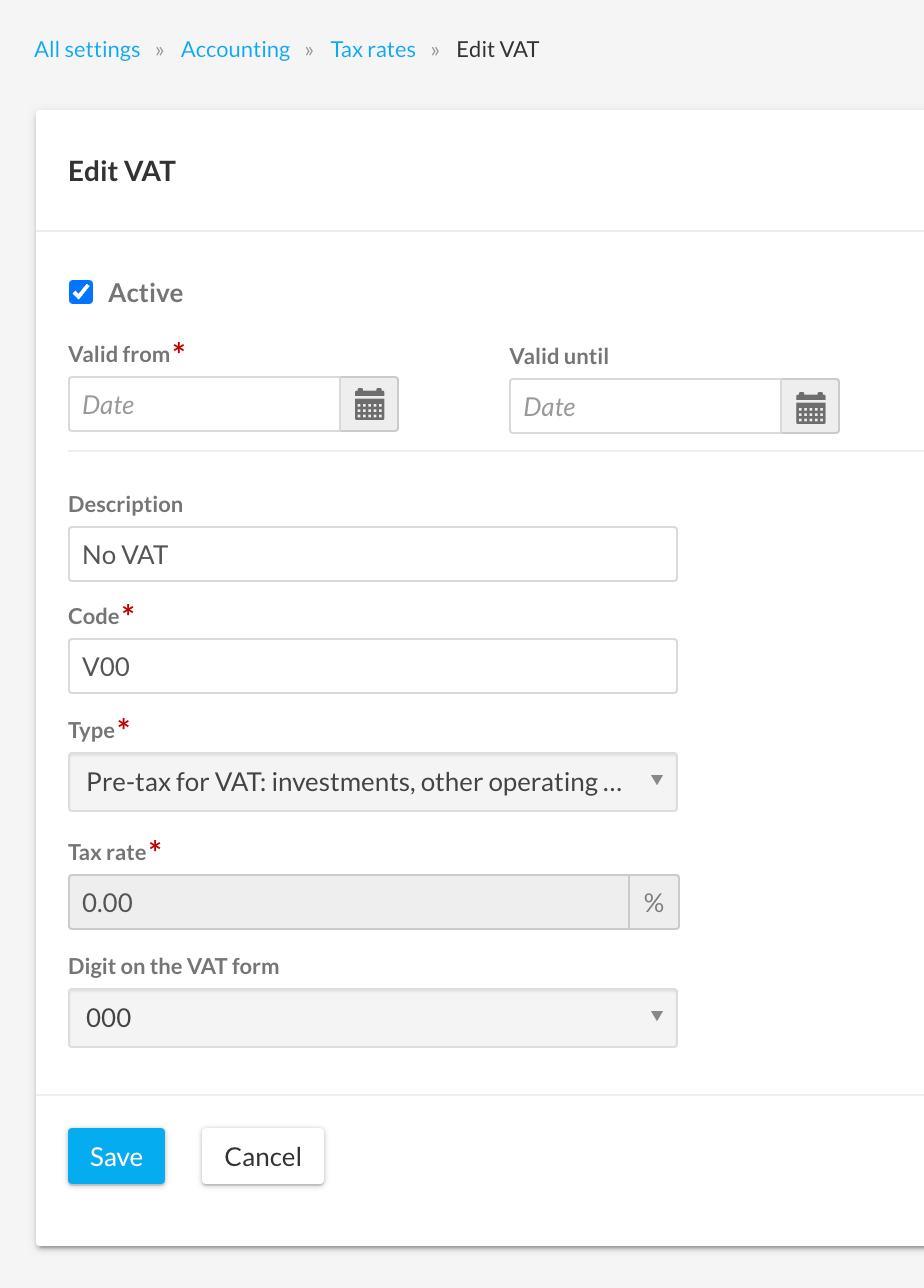
Tax rates that are assigned the digit “000” are system tax rates. Therefore, they cannot be deleted and only a few fields can be edited. However, you can deactivate these tax rates if you do not need them.