This answer addresses the following topics:
How can I store a different invoice and/or correspondence address for a contact?
In bexio you have the opportunity to store a different invoice and/or correspondence address for a contact. To do so, open the desired contact in the detailed view, select the "Additional addresses" tab and click "Add address".
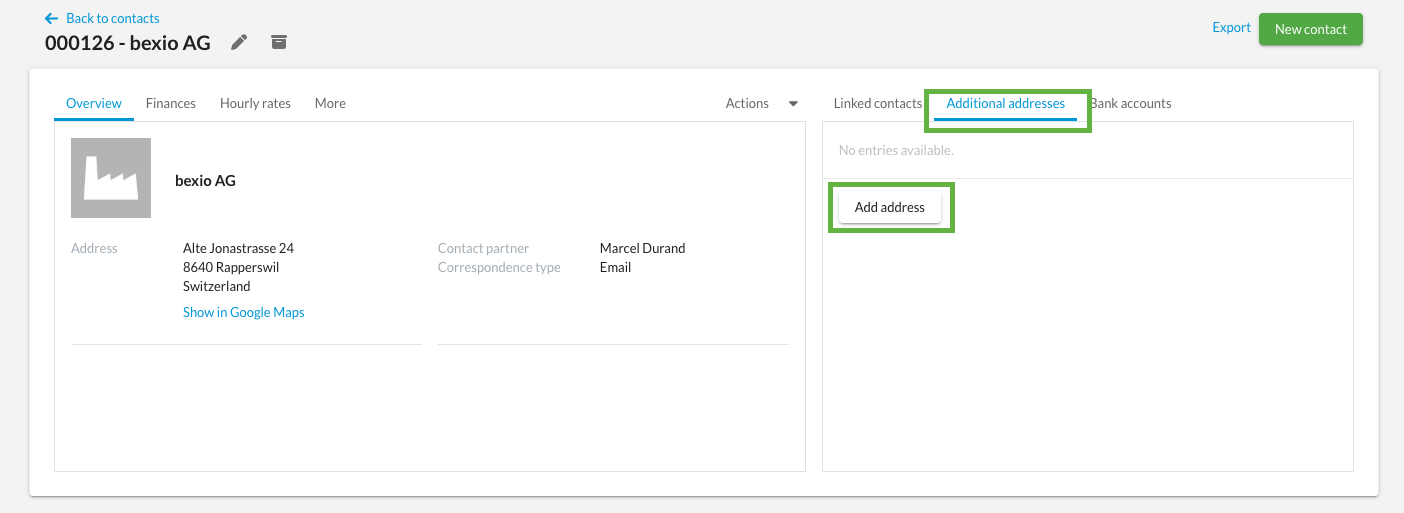
Add address
A box will open up where you can store a different address and select whether this address should always be used for invoicing and/or correspondence in the future. If you do not check any box, the additional address can be imported as needed.
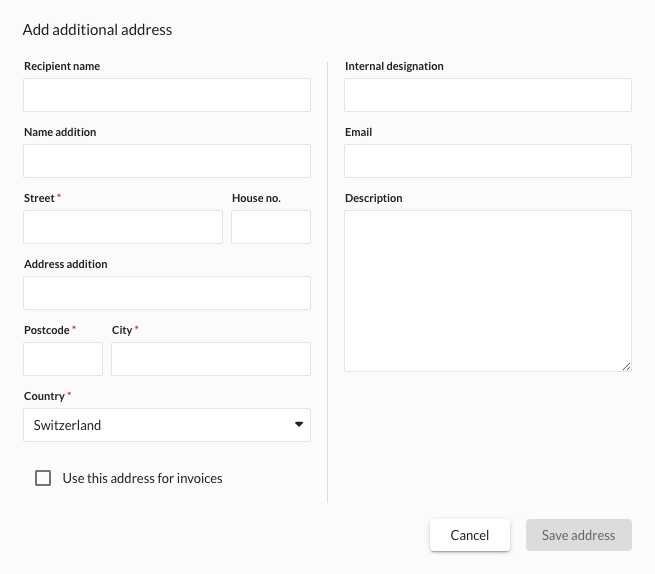
Designation
Internal field for the name of the additional address such as "Branch office". The address will then be displayed in the "Additional addresses" tab along with the corresponding designation.
Recipient name
The first line of the mailing address. The form of address, e.g. "Mr.", can be entered here for private individuals. In the case of a company, enter the company name, e.g. "bexio AG".
Name addition
The second line of the mailing address. For example, c/o Testuser. This field will only be used in Quotes, Orders, Invoices.
Street
The name of the street. This field is required.
House no.
The house number.
Address addition
The address addition. For example, a building or a floor.
Postcode, city & country
Here you can specify the postcode and city as well as the country. Missing countries can be added subsequently. To find out how, please read the article "Managing countries".
E-mail address
If you prefer performing invoicing by e-mail, you can also add a different e-mail address in this field. To find out more about dispatching offers and invoices by e-mail, please read the article "Online documents and e-mail dispatch".
Description
Under "Description" you have a chance to add internal information about the additional address for other users, i.e. "New invoice address since May 1, 2014".
Is the invoice address
If "Is the invoice address" is checked, the additional address will be used for every document created for this contact.
Is the correspondence address
If "Is the correspondence address" is checked, the additional address will be used for every letter sent to this contact (only possible with the "Word processing" add-on). To find out more about word processing, read the article "Where can I select the additional address?"
Documents (offers, orders, invoices, credits, purchase orders)
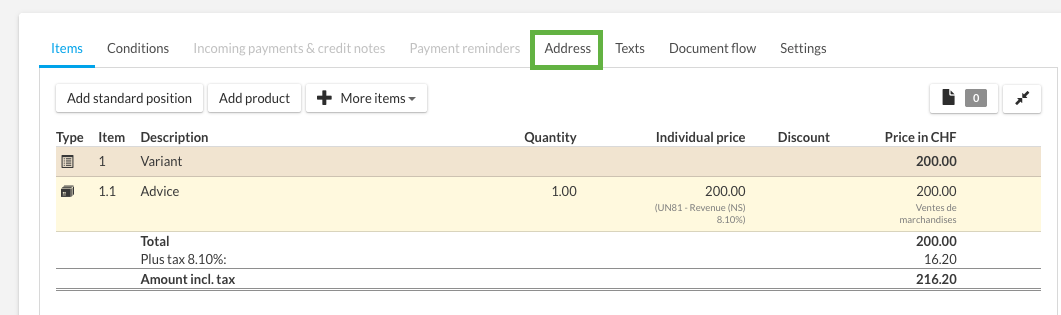
If the status of the document into which you want to import an additional address is "Draft", open the "Mailing address" tab.
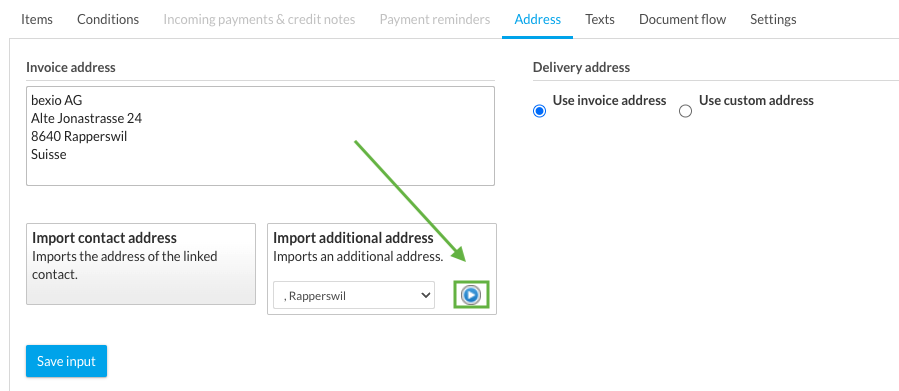
Under "Import additional address", select the corresponding address and click "Import additional address".