This article guides you through creating and managing new countries. bexio provides the most common countries by default. If you work with a specific destination that is not listed, you can easily add it to customise your database.
Accurate country management allows you to better leverage your customer data:
-
Filter: In your contact list, use the country filter to instantly display customers from a specific area.
-
Export: Once the filter is applied, export your selection in Excel format for your analyses or bulk mailings.
Summary:
Create a new country
Assign a country to a contact
Delete or modify a contact's country
Create a new country
To add a custom option to your database, follow these steps:
- Go to the Settings menu.
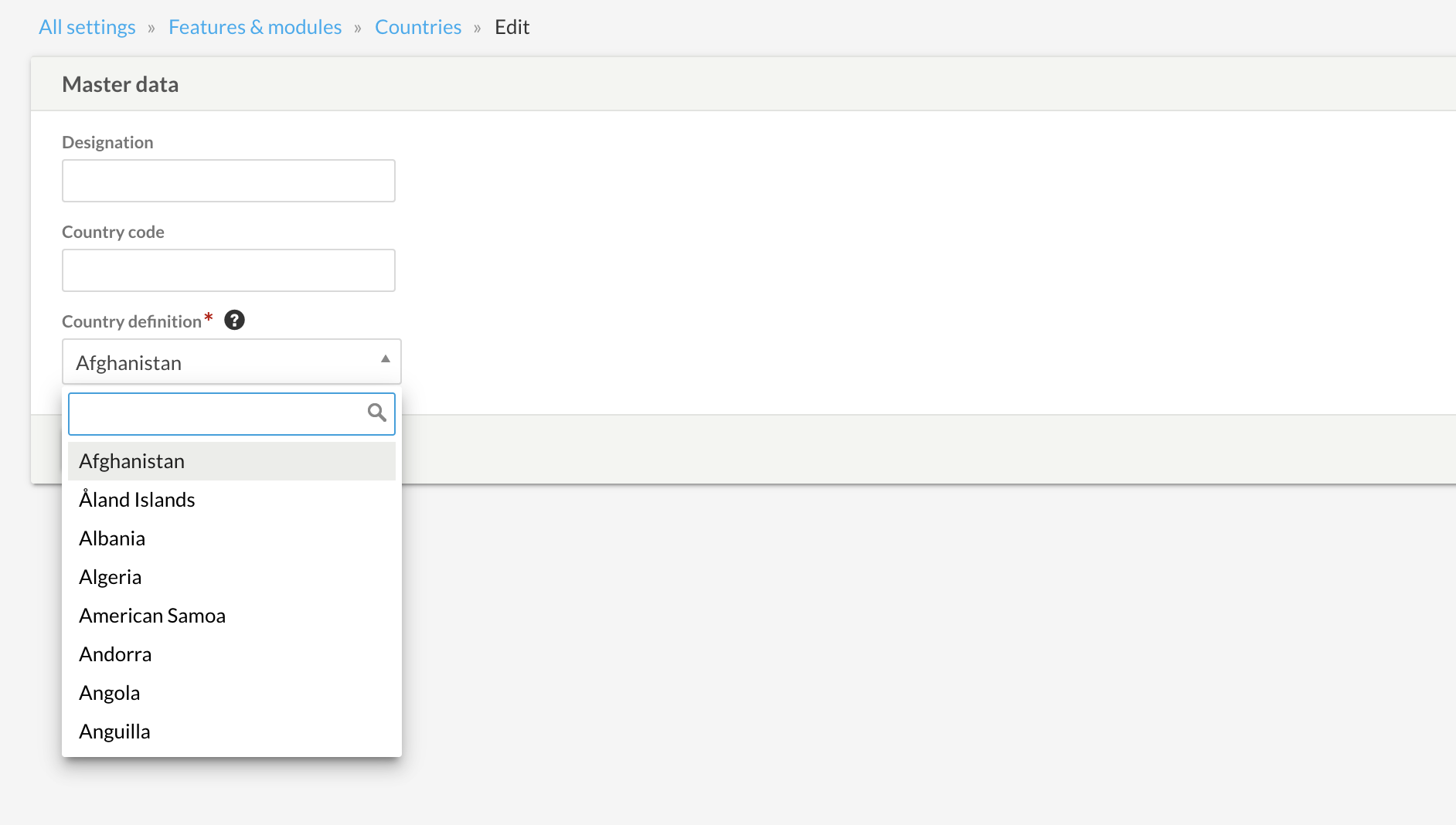
- Select All Settings > Features and Modules > Countries
- Click on the "New country" tab.
- Enter the country name, the code, and link it to the corresponding country in the dropdown list, then click Save.
To learn more about country codes, click this link.
Assign a country to a contact
Once the country is created, you can link it to your customer files:
- Go to the Contacts tab.
- Select the contact of your choice.
- Edit the contact and, in the profile information, choose the appropriate country from the dropdown menu.
- Save your changes.
Delete or modify a contact's country
When a country is deleted from the settings, it will no longer be available for your future contacts and will automatically disappear from the existing files to which it was linked.
To permanently remove an option from your list:
- Go back to Settings > All Settings > Features and Modules > Countries
- Locate the country you wish to remove.
- Click on the trash icon to delete it.