Two-factor authentication for even more security In bexio, you can set up two-factor authentication with the “Google Authenticator” add-on and the mobile app of the same name.
Content
Activate Google Authenticator in bexio
1. click on your username at the top right (to the left of “Settings”), then “Edit profile - Security”.

2. click on “Activate” under “Google Authenticator”.

3. follow the steps shown on the next page.
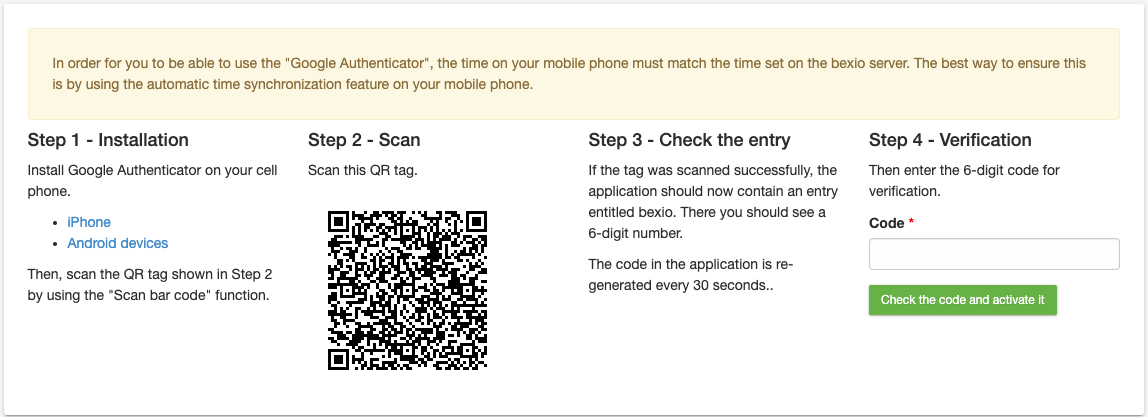
4. if the setup has worked, you will receive a message that the extended login procedure has been successfully activated.

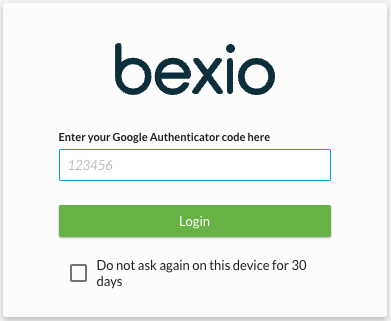
5. then, after entering the normal access data, the code from the “Google Authenticator” is also requested each time you log in.
Deactivate Google Authenticator
You can find out how to deactivate the Google Authenticator again in the report “Add-on Google Authenticator deactivation”.